Radar Field Analyser - RFA641 Edition Date: 28-Feb-18
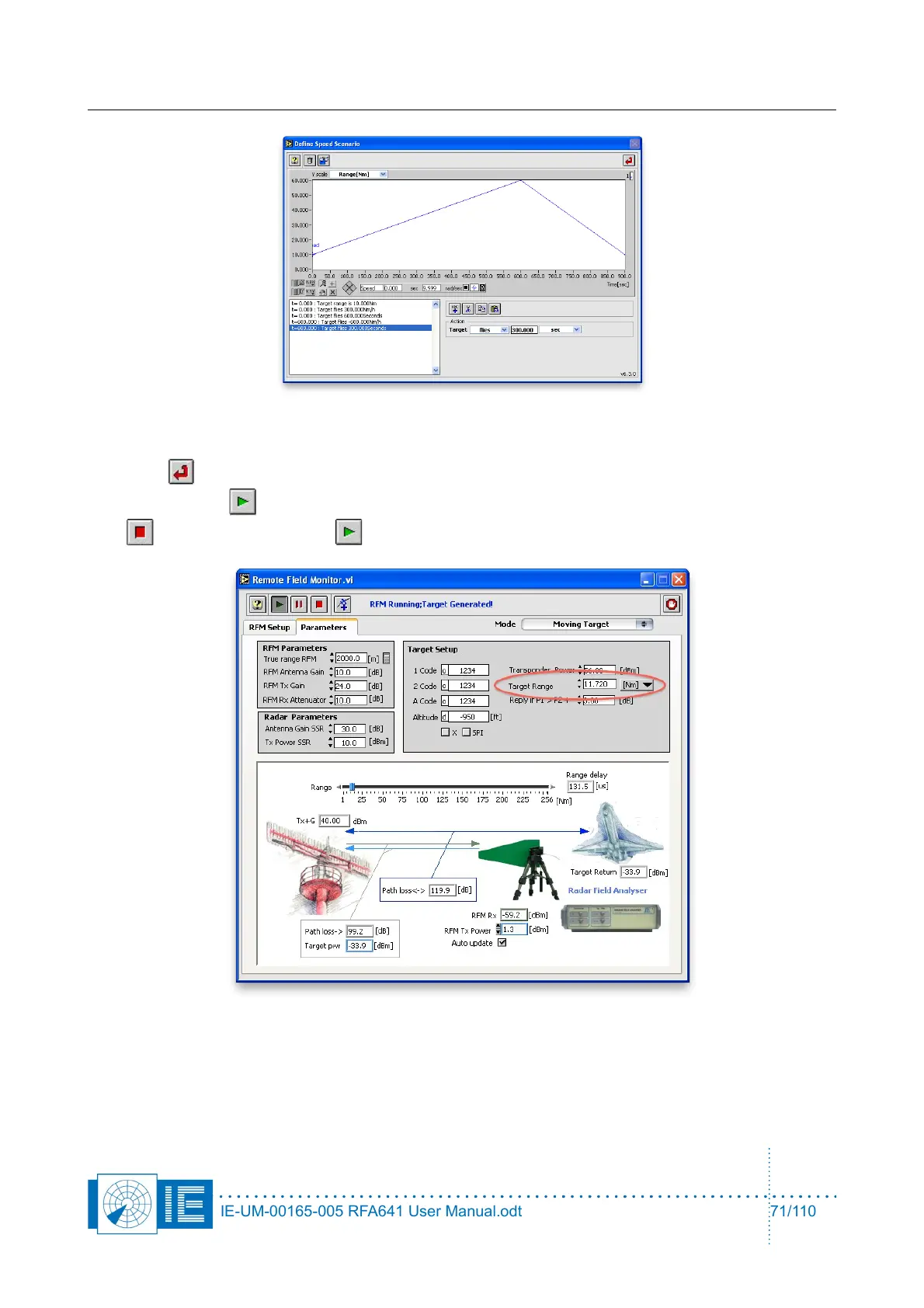
Define the moving scenario by compiling a series of simple sentences. Once the scenario is complete click
the Return button. Save the scenario when prompted by the LabVIEW dialog boxes. Run the scenario
by clicking the Start button. If a scenario is already running, the RFM should be restarted by clicking the
Stop button and then the Start button.
When the scenario is running the Target Range will change in accordance with the scenario. Path loss
parameters will automatically be adjusted to recreate a realistic moving target.
IE-UM-00165-005 RFA641 User Manual.odt 71/110



 To Next Page