Radar Field Analyser - RFA641 Edition Date: 28-Feb-18
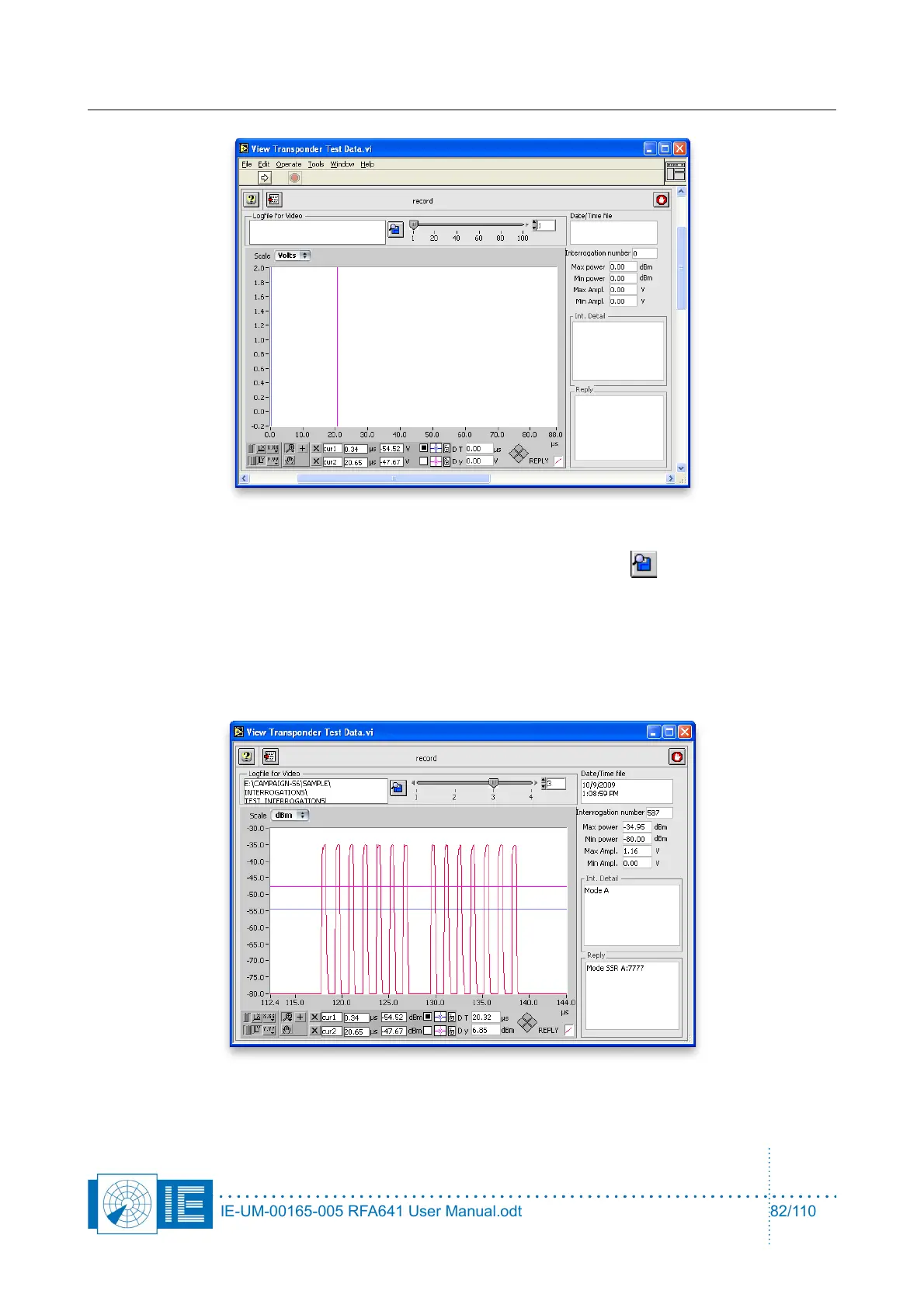
1. Load the recorded reply-interrogation file from disk using the Load file button. A file dialog will
pop up, pointing to the Interrogations subdirectory of the active campaign folder, that normally
contains all recording folders available. Open the recording folder of interest and select the file you
want to view. Each time the Record button was pressed in the Transponder Interrogator software
a file was created. Just select the file of interest and click the OK button.
2. The file is loaded and the index slider is updated according to the number of interrogation-reply pairs
available in the logging.
IE-UM-00165-005 RFA641 User Manual.odt 82/110



 To Next Page