Radar Field Analyser - RFA641 Edition Date: 28-Feb-18
Now click the Return button to return to the View RFA Pulses window. You have now
determined the timing of the mode A/C interrogation pattern of the radar of interest. The next step to
proceed to is the actual HPD extraction process.
3.3.3.3. Extracting and Logging the HPD Diagram
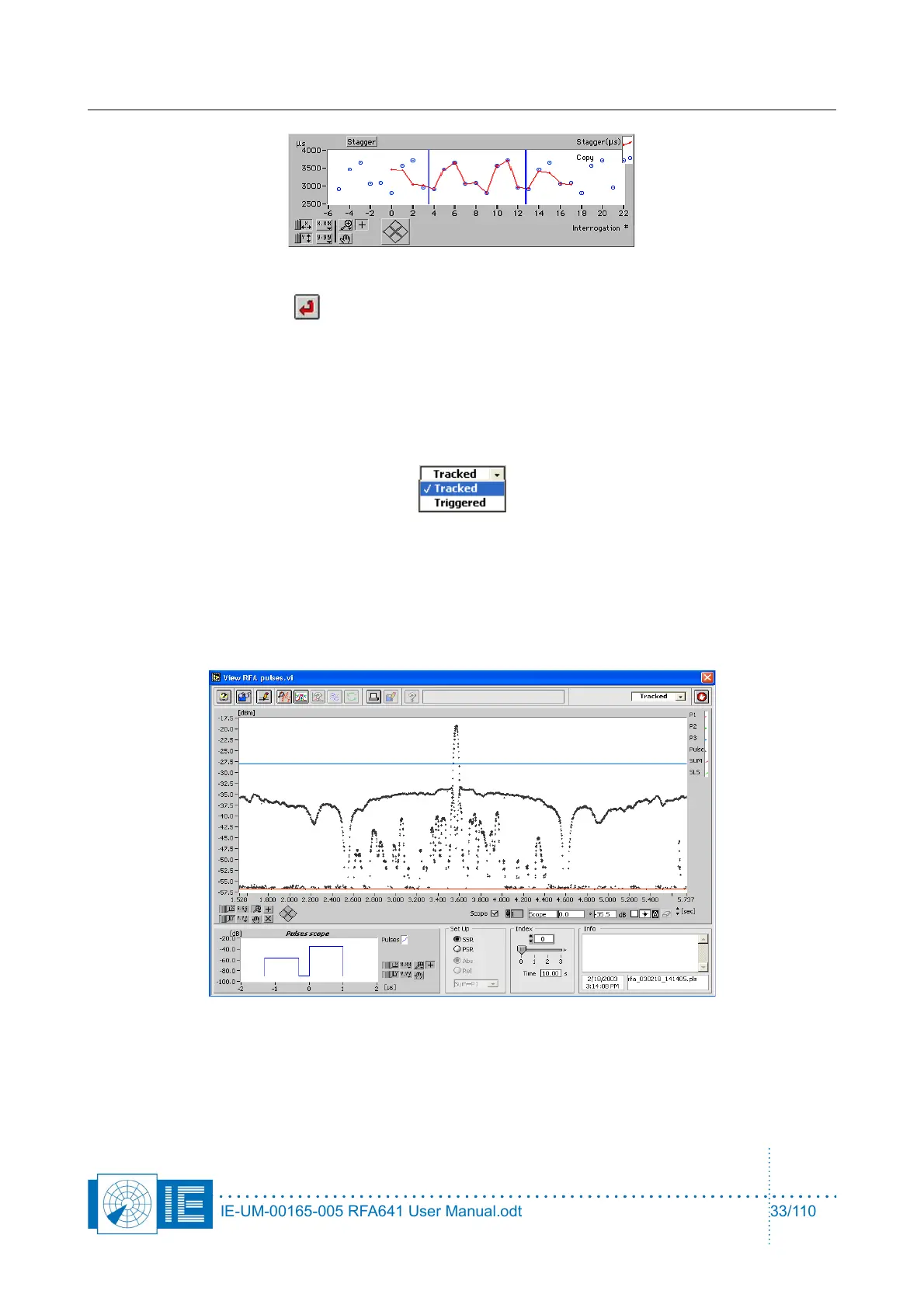
1. First select the HPD extraction method. This depends on the kind of stagger pattern of the radar
system of interest, as determined in previous section. If the stagger period is repetitive, select the
Tracked method. If the stagger period is random or non-repetitive, select the Triggered method.
2. Adjust the HPD Extraction parameters. The HPD extraction processes use a number of preset
parameters, which can be adjusted to your own needs, depending on the type of radar. Under
normal conditions, this means in 90% of the cases, the parameters are set correctly at default and
do not need adjusting. Two basic parameters that will always need adjustment are visible and
adjustable as cursors on the pulse graph: the boresight detection level, and the threshold.
3. The red cursor, Threshold, introduces a virtual new trigger level to the pulse file. All pulses below
Threshold (default: -90 dBm) will be cut off. This feature is built in to remove the effects of noise
pulses on the extraction algorithms. To set the threshold level make sure one boresight of the radar
of interest is shown. Now set the threshold level by moving the red cursor line to the correct level. To
IE-UM-00165-005 RFA641 User Manual.odt 33/110



 To Next Page