Radar Field Analyser - RFA641 Edition Date: 28-Feb-18
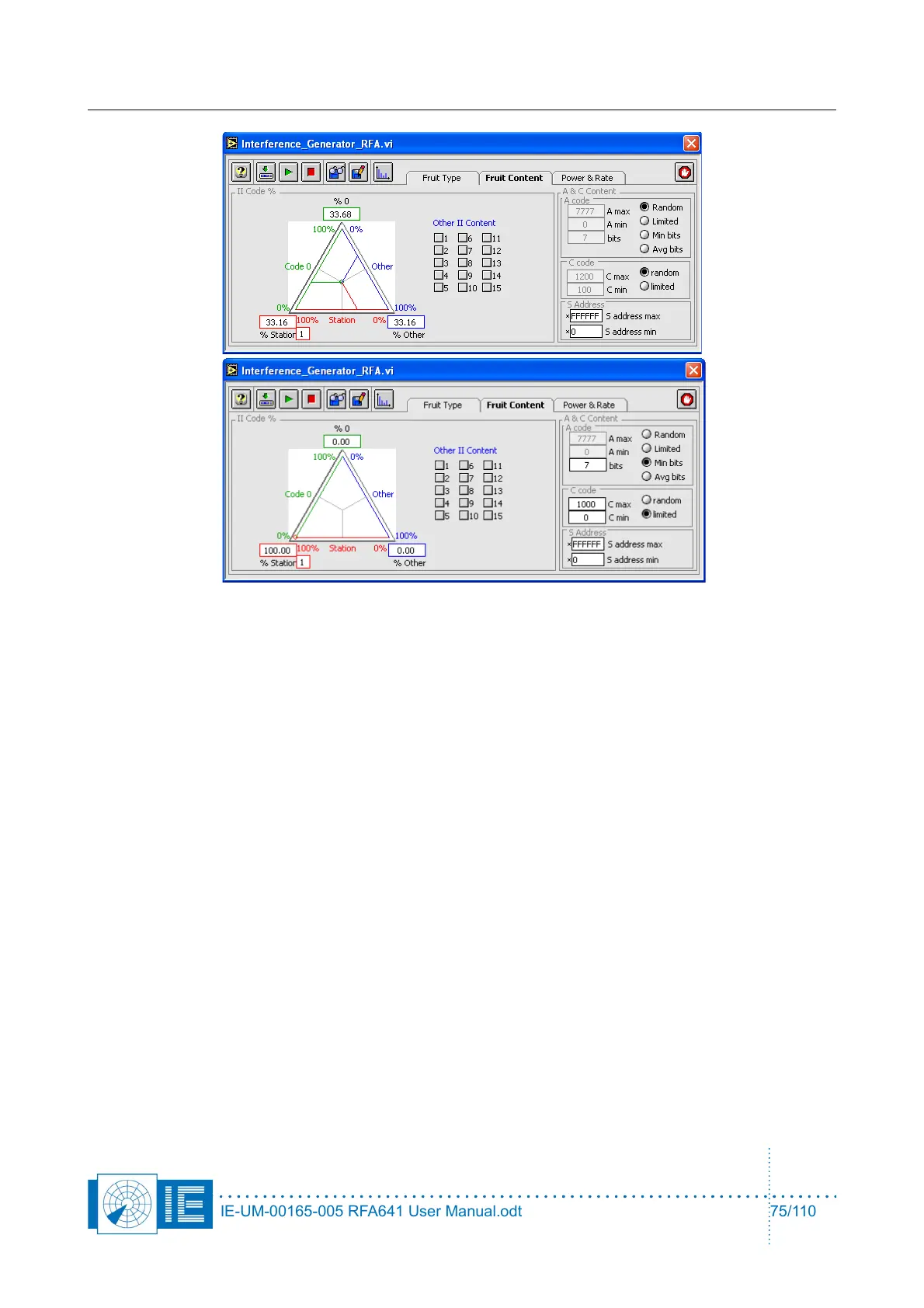
On the FRUIT Content panel, the following settings are possible:
• Percentage of station II code, “0” II code and other II codes in the Mode S FRUIT. The stations II
code can be set in the Station II code control at the lower left corner of the triangle. Several other II
codes can be selected by clicking their respective check boxes in the Other II Content control. The
percentages can be changed by moving the intersection point of the green, red and blue line in the
triangle.
• For the content of the mode A FRUIT, there is a choice between a random distribution using the
whole range of legal A codes (Random), a random distribution over a limited set of A codes (Limited
) and a random distribution of A codes with a minimal number of bits set (Min bits). The boundaries
for the limited set of A codes can be set using the A min and A max controls. The minimal number of
bits to be set can be selected using the bits control. When the random button is chosen, the A min, A
max and min bits controls are dimmed.
• For the content of the mode C FRUIT, there is a choice between a random distribution using the
whole range of legal C codes (random) or a random distribution over a limited set of C codes
(limited). The boundaries of the limited set of C codes can be set using the C min and C max
controls. When the random option is chosen, the C min and C max controls are dimmed.
• For the content of the Mode-S FRUIT, the S addresses are randomly selected between the S
address max and S address min parameters.
7.3.3. Power & Rate
The Power & Rate tab allows you to select Generation Frequency, Max. and Min. Reply Power, Max. and
Min. CW Power, Reply Rate in a defined sector and out of that sector, and Reply Distribution vs. time.
CW signals will only be generated in a defined sector.
A sector can be defined at the Sector section at the right of the window. The dial represents one complete
revolution and the instantaneous angle is continuously indicated. The revolution time can be selected
(default 12 sec) and at the top portion the start angle and the sector size can be filled in. The selected sector
is indicated in green.
IE-UM-00165-005 RFA641 User Manual.odt 75/110



 To Next Page