Radar Field Analyser - RFA641 Edition Date: 28-Feb-18
Each time the Start button is pressed, a new logfile is automatically created in the logging folder.
The file name is automatically created as ‘Folder name_yymmdd_hhmmss’ where Folder name
consists of the first 14 chars of the selected folder to contain the files, put in lowercase, yy for the
year, mm for the month, dd for the day, hh for the hour, mm are the minutes and ss the seconds.
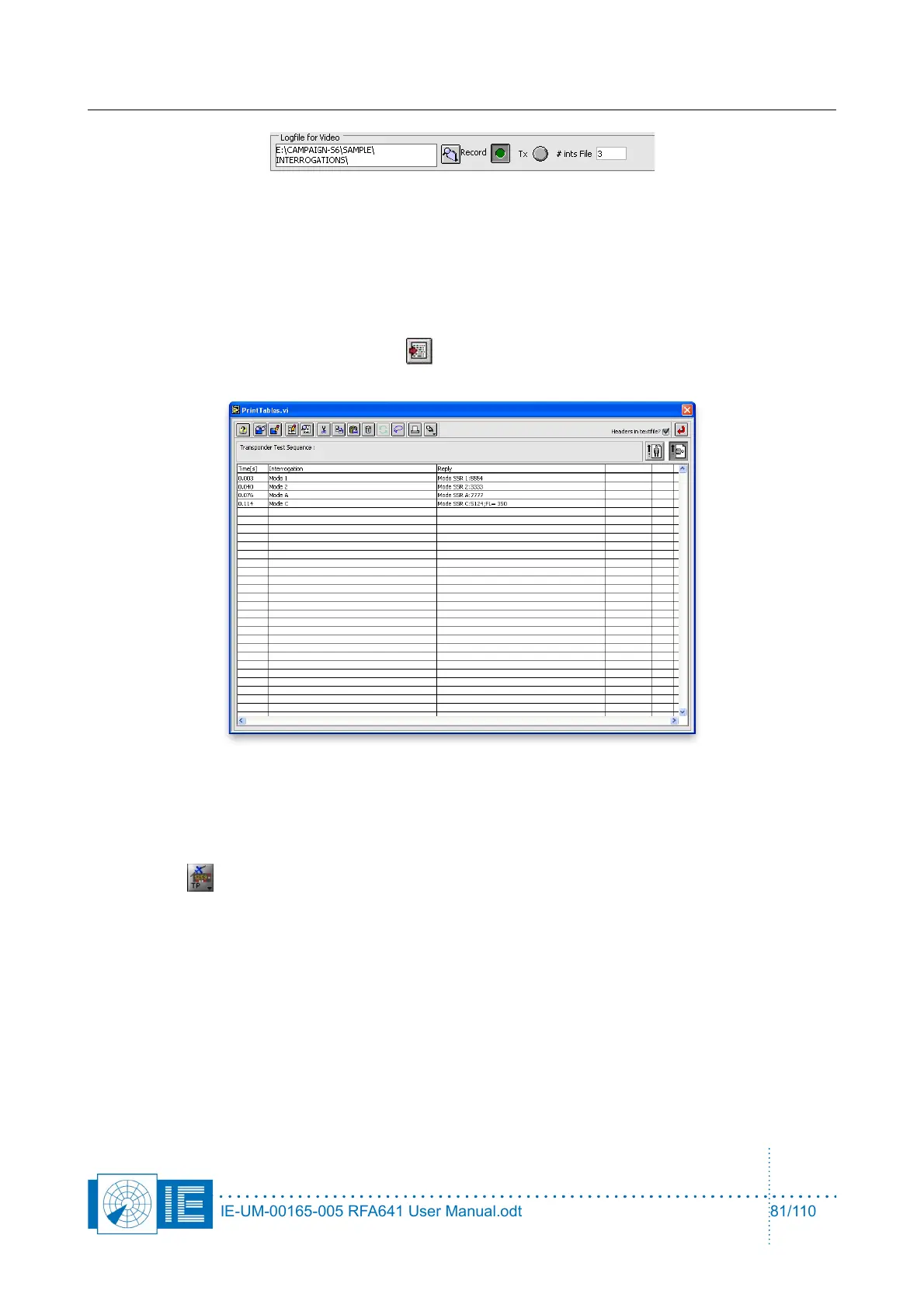
10. The last played interrogation schedule and related transponder reply data can be exported to a tab-
separated list. By clicking the Export button, the print tables.vi will pop up containing the
following information:
8.3.2. Viewing the logged Interrogation-Reply Data
The View Transponder Test Data program allows to page through the successive interrogations and the
corresponding transponder replies. The program can be opened from the RASS-S Toolbox using the
Transponder button.
IE-UM-00165-005 RFA641 User Manual.odt 81/110



 To Next Page