Radar Field Analyser - RFA641 Edition Date: 28-Feb-18
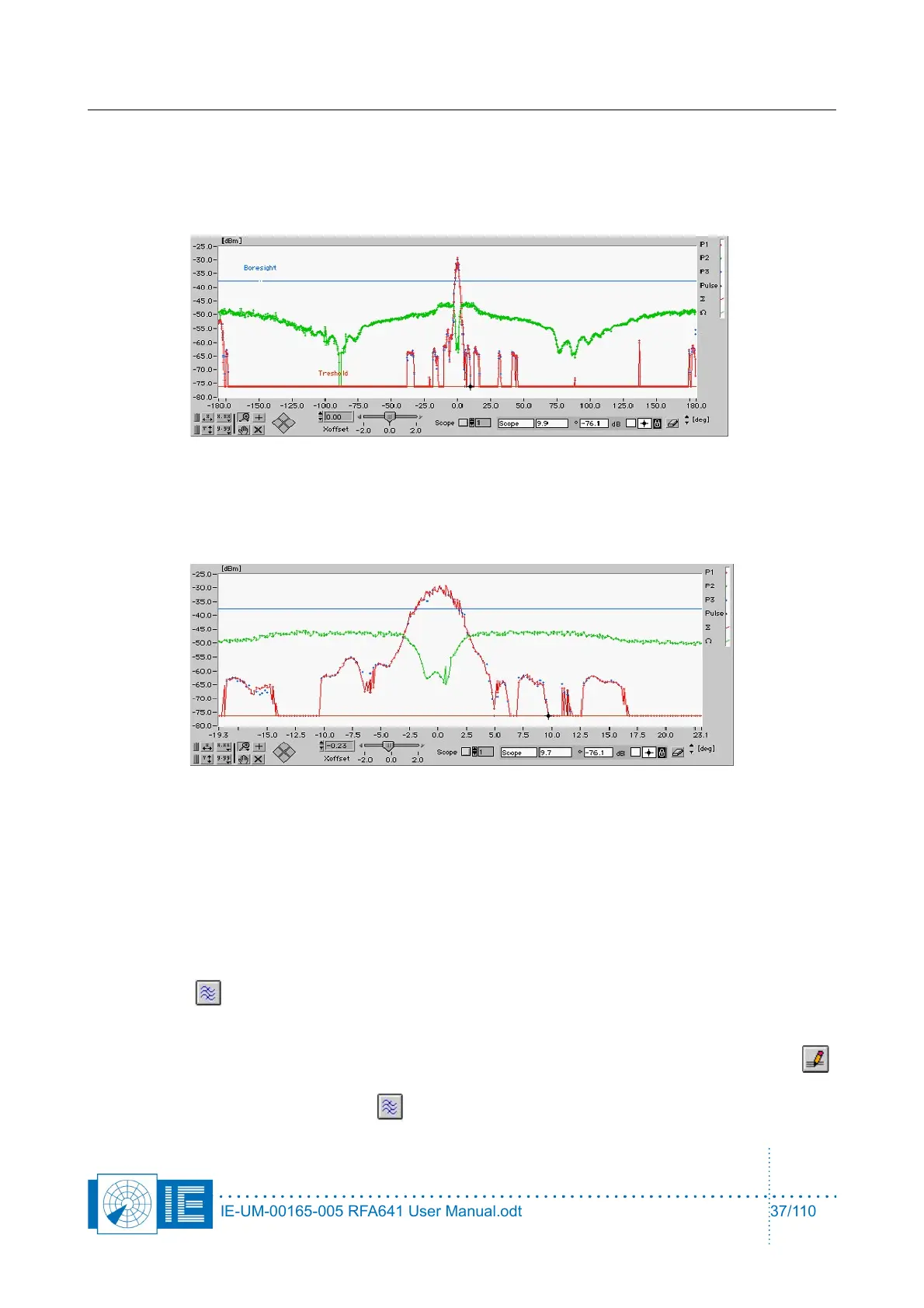
The HPD is now transferred to the reference pattern, indicated by ∑ and Ω. The ∑ reference channel
will be derived from P1, or P3, or the average level of P1 and P3, depending on the setting of the
selector. The result is an overlay of the HPD at index 1 and its copy to the reference. The reference
layer is set to connect the diagram dots, to give a visual indication that the copy action was
performed correctly.
3. Now select the next HPD extracted by changing the index to 2. You will notice that this HPD will be
slightly different from the reference.
Use the Xoffset control to align the HPD with the reference. Use the boresight and sidelobes to
select the best match. Once this is done, you can insert the HPD points in the reference by clicking
the HPD button. This can be repeated multiple times, each time increasing the number of samples
used to define the HPD diagram.
4. Due to the interleaving of multiple HPDs, the points in the graph are not equidistant in time.
Therefore it is required to resample the graph towards equidistant points, in order to ensure correct
OTD calculations and correct presentation in the View HPD Logfiles function by clicking the
Spline button. The new (equidistant) azimuth step can be set using the parameter window. This
may take a few seconds to complete. The progress bar will appear to monitor the process. The
process also removes eventual abrupt spurious pulses. The number of points for the median filter
should be adjusted according to the number of HPDs used for averaging. Click the Parameters
button and change the Median Filter # points parameter to 2, click OK to return to the View RFA
pulses and again click the Spline button to perform the cubic spline.
IE-UM-00165-005 RFA641 User Manual.odt 37/110



 To Next Page