www.javad.com Maxor Operator’s Manual 4-23
OPERATION
Loading New Firmware
Loading New Firmware
Base and Rover receivers must be loaded with the same firmware version. Use
the latest firmware version, available for download from the JNS website, to
ensure your receiver has the most recent updates.
The Maxor uses FLoader, a Windows®-based utility, to load firmware onto the
receiv
er and power boards. You can download FLoader to your computer from
the JNS website (http://www.javad.com). For more information, refer to the
FLoader User's Manual, also available on the JNS website.
1. Download and install FLoader, if applicable.
2. Download the new firmware package to your computer.
3. Physically connect your receiver and computer using the RS232 cable.
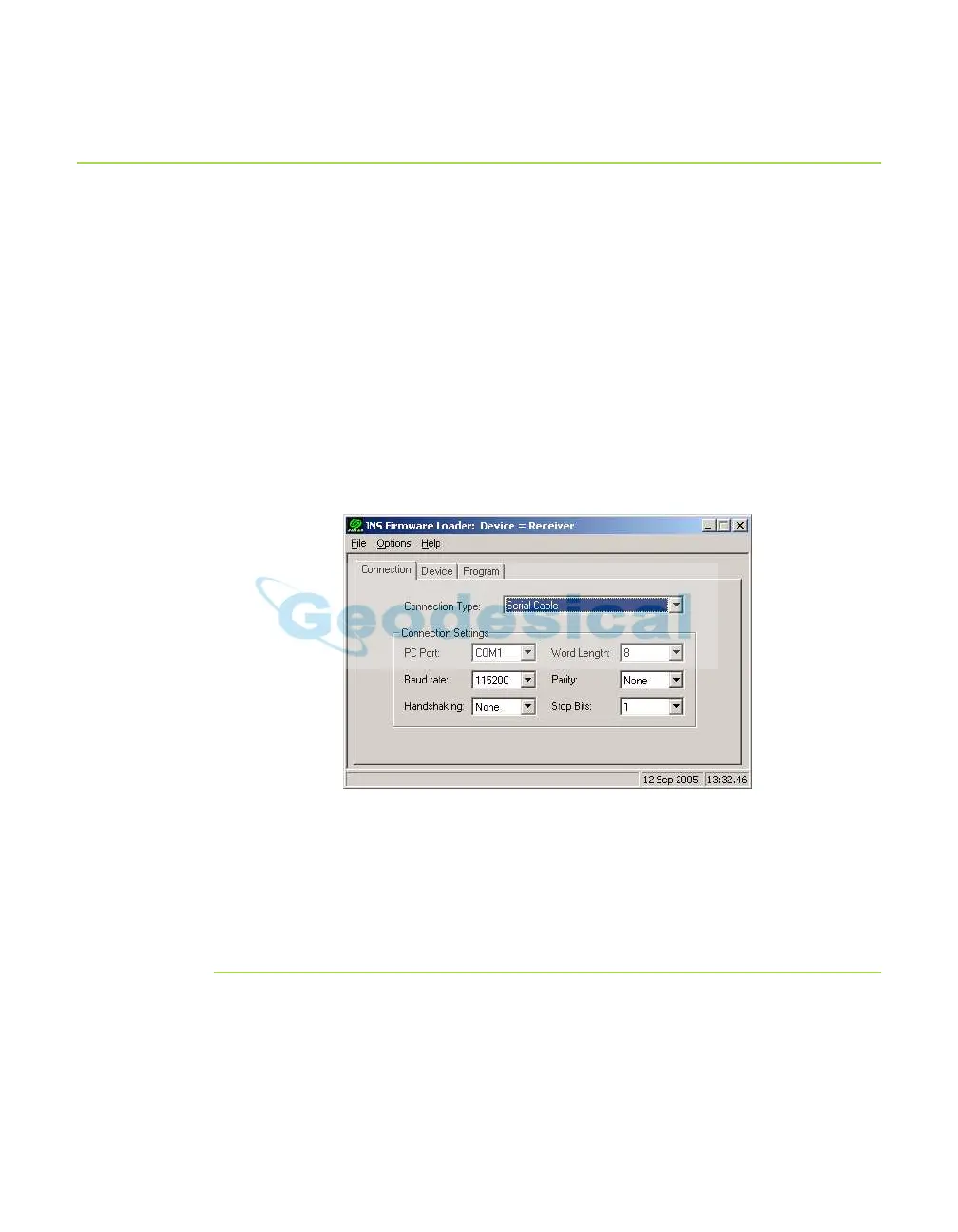
4. Activate FLoader (Figure 4-14).
Figure 4-14. Floader Main Screen
5. On the Connection tab, select the COM port on your computer that connects
with your receiver and select its speed (usually 115200).
See the following sections to load the appropriate firmware.
Receiver and Power Board Firmware
Receiver and power board firmware is released as a compressed file that
you download and decompress. This file contains the following three files:
• ramimage.ldr – the Receiver board RAM file
• main.ldp – the Receiver board Flash file



 To Next Page