3-18 Maxor Operator’s Manual www.javad.com
SETUP AND MEASURING
Measuring with the Maxor
3
Setting up an RTK Rover
Use the following steps to set up an RTK Rover station. You should
already have programmed the modem.
1. Set up the Rover station receiver's antenna as describ
ed in “Maxor
Receiver Setup” on page 3-2.
2. Connect your receiver and computer. See “Connecting the Maxor
and a Computer” on page 2-9 for this procedure.
3. Click Configuration->Receive
r.
4. Select the Posit
ioning tab and set the Position Masks, Elevation
mask (degrees) parameter to 15 (Figure 3-10 on page 3-15).
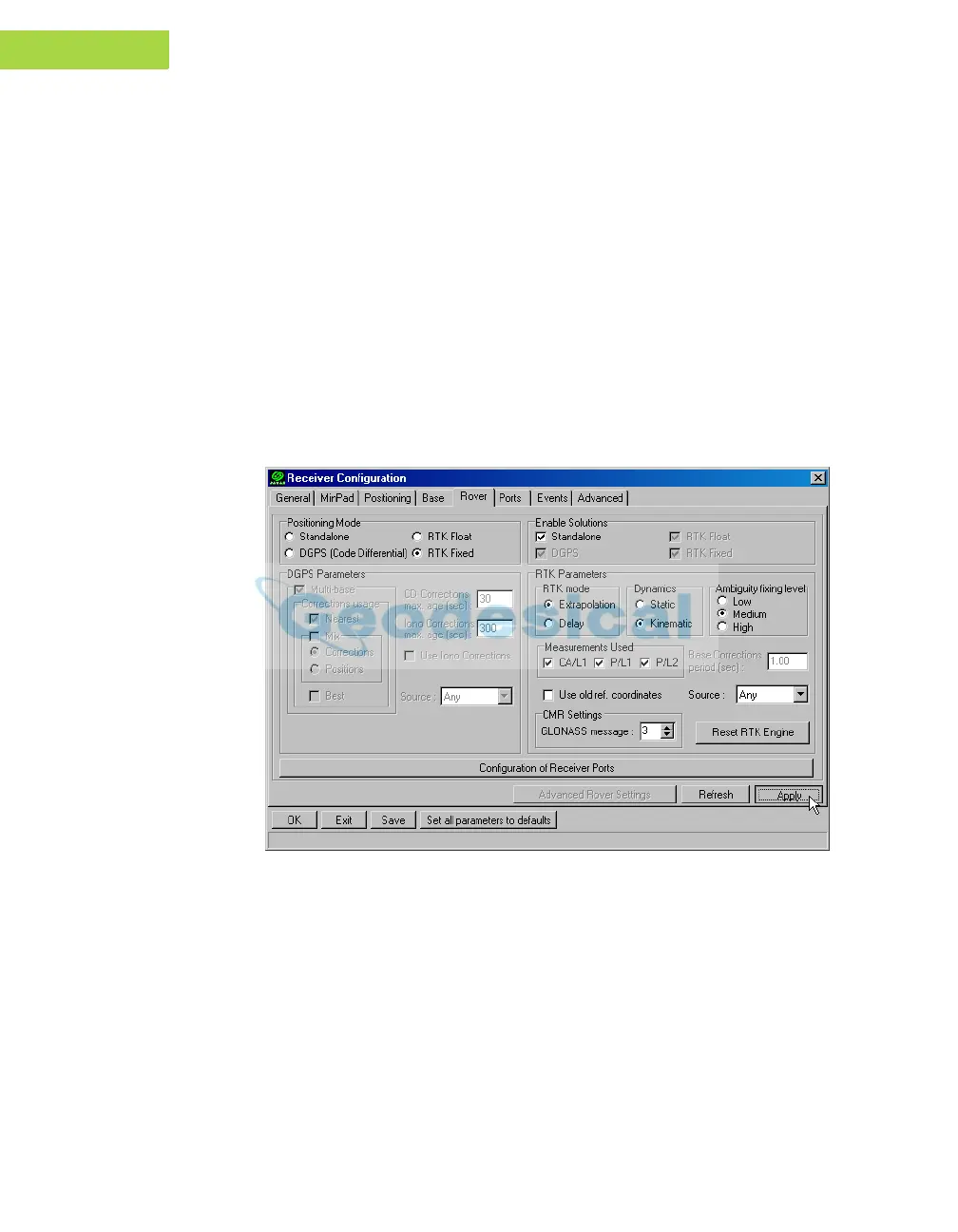
5. Select the Rover tab and set the desired Positioning Mode
(Figure 3-1
3).
Figure 3-13. Rover Tab Configuration
Adjust the following RTK Parameters settings:
• Under RTK mode in the RTK Parameters section, choose either
Extrapolation for RT
K (kinematic) or Delay for RTK (static).
–Extrapolation is for low-latency, high frequency output (>= 5 Hz)
RTK applications. The rov
er will extrapolate the base station's
carrier phase measurement corrections when computing the rover's
current RTK position.
–Delay is for 1 Hz high precision RTK applications. The Rover
R
TK engine will compute either a delayed R
TK position (for the



 To Next Page