www.javad.com Maxor Operator’s Manual 3-17
SETUP AND MEASURING
Measuring with the Maxor
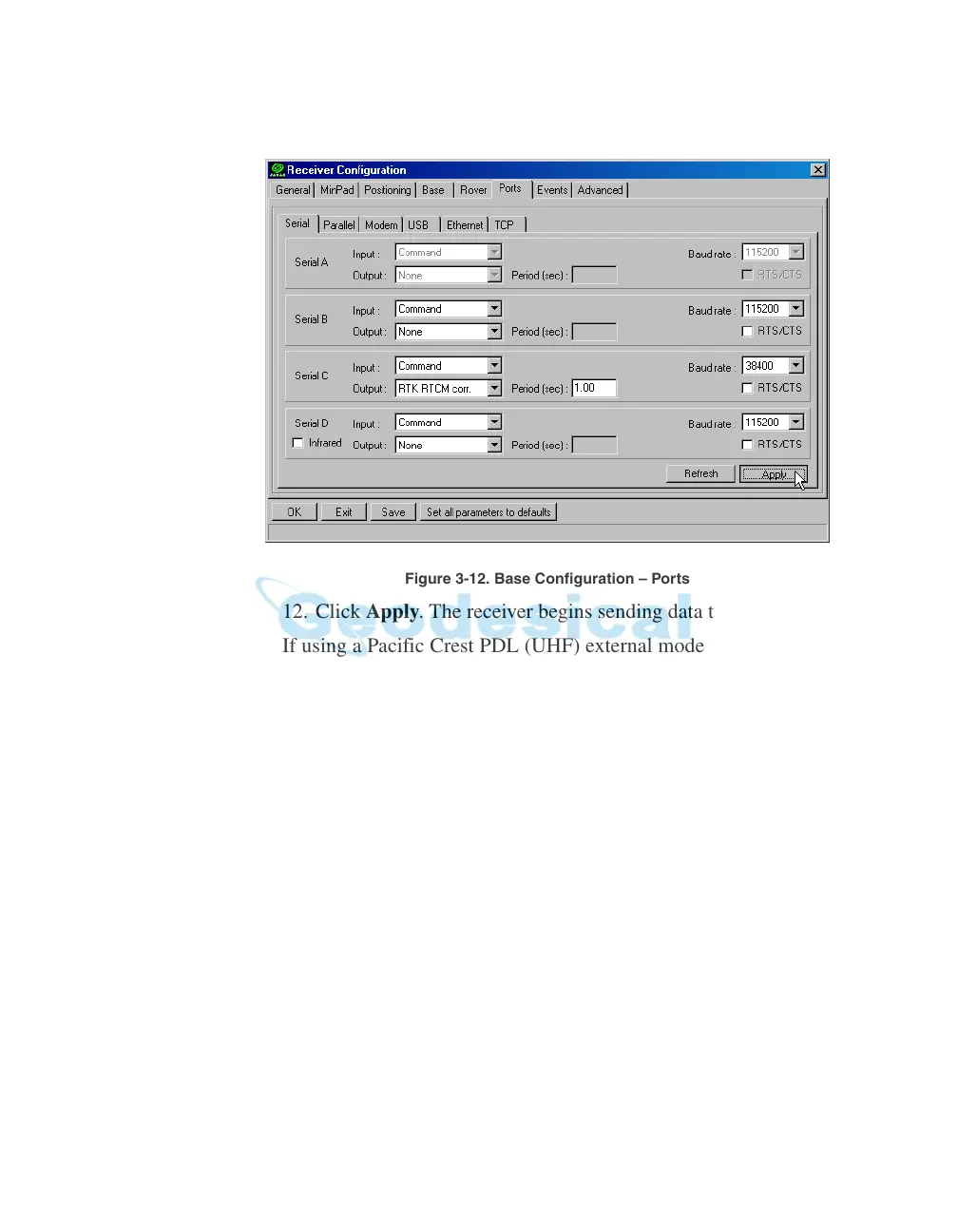
Figure 3-12. Base Configuration – Ports
12. Click Apply. The receiver begins sending data to the selected port.
If using a Pacific Crest PDL (UHF) external modem, follow these steps
to configure this modem:
Notice:
Connect the radio antenna before switching the modem
to the transmitting mode.
13. When finished with the previous steps, press the power bu
tton on
the external modem.
14. Select the radio transmission power using the Low/High toggle on
the rear panel of the modem. When in High,
the AMP PWR LED
will be on.
15. Use the Channel button to set the frequenc
y channel. Check that
the modem transmits the corrections (the TX LED will blink red
each time data transmits).
For more details on the settings available for configuring the Base
station, refer to the PCVi
ew Software Manual.



 To Next Page