www.javad.com Maxor Operator’s Manual 4-25
OPERATION
Loading New Firmware
Notice:
If you selected an incorrect RAM or Flash file, an error
message displays at the bottom of the dialog box.
Reselect the correct file.
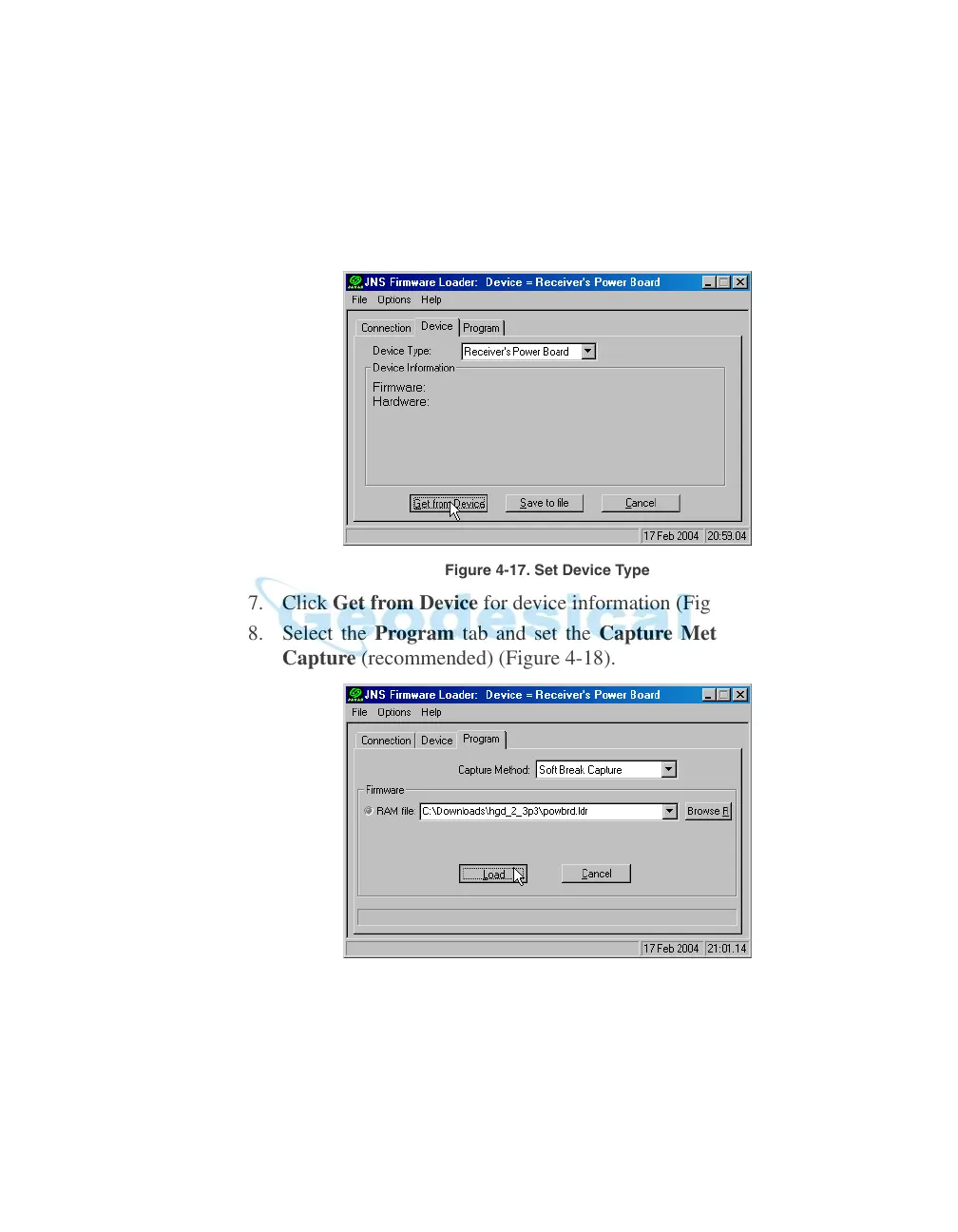
6. Select the Device tab and se
t the Device Type as Receiver's Power
Board (Figure 4-17).
Figure 4-17. Set Device Type
7. Click Get from Device for device information (Figure 4-17).
8. Select the Program tab and set the Cap
ture Method to Soft Break
Capture (recommended) (Figure 4-18).
Figure 4-18. Program Tab Settings
9. Browse for and select the Power board's RAM file (Figure 4-18).
10. Click Load and wait until 100% of t
he power board file loads into your
receiver.



 To Next Page