2-20 Maxor Operator’s Manual www.javad.com
CONFIGURATION
MinPad Configuration
2
You use PCView to configure MinPad settings. Refer to the PCView Software
Manual for all possible MinPad configurations.
1. Connect your receiver and computer. See “Connecting the Maxor and a
Computer” for this procedure.
2. Start PCView.
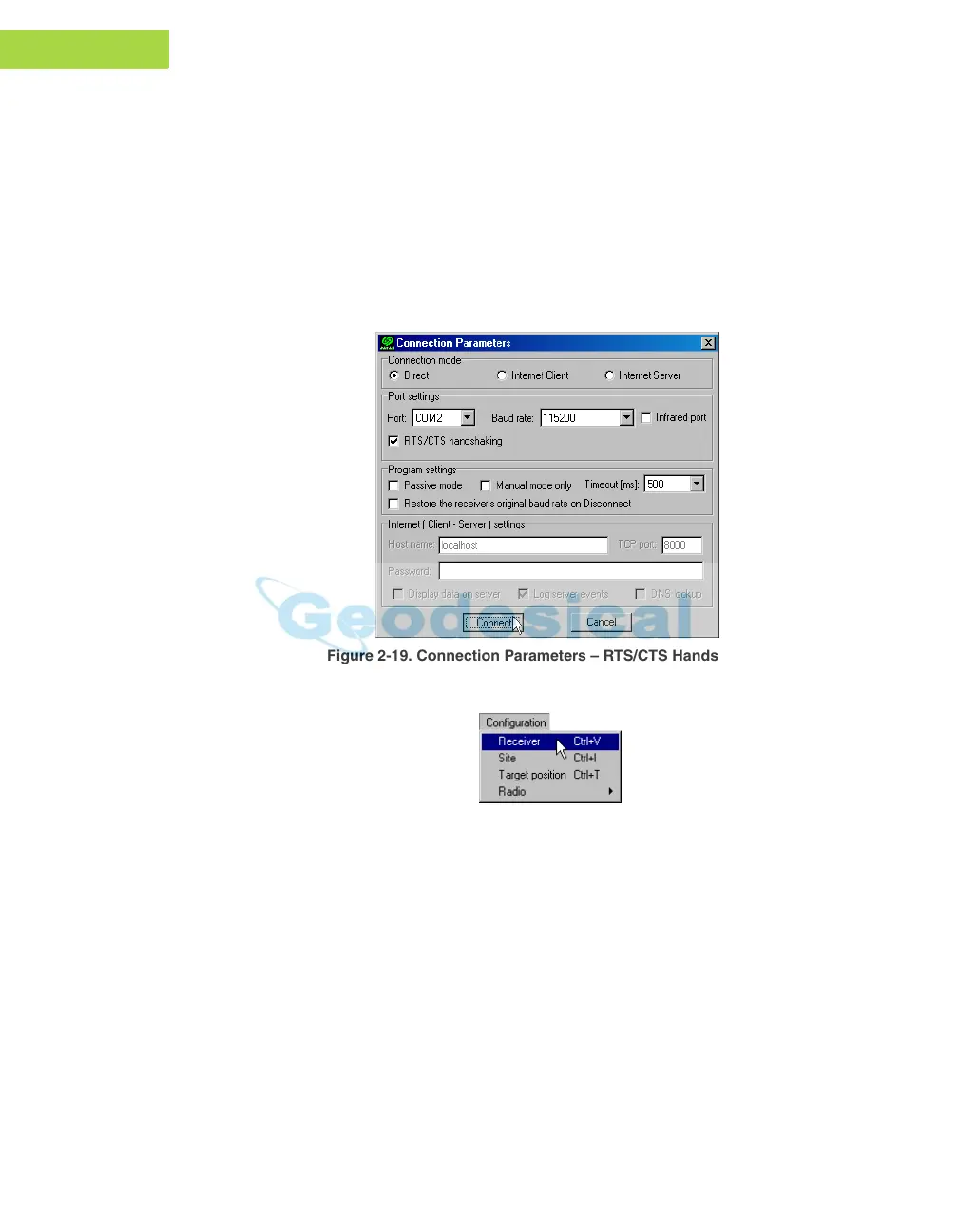
3. On the Connection Parameters dialog box, enable RTS/CTS handshaking
(Figure 2-19) and then click Connect.
Figure 2-19. Connection Parameters – RTS/CTS Handshaking
4. Click Configuration->Receiver (Figure 2-20).
Figure 2-20. Configuration->Receiver
5. Click the MinPad tab, set the following parameters and click Apply
(Figure 2-21). See the following pages for descriptions of these parameters.
• Recording interval on page 2-21
• Elevation mask for log file on page 2-21
• File name prefix on page 2-21
• Always append to the f
ile on page 2-22
•
Files Creation mode on page 2-22
• Automatic File Rotation Mode (AFRM) on page 2-22



 To Next Page