www.javad.com Maxor Operator’s Manual 3-15
SETUP AND MEASURING
Measuring with the Maxor
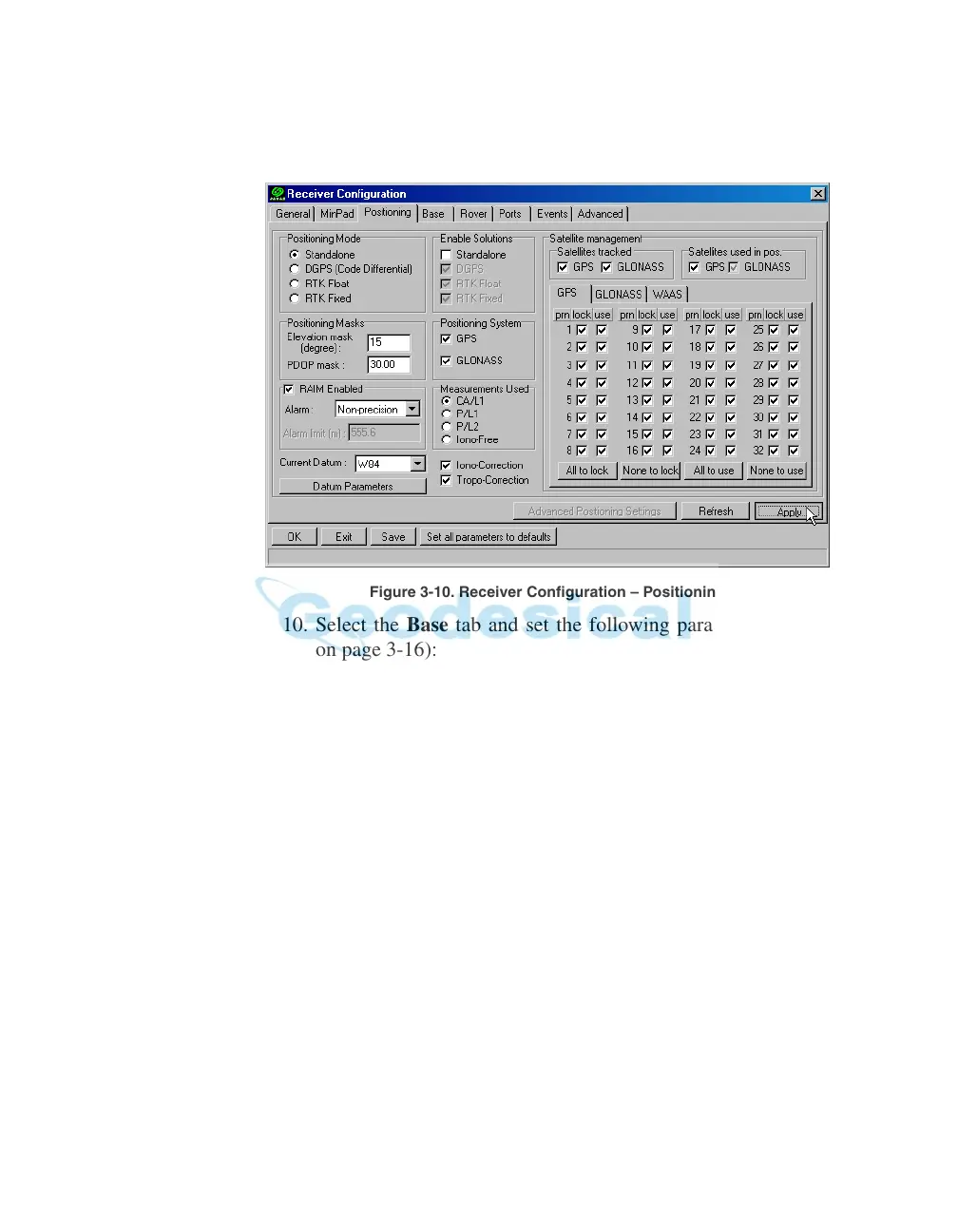
9. Select the Positioning tab and set the Position Masks, Elevation
mask parameter to 15 (Figure 3-10).
Figure 3-10. Receiver Configuration – Positioning
10. Select the Base tab and set the following parameters (Figure 3-11
on page 3-16):
• GPS/GLO at one time - enable
• Antenna position - enter Lat, Lon, and Alt values. Do one of the
follo
wing:
–If known, type in t
he values.
–Click Get fr
om recei
ver.
–Enable Averaged and enter the Averaged Span in seconds, the
n
click Apply. Click Tools->Reset receiver and wait until the
specified interval (span) completes. Examine the Base coordinates
on the Base tab, they should correspond to the coordinates obtained
from the average. Click Refresh if the coordinates are zeros.



 To Next Page