3-14 Maxor Operator’s Manual www.javad.com
SETUP AND MEASURING
Measuring with the Maxor
3
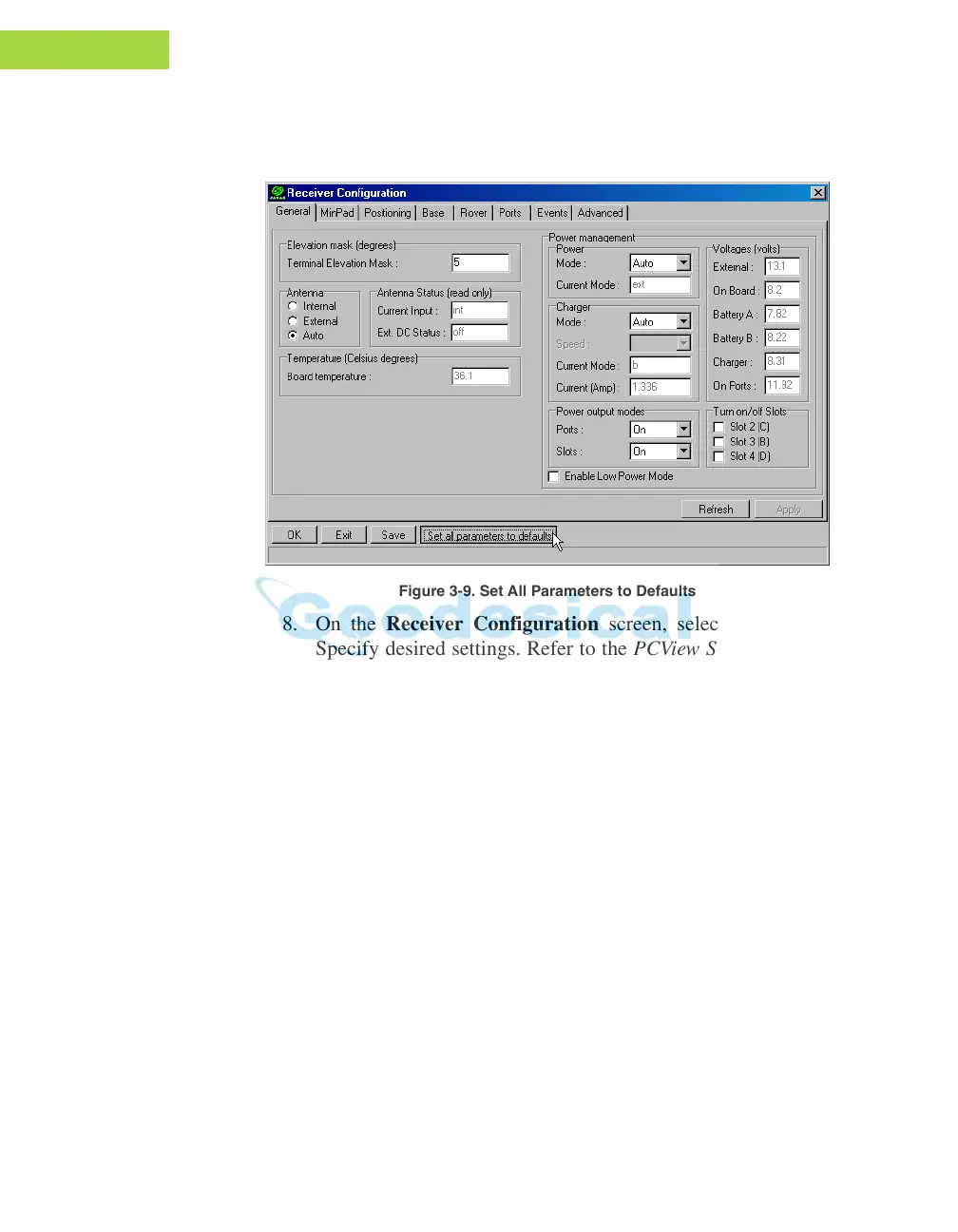
7. Click the Set all parameters to defaults button located at the
bottom of the Receiver Configuration screen (Figure 3-9).
Figure 3-9. Set All Parameters to Defaults
8. On the Receiver Configuration screen, select the MinPad tab.
Specify desired settings. Refer to the PCView Software Manual for
more information.



 To Next Page