www.javad.com Maxor Operator’s Manual 2-11
CONFIGURATION
Connecting the Maxor and a Computer
Establishing a PCView Connection
PCView is a personal computer software used to manage the various
functions of your receiver. The full range of PCView configuration and
function is outside the scope of this manual. For more information on any of
the procedures in this section or on PCView, refer to the PCView Software
Manual available on the JNS website (http://www.javad.com).
1. Once the receiver and a computer are connected, start PCV
iew on
your
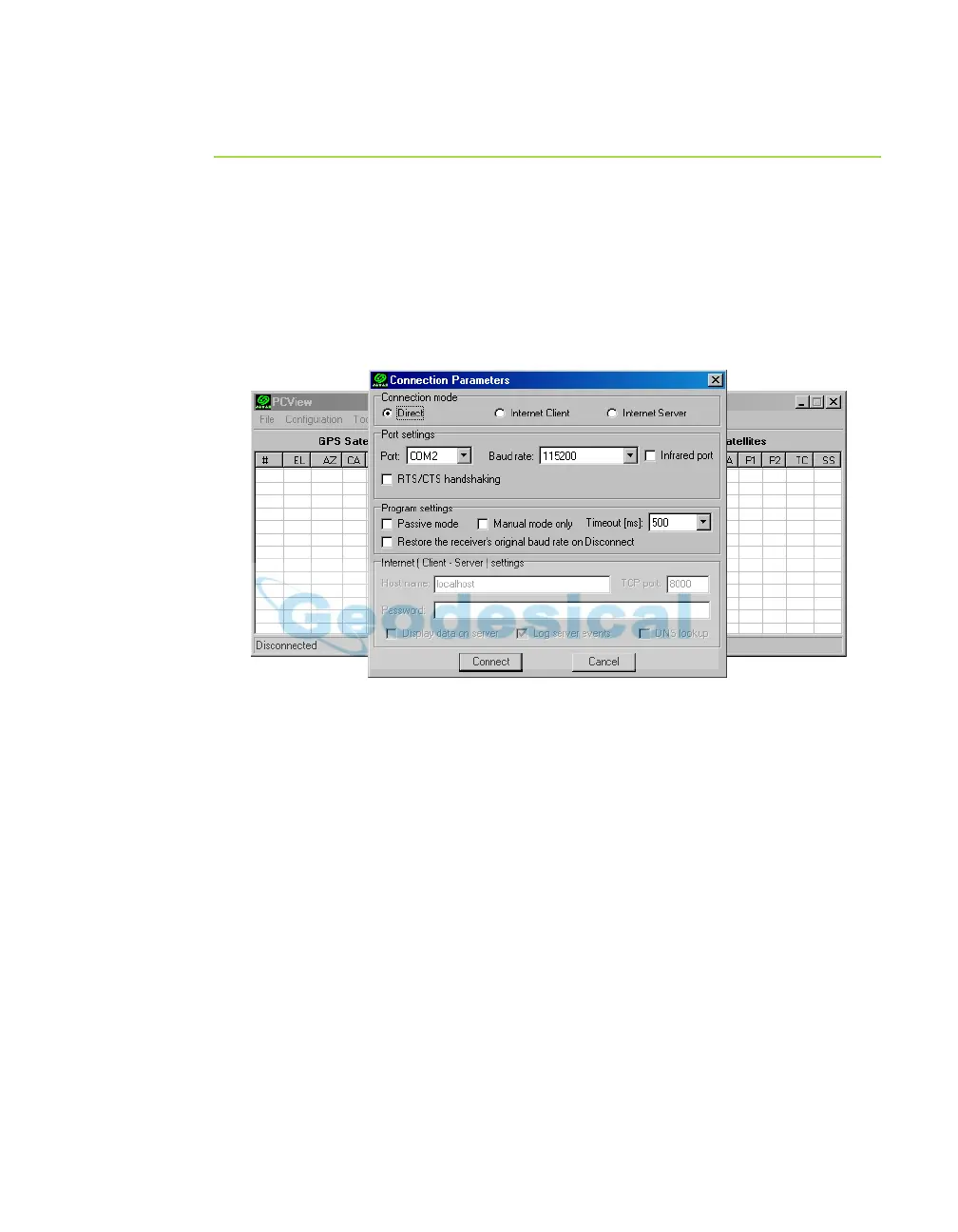
computer. The PCView main screen displays (Figure 2-9).
Figure 2-9. PCView Main Window
Notice that the lower-left hand corner shows the receiver status as
"Disconnected".
1. On the Con
nectio
n Parameters dialog box, select the following
parameters and click Connect:
• For Bluetooth® or RS232 connections (Figure 2-9 on page 2-11)
–Set the Connection mode (Direct).
–Set the port for your computer (typically COM1, COM2 for RS232
c
onnec
tion and COM3, COM4, etc. for Bluetooth® connection) from
the Port drop-down list.
–Set the communication rate between
the receiver and the computer
(usually 115200) from the Baud rate drop-down list.



 To Next Page