2-12 Maxor Operator’s Manual www.javad.com
CONFIGURATION
Connecting the Maxor and a Computer
2
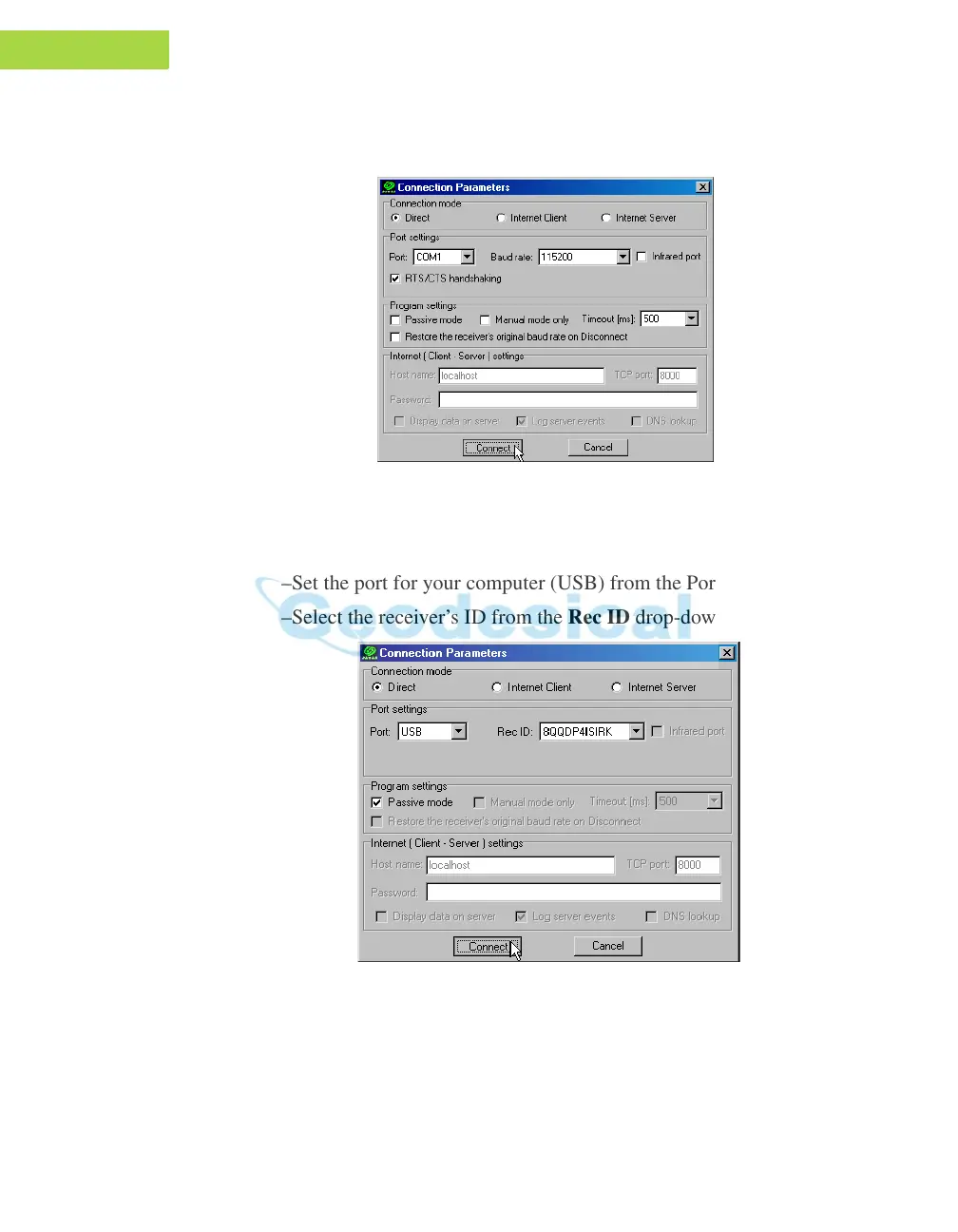
–For Bluetooth® connections, disable RTS/CTS handshaking. For
RS232 connections enable RTS/CTS handshaking.
Figure 2-10. Bluetooth® and RS232 Connection Parameters
• For USB connections (Figure 2-11)
–Set the Connection mode (Direct).
–Set the port for your computer (USB) from the Port drop-down list.
–Select the receiver’s ID from the R
ec ID drop-down list.
Figure 2-11. USB Connection Parameters
Once a PCView connection with the receiver has been established, the
current communications settings–such as, port name, baud rate (if
applicable), and flow control (if applicable)–display in the lower-left corner



 To Next Page