www.javad.com Maxor Operator’s Manual 2-31
CONFIGURATION
Radio Configuration
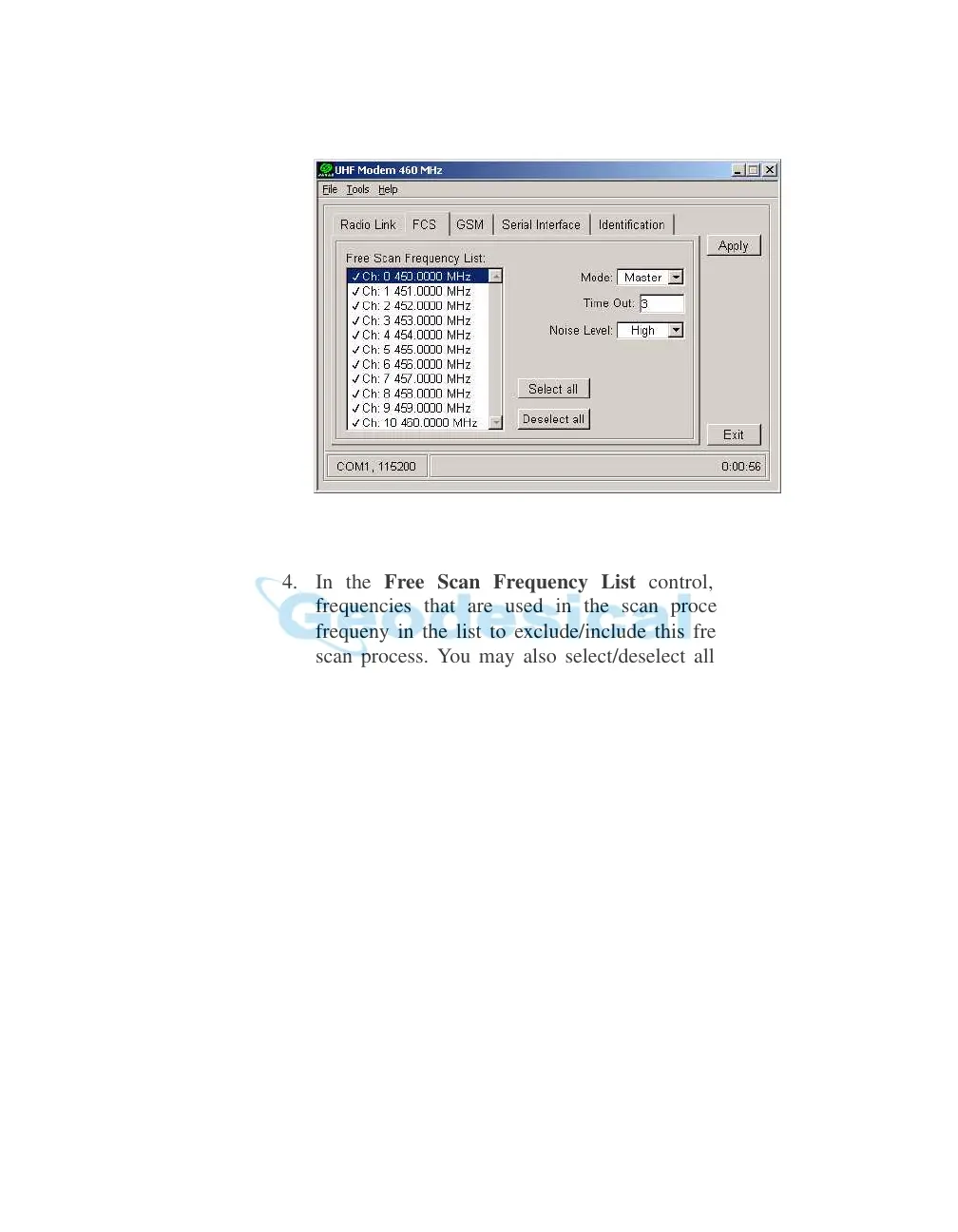
2. Click on the FCS tab (Figure 2-25).
Figure 2-25. FCS Tab
3. From the Mode control, select Master.
4. In the Free Scan Frequency
List control, you will see the
frequencies that are used in the scan process. Double-click a
frequeny in the list to exclude/include this frequency from/to the
scan process. You may also select/deselect all frequencies at one
time with the Select all and Deselect all controls.
Notice:
For FCS to operate properly, you must select at least two
frequencies.
5. In the Time O
ut edit box, specify a period in seconds with which
the base radio-modem will send a service word to the rover radio-
modem.
Notice:
It is recommended to make Time out larger (by 2, 3
seconds) than the period of transmitting differential
corrections.
6. In the Noise Level f
ield, specify a threshold value for the noise
level. There are three levels available:
• High – sets the noise level to -70 dBm. Recommended in noisy
environments.
• Medium – sets the noise level to -85 dBm. Recommended in most
en
vironments.



 To Next Page