2-34 Maxor Operator’s Manual www.javad.com
CONFIGURATION
Radio Configuration
2
Notice:
The settings must be the same for base and rover.
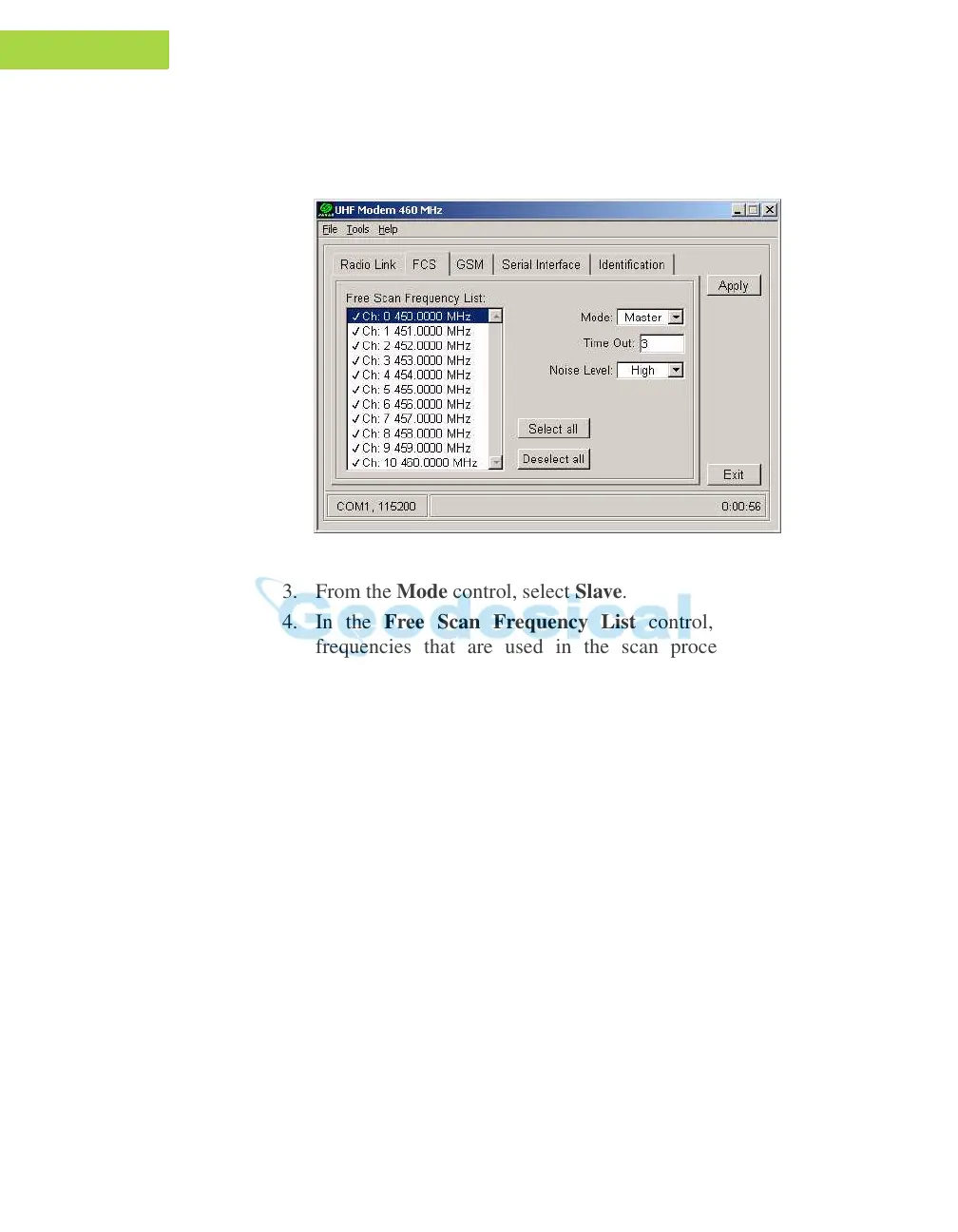
2. Click on the FCS tab (Figure 2-26).
Figure 2-26. FCS Tab
3. From the Mode control, select Slave.
4. In the Free Scan Frequency
List control, you will see the
frequencies that are used in the scan process. Double-click a
frequeny in the list to exclude/include this frequency from/to the
scan process. You may also select/deselect all frequencies at one
time with the Select all and Deselect all controls.
Notice:
For FCS to operate properly, you must select at least two
frequencies. Also the selected frequencies must be the
same as at the base radio modem.
5. In the Time O
ut edit box, specify a period in seconds within which
the rover radio-modem will listen to the incoming data on the
current operating frequency. Should there be no any data detected
during the specified amount of time, the rover will switch to the
next frequency in the list and so forth until the frequency with data
is found.
Notice:
It is recommended to make this parameter greater than
the base radio modem’s Time out by 2 to 3 seconds.



 To Next Page