2-28 Maxor Operator’s Manual www.javad.com
CONFIGURATION
Radio Configuration
2
Set Radio Link Parameters for a Dedicated Channel
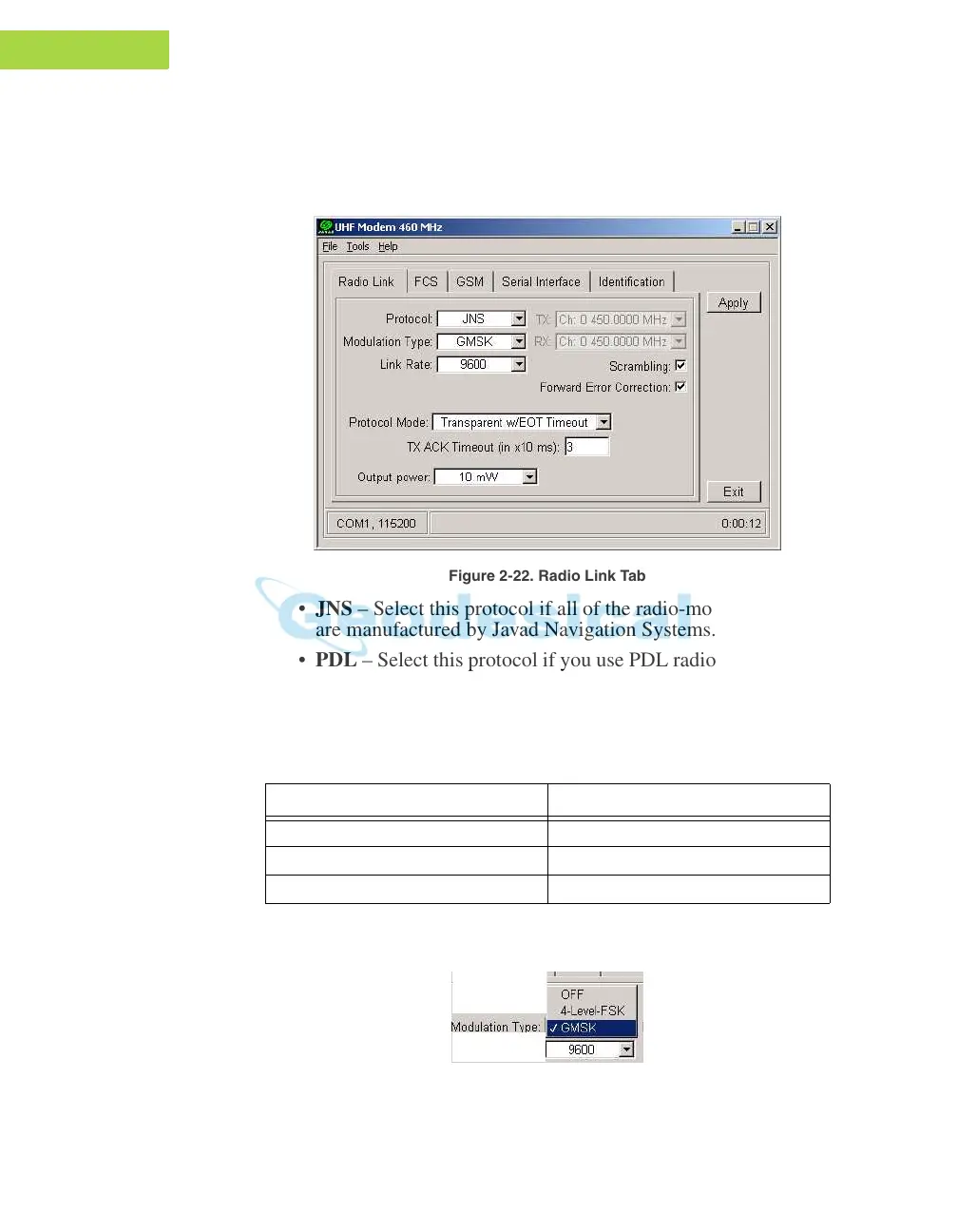
1. From the Protocol control of the Radio Link tab, select
between
JNS and PDL (Figure 2-22):
Figure 2-22. Radio Link Tab
• JNS – Select this protocol if all of the radio-modems at your jobsite
are manufactured by Javad Navigation Systems.
• PDL – Select this protocol if yo
u use PDL radio-modem(s) together
with JNS radio-modem(s) at the jobsite.
2. From the Modulation Type co
ntrol (Figure 2-23 on page 2-28),
select a modulation scheme that will be used by
your base radio-
modem. .
It can be either 4-Level-FSK (Frequenc
y Shift Keying) or GMSK
(Gaussian Minimum Shift Keying).
Figure 2-23. Modulation Type
If the Link Rate is... Use...
4800 baud GMSK
9600 baud GMSK or 4-Level-FSK
19200 baud 4-Level-FSK



 To Next Page