www.javad.com Maxor Operator’s Manual 2-37
CONFIGURATION
Radio Configuration
Notice:
If both of your receivers are Maxor with internal GSM/
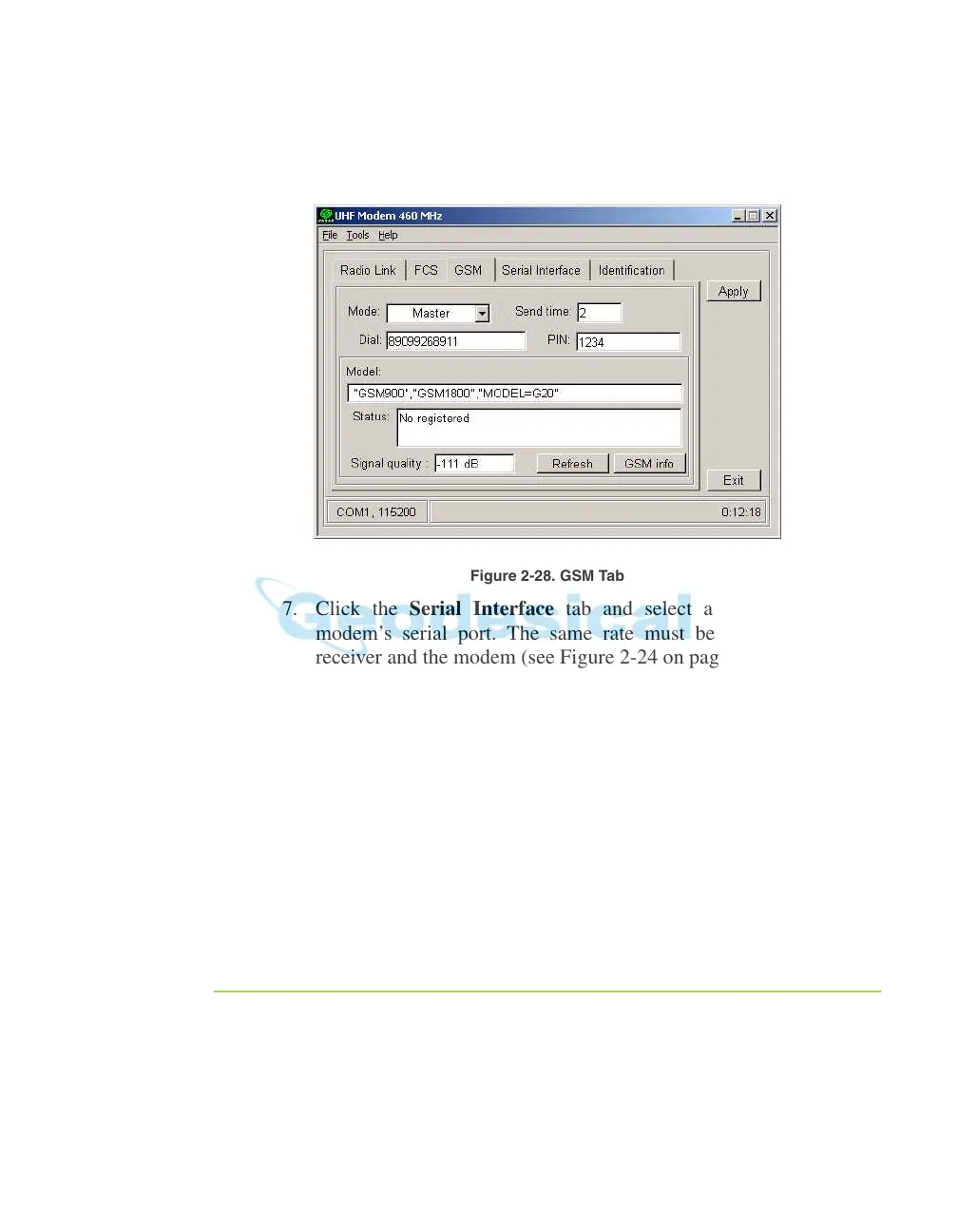
GPRS integrated with 2W UHF transceivers, set Send
time to zero.
Figure 2-28. GSM Tab
7. Click the Serial Interface tab and select a baud rate for the
modem’s serial port. The same rate must be used for both the
receiver and the modem (see Figure 2-24 on page 2-30).
8. Click Apply, then cli
ck on File and select Disconnect. If you want
to close the program, click File->Exit.
9. Start PCView and set up the receiver to run as an RTK Rover
Station. For how
to set up an RTK Rover using PCView, see
“Setting up an RTK Rover” on page 3-18 and refer to the PCView
S
oftware Manual.
Warning:
When finished configuring the GSM module, always
disconnect from Modem-JNS before exiting to prevent
conflicts with serial port management.
Configuring a single GSM/GPRS Modem
Notice:
To comply with RF exposure requirements, maintain at
least 20 cm between the user and the single GSM/GPRS
modem.



 To Next Page