2. Place an electrostac bag or an anstac mat on a at, stable surface.
3. Wrap and fasten one end of the ESD grounding strap around your bare wrist and connect the other
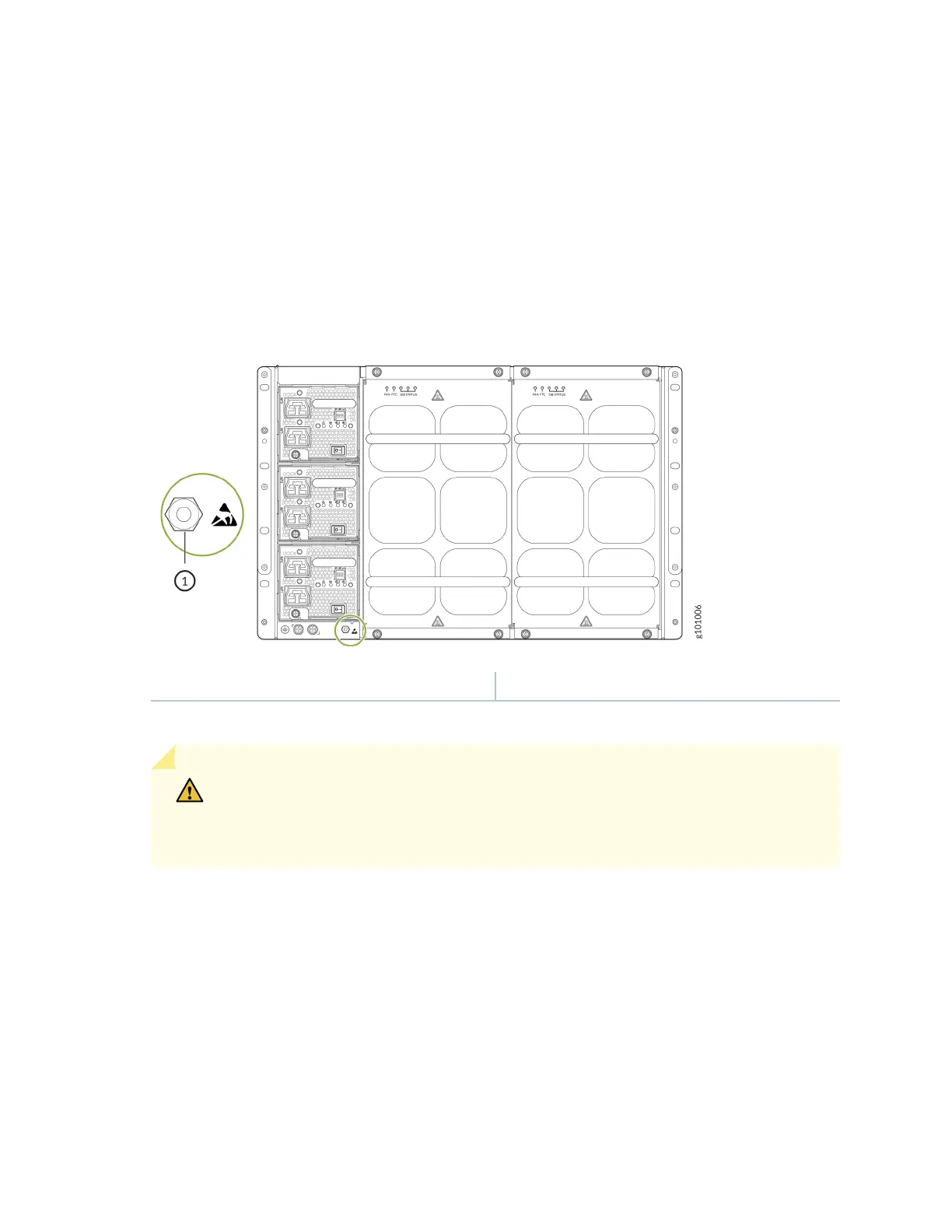
end of the strap to an ESD point on the chassis. An ESD point is located next to the protecve
earthing terminal and below the boom power supply on the rear of the MX10004 (see Figure 80 on
page 182).
Figure 80: ESD Point on the Rear of the MX10004
1— ESD point
4. Remove the appropriate fan tray (see "Remove an MX10004 Fan Tray" on page 166).
CAUTION: Do not remove both fan trays at the same me. Remove and replace one
fan tray at a me. If you remove both fan trays, the system triggers a thermal alarm and
shuts down the chassis.
182











 To Next Page