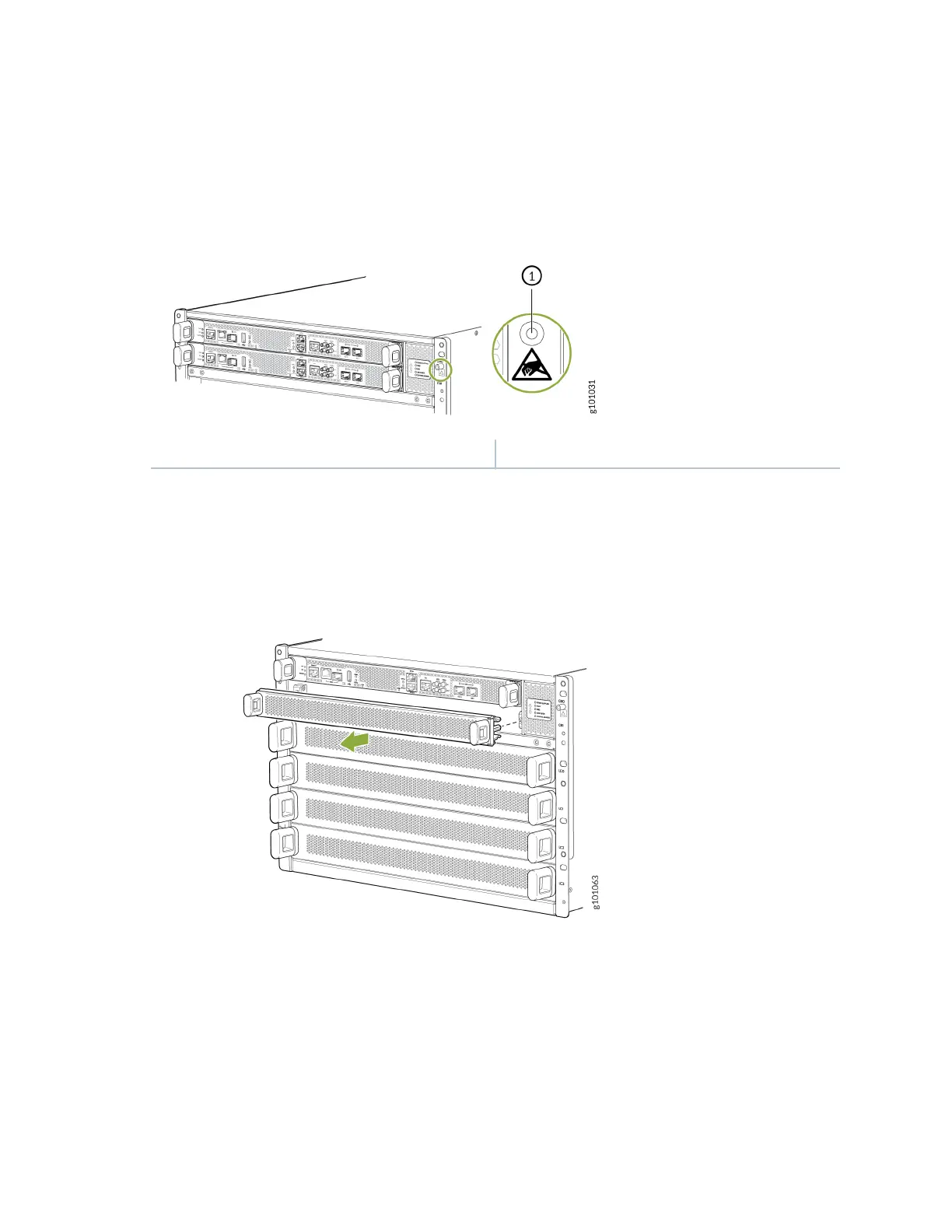
1. Wrap and fasten one end of an ESD strap around your bare wrist, and connect the other end of the
strap to the ESD point on the front of the MX10004 (see Figure 84 on page 188).
Figure 84: ESD Point for MX10004 Chassis Front
1— ESD point
2. Either remove the cover panel from the available RCB slot (see Figure 85 on page 188) or remove the
failing RCB (see "Remove an MX10004 Roung and Control Board" on page 189).
Figure 85: Removing a Roung and Control Board Cover Panel
3. Remove the new RCB from the electrostac bag and inspect it for any damage before installing it in
the chassis.
4. Li the RCB by its sides, being careful not to strike the connectors against any object.
5. Carefully align the sides of the RCB with the guides inside the chassis.
6. Slide the RCB into the chassis, carefully ensuring that it is aligned correctly.
188











 To Next Page