09 Creating your own voices | 95
o to the entire keyboard in PIANIST mode.
• MASTER VOL: Touch UP/DOWN buttons to change the master volume as an
alternative to the physical sliders on the panel.
• INSERT GAIN: It allows to reduce the level of the EFX Insert.
• TAP ON/TAP OFF: Press this button twice to calculate the BPM to set to the active
Delay effect.
At the bottom right, two buttons with arrows allow you to scroll the screen to the right (or
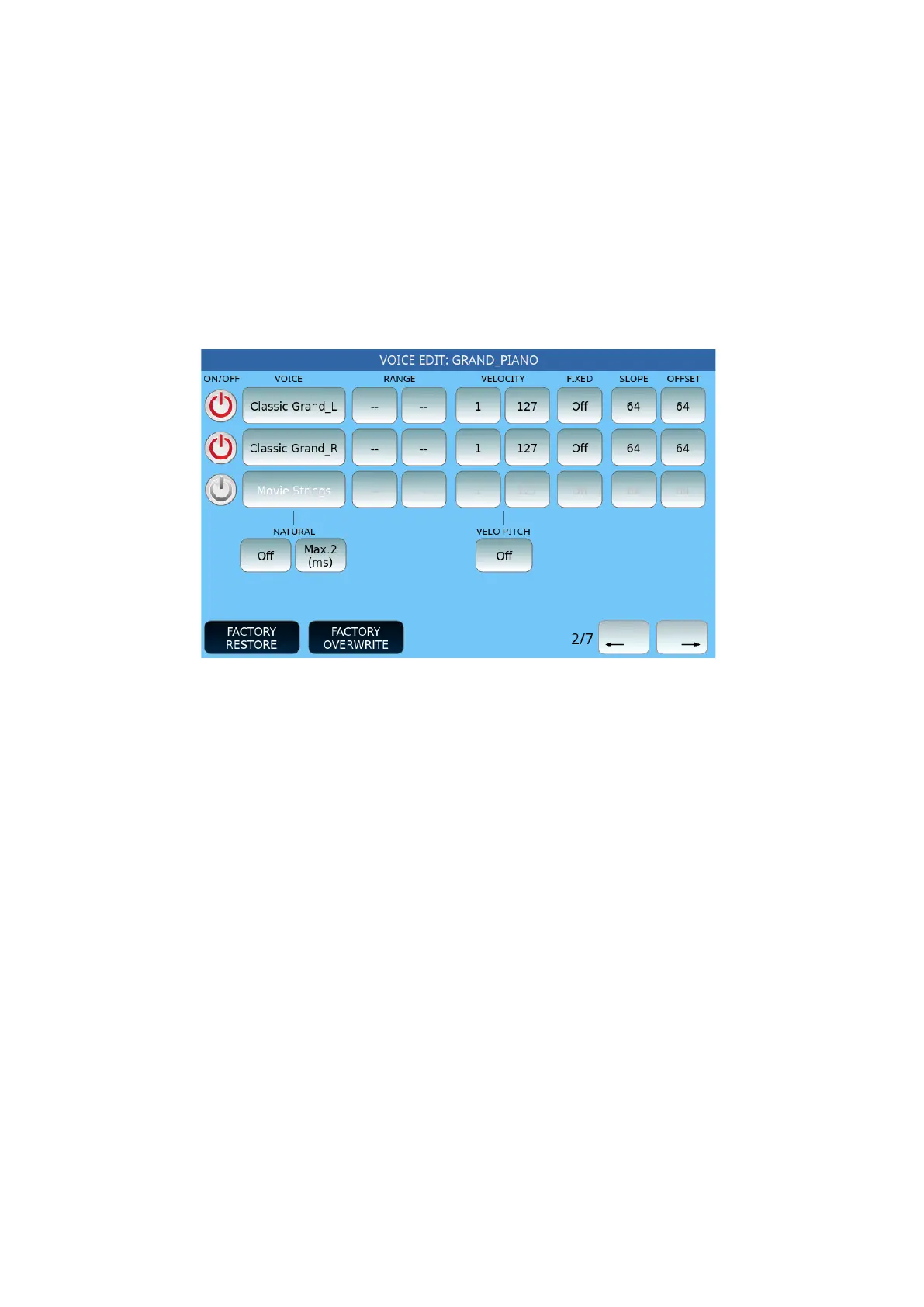
left) to display seven pages of parameters. Page 1 is the one described above, now we see
page 2 of 7.
Options:
• RANGE: These two parameters establish the sound extension RANGE assigned to
each layer by setting the lower limit and upper limit notes (C#-2 to G8).
• VELOCITY: Similarly, you can define the range of KEY VELOCITY by setting the
minimum and maximum value for each layer. In this way, depending on the
dynamics with which the keyboard key is pressed, different sounds can be played.
If you set a fixed KEY VELOCITY, you can define its value in the FIXED KEY frame
independently for each layer.
• SLOPE: This parameter sets the slope of the envelope (to be modified in relation
to the filter or amplitude).
• OFFSET: This parameter sets the amount of envelope intervention based on
dynamics (to be modified in relation to the filter or amplitude).
• NATURAL: It randomizes the Tempo for the 3 voices. It affects the voice playing as
first and the delay after the first voice. The available modes are On/Off and the
tempo up to Max (50ms). This is useful, for instance, with the Brass (Trumpet, Sax,
Trombone).
• VELO PITCH: Off, Low, Medium, High.



 To Next Page