12 Effects | 133
12 Effects
Spice up your music with new musical effects
EVM has several easily accessible effects units, allowing you to colour your music with expressive
intensity. The most common effects can be assigned to voices played keyboard, to the accompaniment
tracks of the arranger, to the backing tracks or, in general, to the bottom of the sound generation chain
before the stereo outputs. You can work up by configuring effects on the touch screen or activate and
control them via physical buttons and knobs on the instrument's panel.
DSP modules
In DSP mode, you can manage effect settings, edit effect chains, adjust reverb, and chorus
levels, and adjust global equalizer. This instrument is equipped with two SEND EFFECTS
modules, three INSERT EFFECTS modules (EFX1, EFX2 and LEFT/GM EFX Rack) and a GLOBAL
PARAMETRIC EQUALIZER.
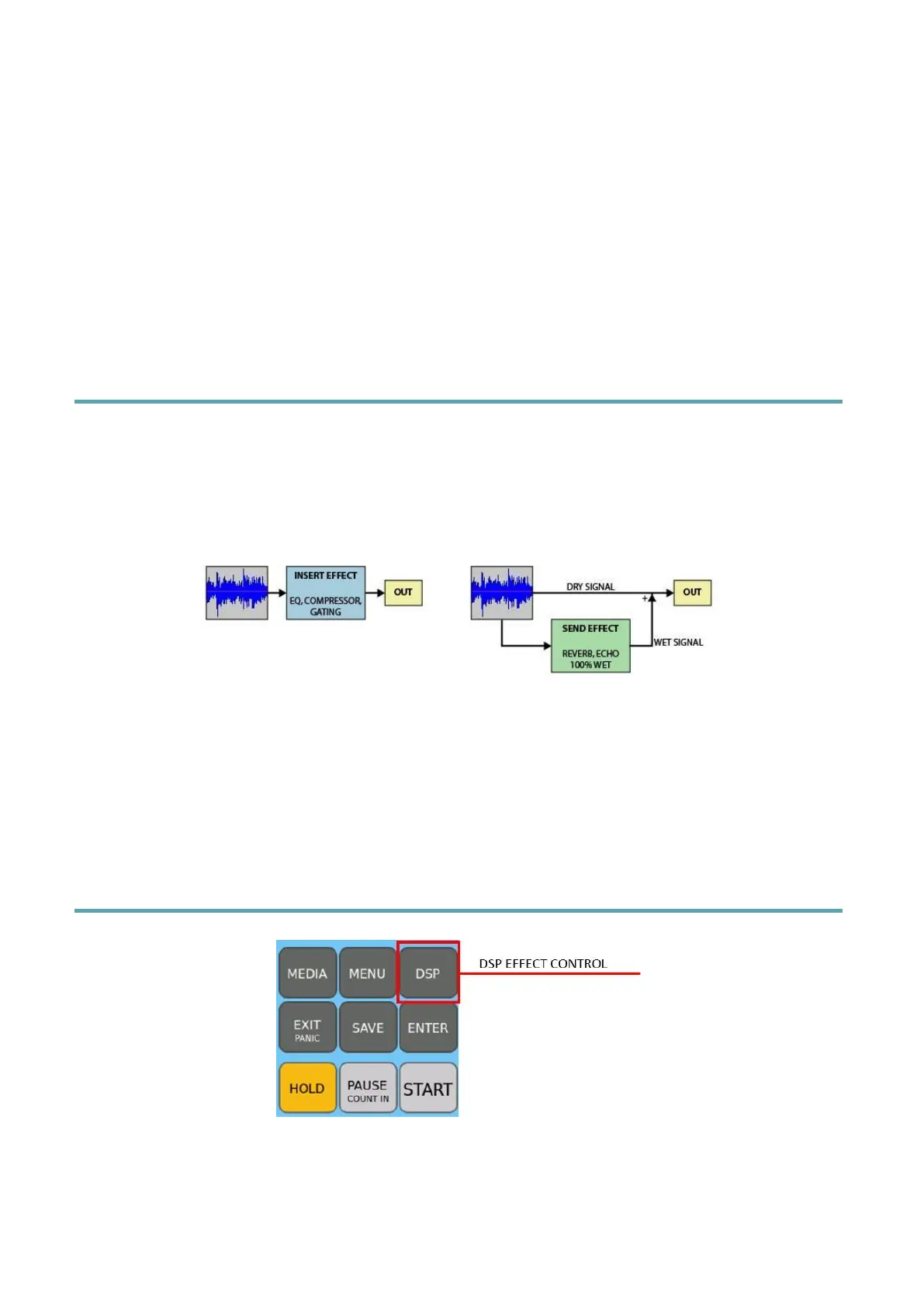
The main difference between an INSERT EFFECT and a SEND EFFECT is that:
• An INSERT EFFECT processes the whole audio signal.
• A SEND EFFECT processes a copy of the audio signal (wet) which is then mixed or
mixed with the original signal (dry).
DSP Effect Control
By pressing the DSP button on the panel, the instrument opens the DSP EFFECT CONTROL
page where you can control and edit effects and EQ applied at the GLOBAL level or to
keyboard played parts.



 To Next Page