12 Effects | 143
Vocal Harmonizer and Voicetron Edit
The Voicetron is a vocal effect that harmonizes the input audio and replicates the signal
with intonation that does not overlap with the original signal: in this way, they can create
new chords and vocal effects if combined with the melody. The Pitch Shift amount is
controlled by notes played on the keyboard or notes saved in a MIDI track. The Voicetron is
equipped with a four-band parametric equalizer.
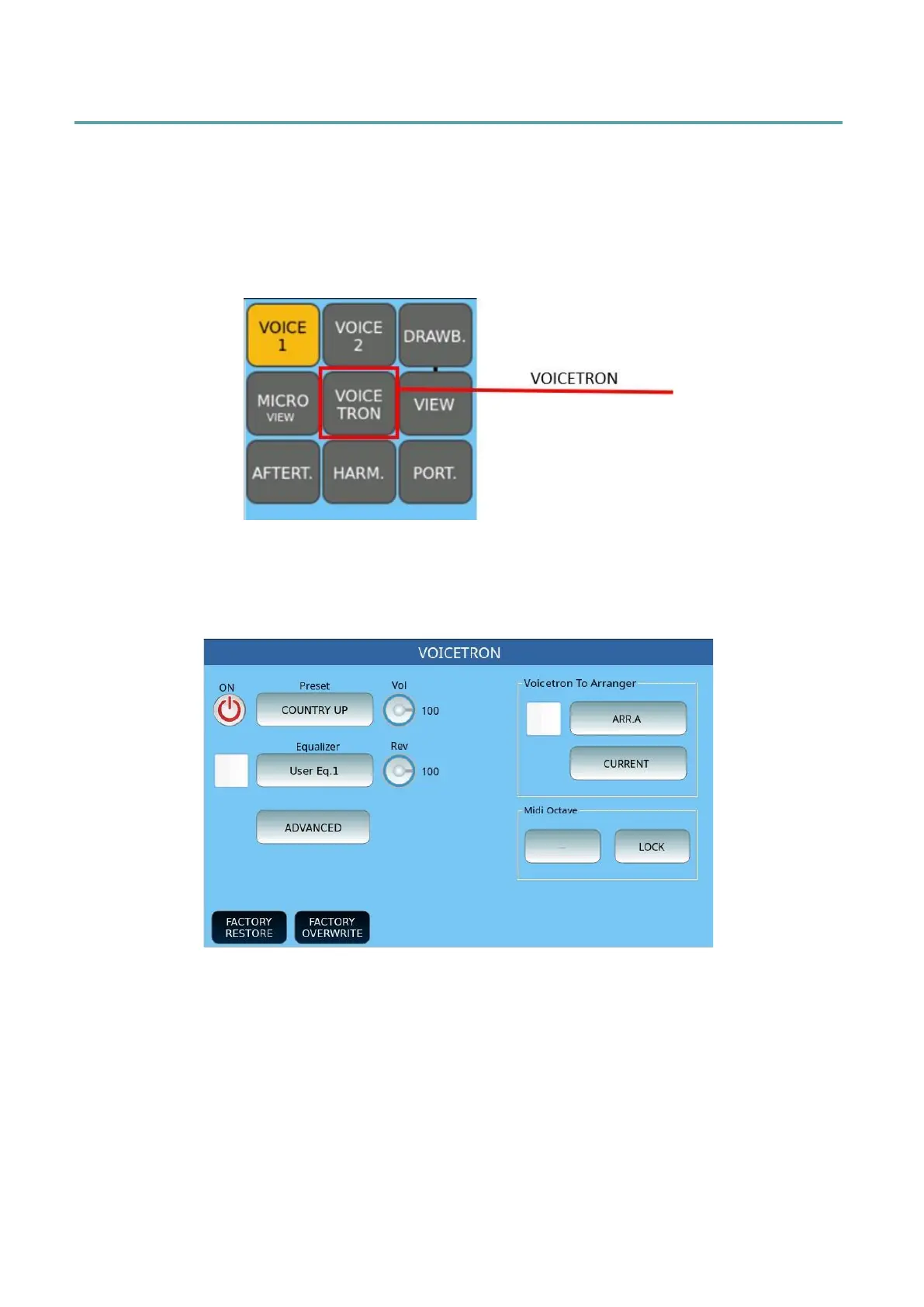
Press and hold the VOICETRON button on the panel to open the page dedicated to
customizing this effect.
VOICETRON page
• ON/OFF: Enable or disable Voicetron.
• Preset: Touch this part of the screen to select a preset Voicetron memory from
RIGHT MANUAL, LEFT MANUAL, UNISON, MIDI MODE, DUET, TRIO.
• Equalizer: Touch check box to activate the equalizer and press this button to open
the customization page, where you can select one of the four preset programs
(Standard, Flat, Hi-Fi and Studio) or act on the knobs of Gain (between -12 and
+12 dB) and / or frequency (the range is from 80 to 2000 Hz for bass, from 60 to
3000 Hz for mid frequencies, from 60 to 10300 Hz for mid-high and from 500 to
15000 Hz for higher frequencies) and tailor your setting to be saved in one of the
four user locations.



 To Next Page