12 | 01 Getting started
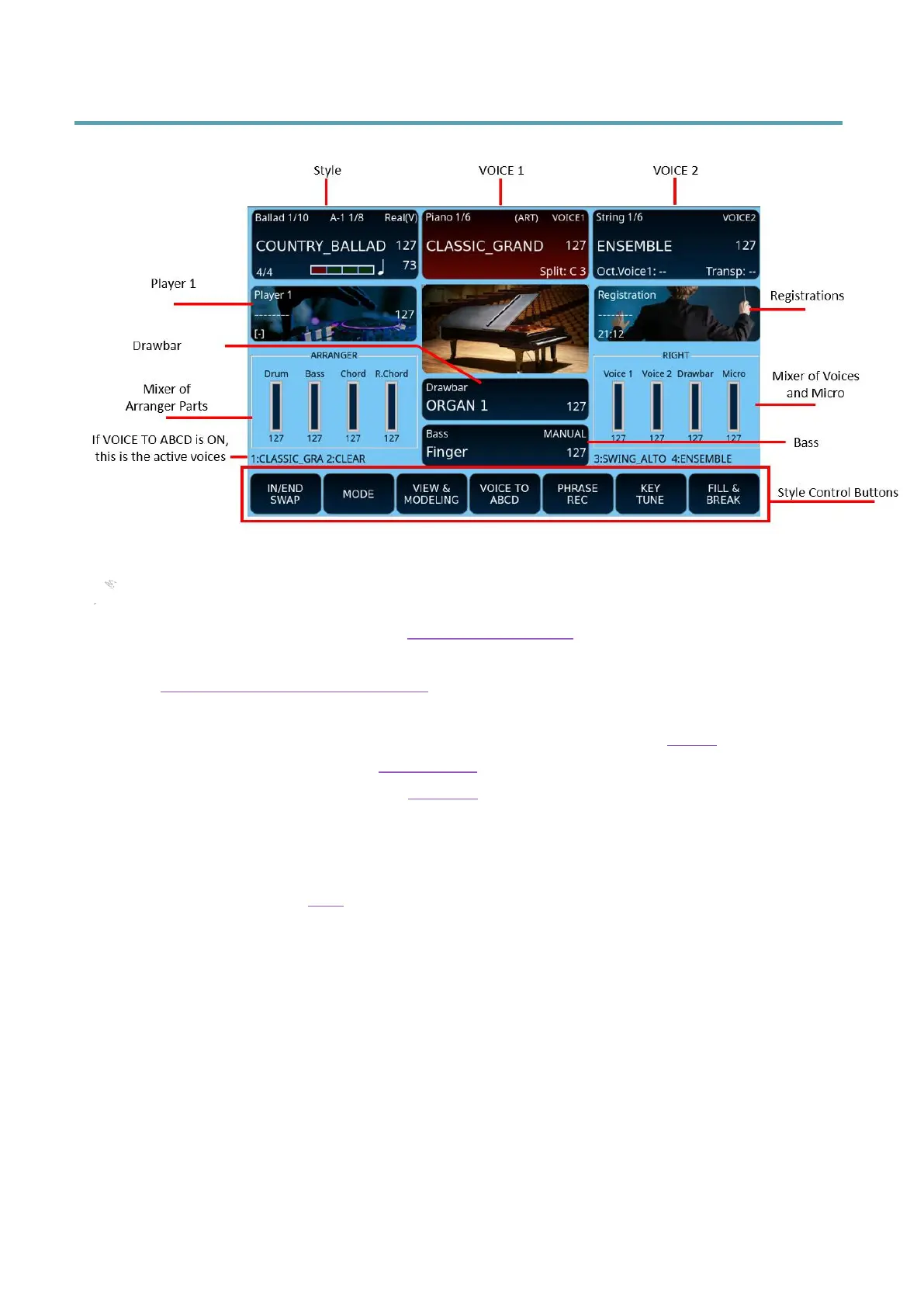
Central area of the panel (Home)
Description:
• The top left frame displays and is where you can control the accompaniment style
in action. Find out more here: Controlling the style.
• The top center frame displays and controls the VOICE 1. Find out more in the
Description of the selected voice paragraph.
• The top right frame displays and controls the VOICE 2.
• On the second row, the frame on the left allows access to the Player and the frame
on the right, access to the Registrations.
• In the centre of the sreen, the Drawbar frame allows you to switch to the search
and control of the organ voices.
• Third row on the left, the ARRANGER frame shows the volume levels of the style's
parts; and the RIGHT shows the levels of the playable parts in real time.
• Further down the Bass frame opens the search and control page for bass voices.
• If VOICE TO ABCD is active, or when the ADSR FILTER, DRUM, MIXER, DRAWBAR
VIEW, and USER TAB buttons are assigned to the voices, the four active layers
(three from VOICE 1 and one from VOICE 2) will appear on either side of the Bass
box.
• On the bottom line are the control buttons used to control the currently playing
style. By pressing the USER TAB button on the panel, you can see even more
functions, including the ones you programmed.
The data scroll areas appear when you press one of boxes: style, Voice 1, Voice 2, Drawbar or
Bass. You can scroll through the list by turning the pages with the data wheel. When you
have found the item, you are looking for, select it by touching it on the screen. In the
example, we see the choice of styles, but the same goes for the selection of voices. With the
UP/DOWN buttons, or by pressing the ENTER button, you can scroll through the list.



 To Next Page