44 | 04 Singing
04 Singing
Singing with a microphone
If you perform as a singer or play backing tracks for one or two singers, you can use EVM as a control
console, avoiding the expense of a mixer or an additional vocal effects unit. Bring EVM with you on
stage, connect the microphone and an audio system, you have everything you need to make your vocal
performances excellent and exciting.
Connecting microphones to EVM
Up to two different microphones can be connected to the MICRO1 and INPUT inputs on the
back panel of the instrument. To achieve an optimal signal-to-noise ratio, you need to adjust
the input gain with knobs located next to the input ports: speak or sing into the microphone,
and if the gain is too high, the signal will be distorted, if the gain is too low, the signal level
will be too weak and may be imperceptible. We recommend using professional-quality
microphones and cables.
See Connecting a microphone (MICRO 1) and Connecting a guitar or bass (INPUT).
Press the MICRO button on the panel to activate the microphone connected to the MICRO 1
input.
Editing MICRO and INPUT
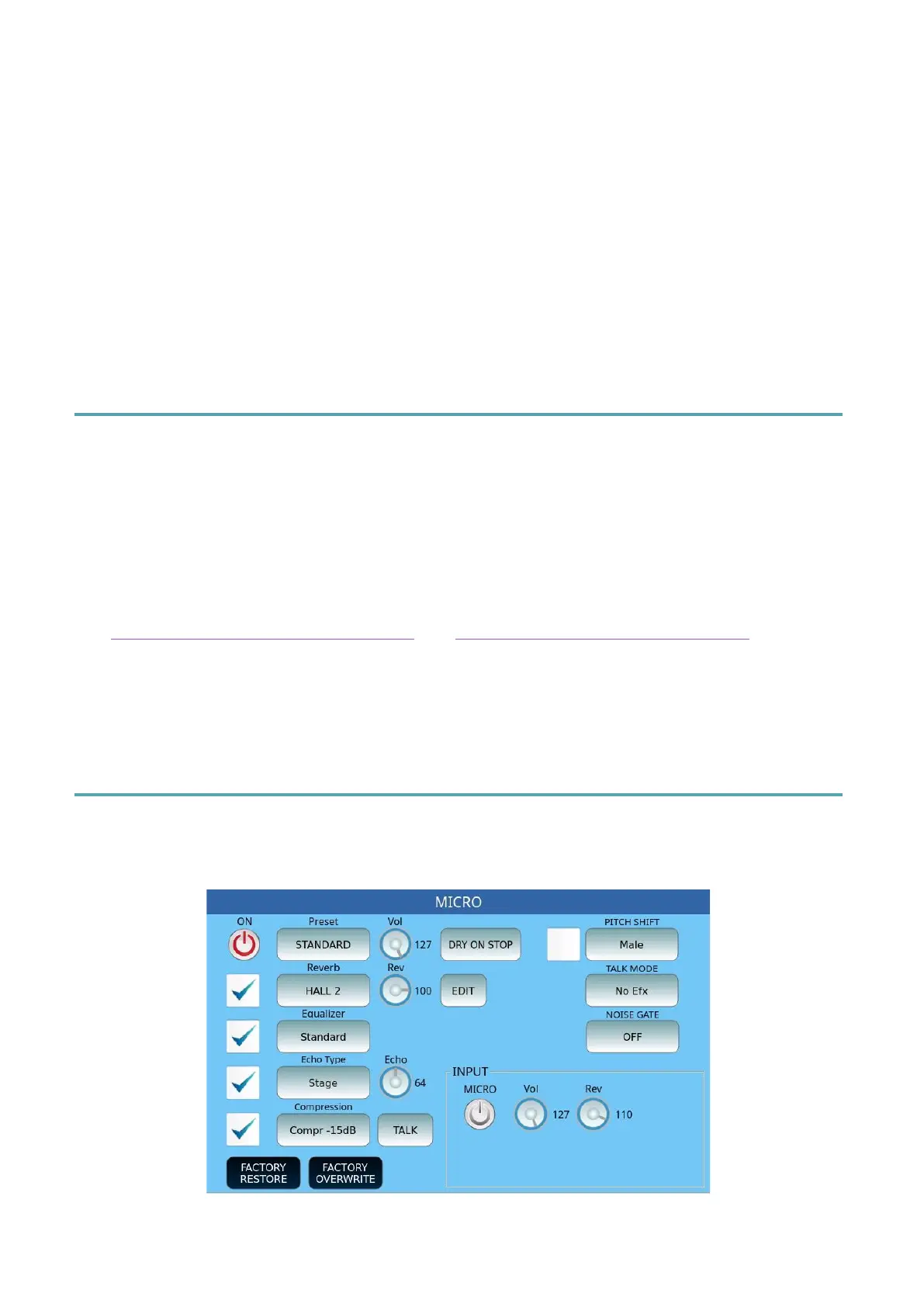
To access microphone signal customization, press and hold the MICRO button on the panel
for a few moments and this page opens on the screen.
The MICRO1 input signal passes through an effect chain set up as follows:



 To Next Page