09 Creating your own voices | 107
USER
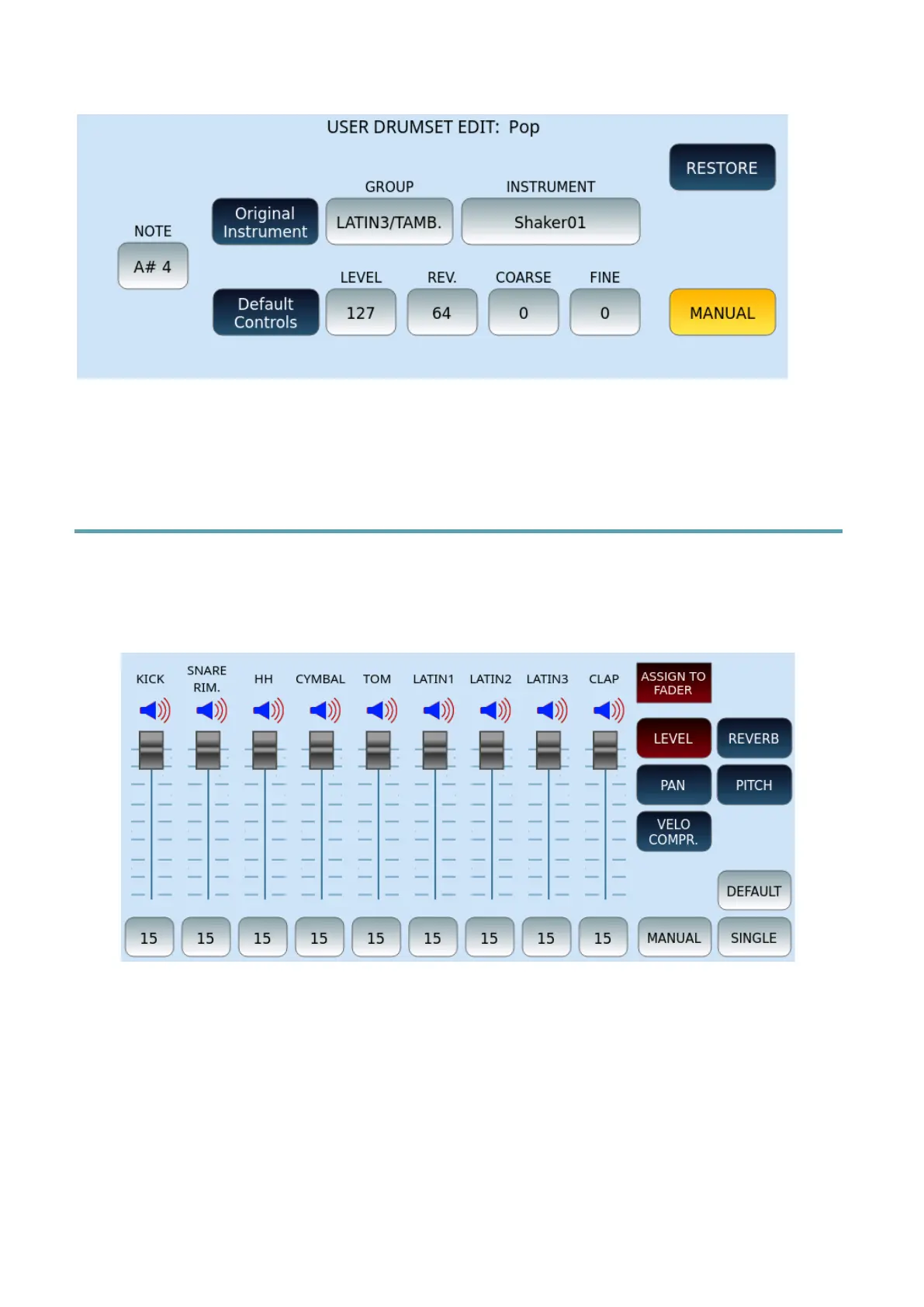
This page allows you to associate the type of percussion to each note and assign it within a
customizable Drum Set that can be saved in the USER area.
Customizing/Using the Drum Mixer
Press the DRUM MIXER button on the panel to access the function that allows you to
customize the DRUM SET that is playing in the active style. Note that this can be done while
you are playing in real time too.
The screen allows control of nine percussive instruments:
1. Touch speaker icon for each channel to MUTE each instrument individually.
2. Determine what value to act on:
o LEVEL: This button activates the volume control. It can be a value from 0 to
15.
o REVERB: Determine the amount of reverb to send to each track. It can be a
value between 0 and 15.



 To Next Page