182 | 13 Global menus and settings
6. Press SAVE on the panel to store the current Key Tune in the KEYTUNE folder.
Reply YES to confirm.
7. Give your Key Tune a name.
You can now open a style, as seen above in the View & Modeling pages to
associate the Key Tune with that style.
Theme Colors
Press the MENU button and then tap THEME COLORS to customize the EVM video
interface by changing the colors of the buttons on the screen.
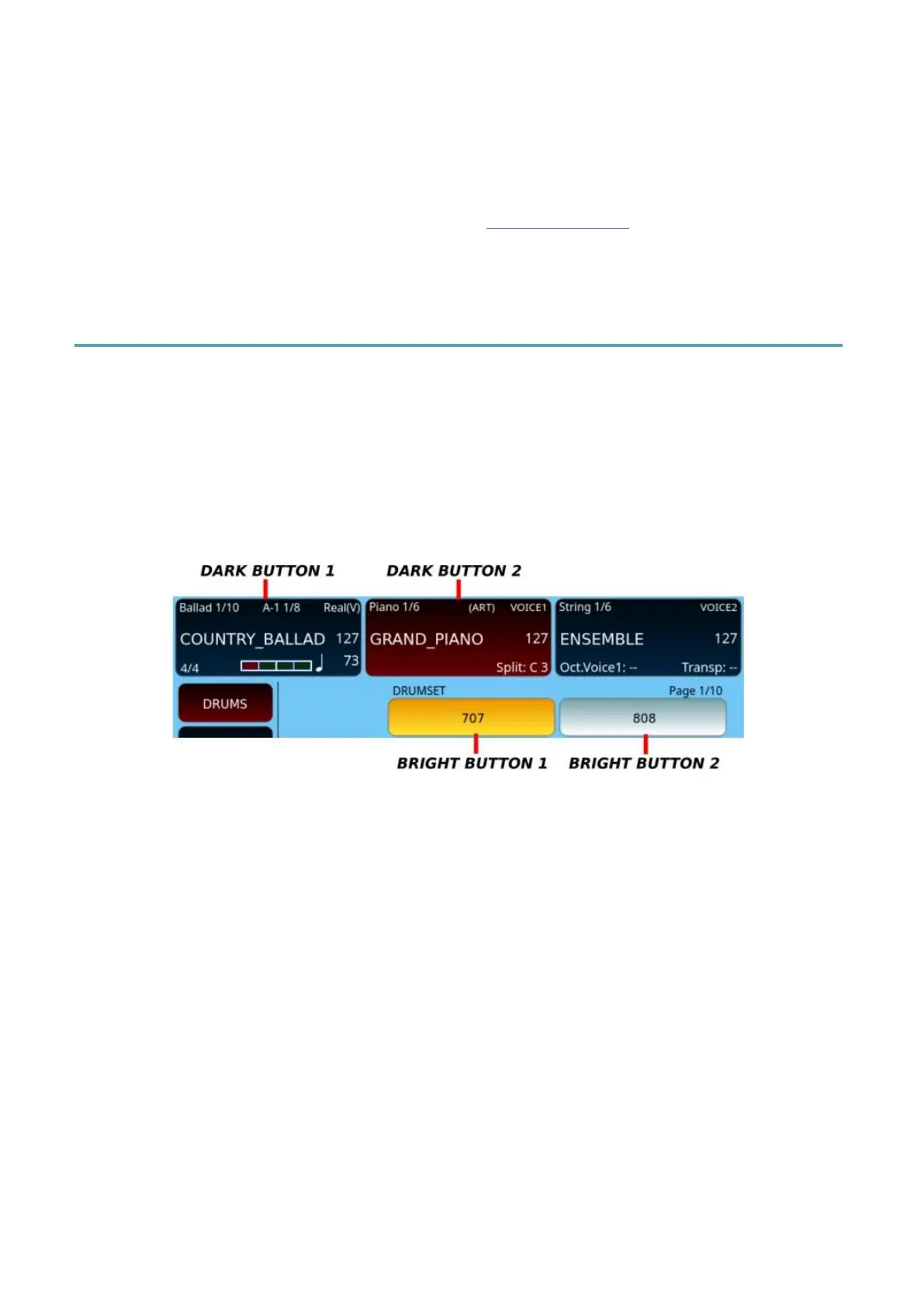
There are four distinct types of buttons that can be customized:
• two with a dark background and white text;
• two with a bright circle and black text.
Press MENU on the panel and select THEME COLORS to access the theme
editing page.



 To Next Page