184 | 14 Inputs and Outputs
14 Inputs and Outputs
Connecting your instrument to the outside world
The connections required to communicate with other devices are on the back and side of EVM. You
have everything you need to make EVM the machine with which to control your studio or your live
setup.
Preferred ways of use:
• Connect an external touch screen to control EVM (thru HDMI or VNC).
• Connect a pedal to control sustain, volume or assignable functions.
• Connect a DAW on PC or Mac, a master keyboard or other digital musical
instruments and take advantage of the MIDI protocol to expand the way you make
music.
• Connect EVM to an external stereo speaker system. Or connect a stereo headset
to listen to music without disturbing neighbors or monitor the high-resolution
audio signal and faithfully reproduce even the smallest nuances of the sound
source.
• Connect a microphone to entertain the audience with a singer, a singer or sing
yourself.
• More: connect a guitar, a bass, another keyboard, any other instrument, even an
expander or an Mp3 player to receive an external audio signal to process and send
to stereo outputs.
• Connect a standard mono jack to MICRO OUT dedicated exclusively to the MICRO.
• Connect an HDMI cable to project song lyrics or video footage to an external
monitor.
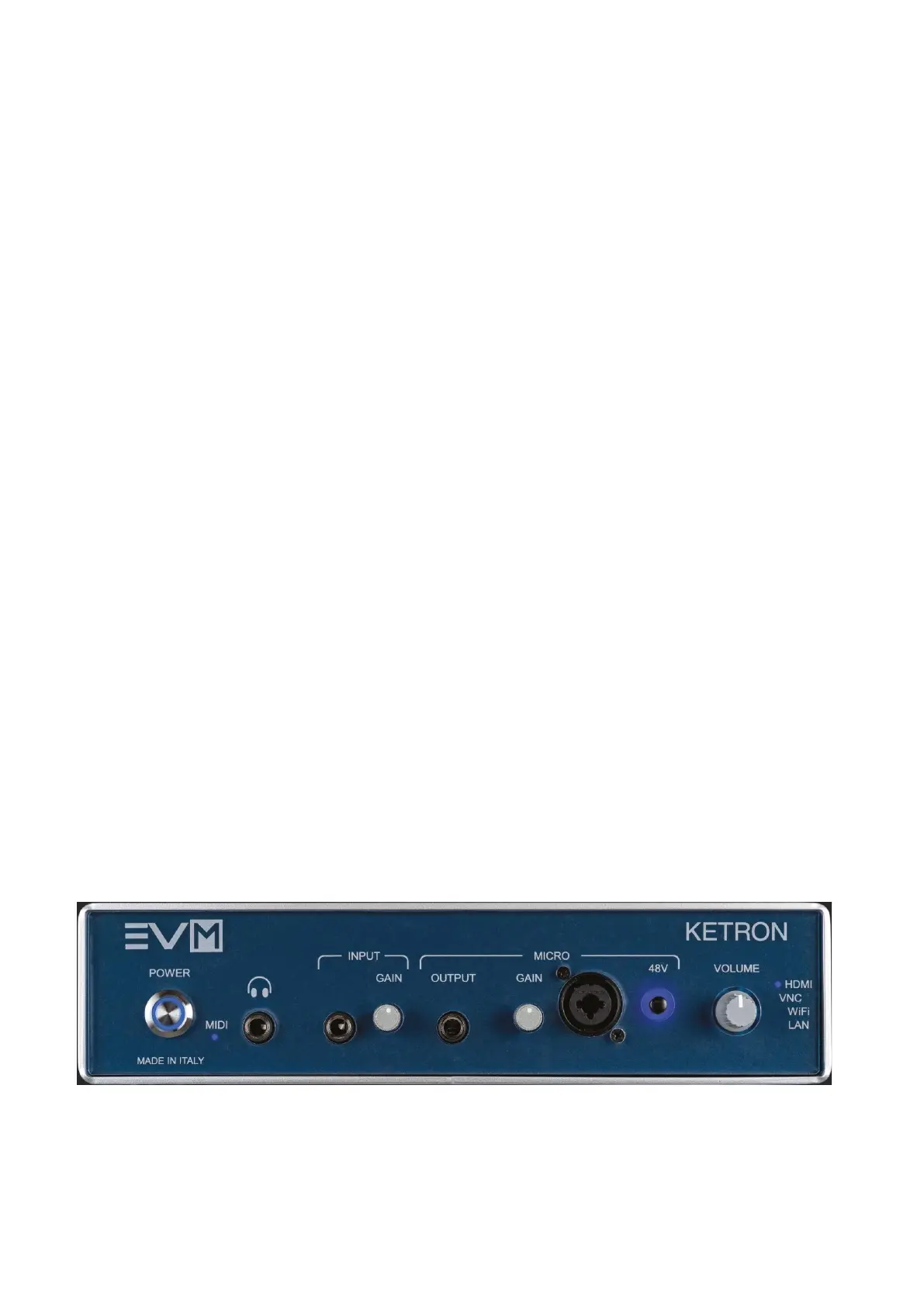
EVM sound module front
Brief description, details follow in the lower paragraphs of this manual.
From left to right:
• HEADPHONE: Standard stereo jack (TRS) socket for connecting headphones.
• INPUT: Standard mono jack input for connecting an additional



 To Next Page