05 Player | 63
10. When you have finished editing, press EDIT again to save your changes and
return to PLAYLIST mode.
JUKEBOX
JUKEBOX mode provides an alternative way to access files and songs. You can set as many
songs as you want and have them at your fingertips for quick and easy access that allows
you to quickly navigate through song collections.
Technical notes. You will find many similarities between JUKEBOX and PERFORMANCE: the
difference is that the former handles only music and video, while the latter works with
accompaniment styles and registrations.
The songs are listed on the screen in alphabetical order, but you are free to bring into action
the various songs in the sequence you decide on the moment (if you are looking for a strict
order, then the PLAYLISTS are for you).
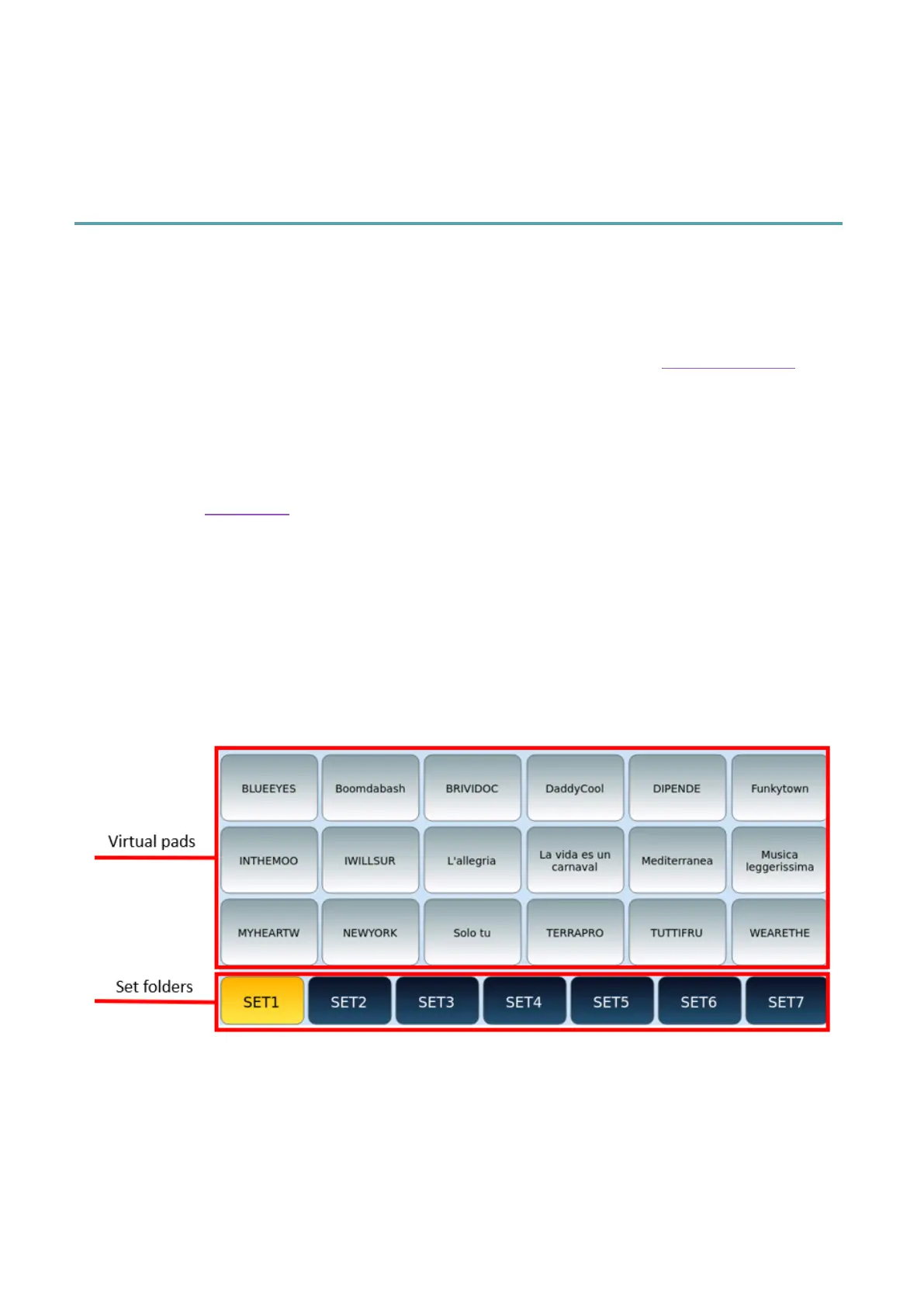
In this context, a collection of songs is called Set. Each Set is linked to a specific folder path,
and when selected, all songs in that folder are uploaded to Virtual Pads.
Press the JUKEBOX button: the LED button lights up and the dedicated page appears on the
screen.
Virtual Pads show the names of files in a Set collection in alphabetical order (and you cannot
change the order of songs in the list).
Step by step:
1. Touch a virtual Pad to instantly play the associated song (does not require
pressing the START button on the start panel).
2. Touch the song on the Virtual Pad again to stop the song.
3. Press DOWN/UP buttons to scroll through all the songs in the Set.



 To Next Page