152 | 13 Global menus and settings
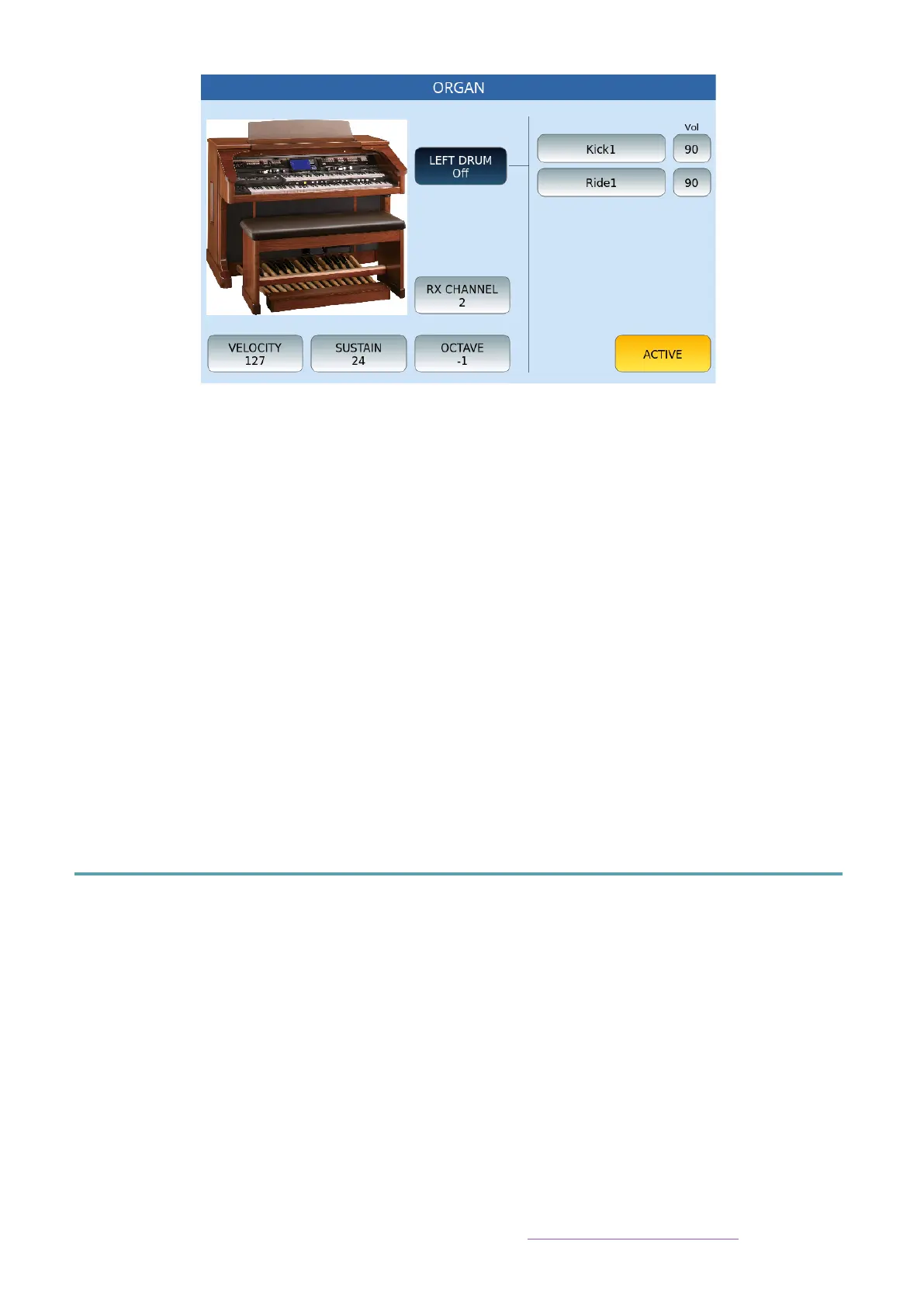
Options:
• LEFT DRUM: This function button allows you to activate the DRUM part via the
bass pedalboard and shows on the right a field where you can choose the sounds
to be assigned to the two layers. To choose the sound, simply touch the specific
frame, thus opening a dedicated pop-up window and choose the desired sound.
Next to it you will find the adjustable volume of the percussive sound.
• RX CHANNEL:Receiving MIDI Channel (1-16).
• VELOCITY: This function activates a pop-up window for selecting the dynamic
curve to be applied: Soft, Medium, Hard, Fixed
• SUSTAIN: Allows to adjust the Sustain value of the bass
• OCTAVE: Allows to adjust the octave transposition -/+2.
To save the changes applied to this page, press the SAVE button on the panel of the
instrument and confirm the save.
MIDI
MIDI (acronym for Musical Instrument Digital Interface) is a universal standard that defines
the communication protocol used worldwide to connect a wide variety of electronic musical
instruments, computers, and other audio devices. These devices communicate via MIDI
messages that are interpreted and translated into notes, program changes, control changes,
MIDI events, and more.
This instrument has 32 independent MIDI parts (corresponding to as many different MIDI
channels), each of these can reproduce a different sound at the same time.
1. First 16 parts (GM parts) are used by the PLAYER's GENERAL MIDI sound module.
2. The other 16 (KEYBOARD parts) are used by the VOICE sound engine.
For connecting MIDI connectors on the rear panel, see Connecting a MIDI device below.



 To Next Page