13 Global menus and settings | 153
The LED of the EXIT button on the panel indicates MIDI activity: a flashing light stands for
incoming MIDI messages to one of the two MIDI IN ports.
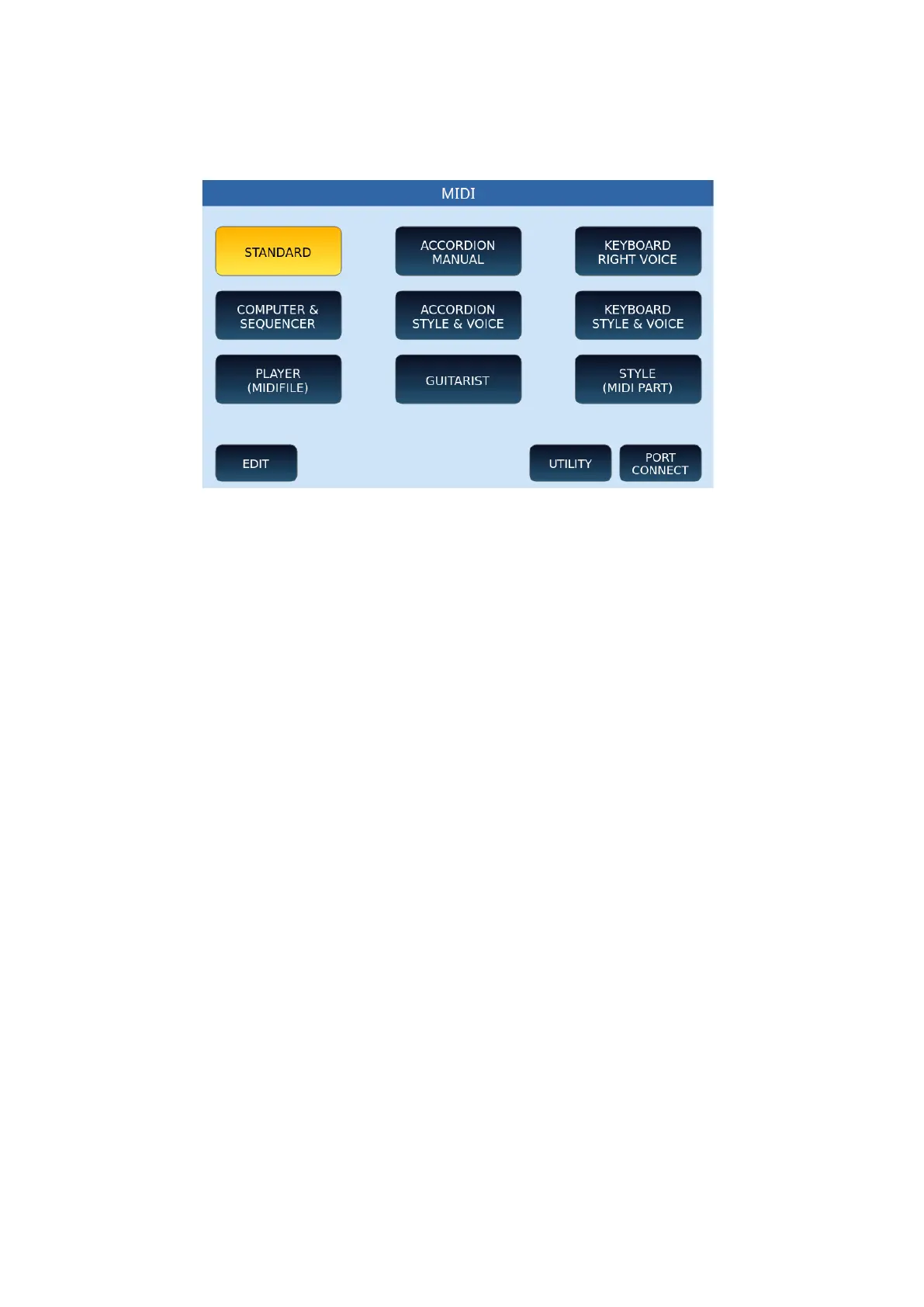
Default MIDI settings
In the centre of the screen are nine large icon default MIDI preset settings (which can be
modified by the user).
1. STANDARD: In this mode the instrument can be controlled by an external MIDI
controller (through the MIDI IN2 socket) mainly to play the accompanying styles
and voices of the sound module dedicated to the Arranger.
2. ACCORDION MANUAL: This is the way to drive EVM voices from a MIDI
accordion. Accordion mode automatically sets a specific MIDI channel on the
following sections: Right Ch. 01, Left Ch. 02, Bass Ch. 03. It favours the use of the
accordion played manually, that is, without automatic accompaniment.
3. KEYBOARD RIGHT VOICE: Optimized mode to control the Voice Lead with the
external keyboard. It is a variant of Standard mode.
4. COMPUTER SEQUENCER: Mode for connection with PC or external Software
Sequencer (via MIDI IN1). It must be selected when playing MIDI files or sequences
from an external computer and EVM acts as a GM sound module.
5. ACCORDION STYLE & VOICE: Alternative of the ACCORDION MANUAL mode,
which uses the same MIDI channelling optimized for use with a MIDI accordion; it
also provides control of the arranger section via the accordion connected to the
MIDI IN2 port.
6. KEYBOARD STYLE & VOICE: It represents a further alternative of the STANDARD
mode mentioned above, optimized for controlling the arranger section via external
keyboard connected to the MIDI IN2 of the instrument.



 To Next Page