154 | 13 Global menus and settings
7. PLAYER (MIDI FILE): This configuration can be useful when you want to run a
MIDI file from the PLAYER to an external sound module connected via the MIDI
OUT port of EVM.
8. GUITARIST: This configuration prepares the instrument to connect with a MIDI
guitar.
9. STYLE (MIDI PART): Allows you to play the arranger section using the sounds of
an external module.
At the bottom, there are buttons:
• EDIT: opens the MIDI configuration edit page.
• UTILITY: Opens the MIDI Utility page.
• PORT CONNECT: Opens the MIDI port configuration page.
MIDI Configuration Edit
This function is available by pressing the EDIT button from the main page of the MIDI
MENU, as you saw in the previous paragraph.
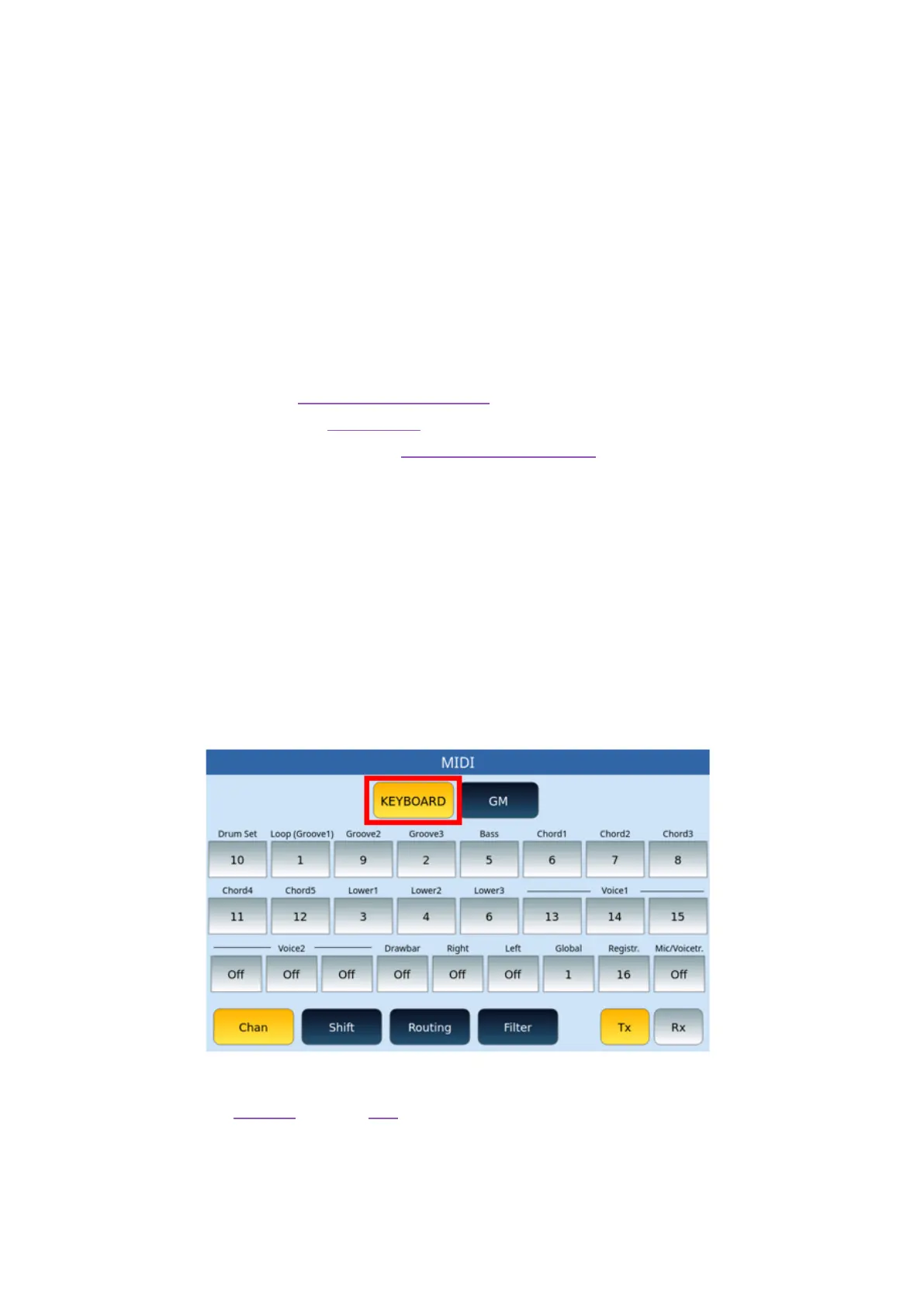
The instrument manages the configuration of two MIDI modules: KEYBOARD and GM.
Depending on the choice, two different pages may appear.
If you have chosen KEYBOARD, then you are working on the MIDI configuration of what
happens regarding keyboard driven parts or accompaniment styles (Drum, Bass, Chord,
Groove, Voice1, Voice2 and so on).
If you have chosen GM instead, then you are working on the MIDI configuration regarding
the 16 parts of the PLAYER and the GM functionality.



 To Next Page