194 | 15 Media
15 Media
Organizing your data
EVM is a musical instrument based on digital technology. Like all computers, EVM is also able to
interact with memory or storage devices in which to manage your data: the operating system allows
you to upload, copy and manage files in the internal memory device (240GB SSD disk) and external
devices (USB flash memories, MicroSD card or PC connected via USB cable).
External storage devices
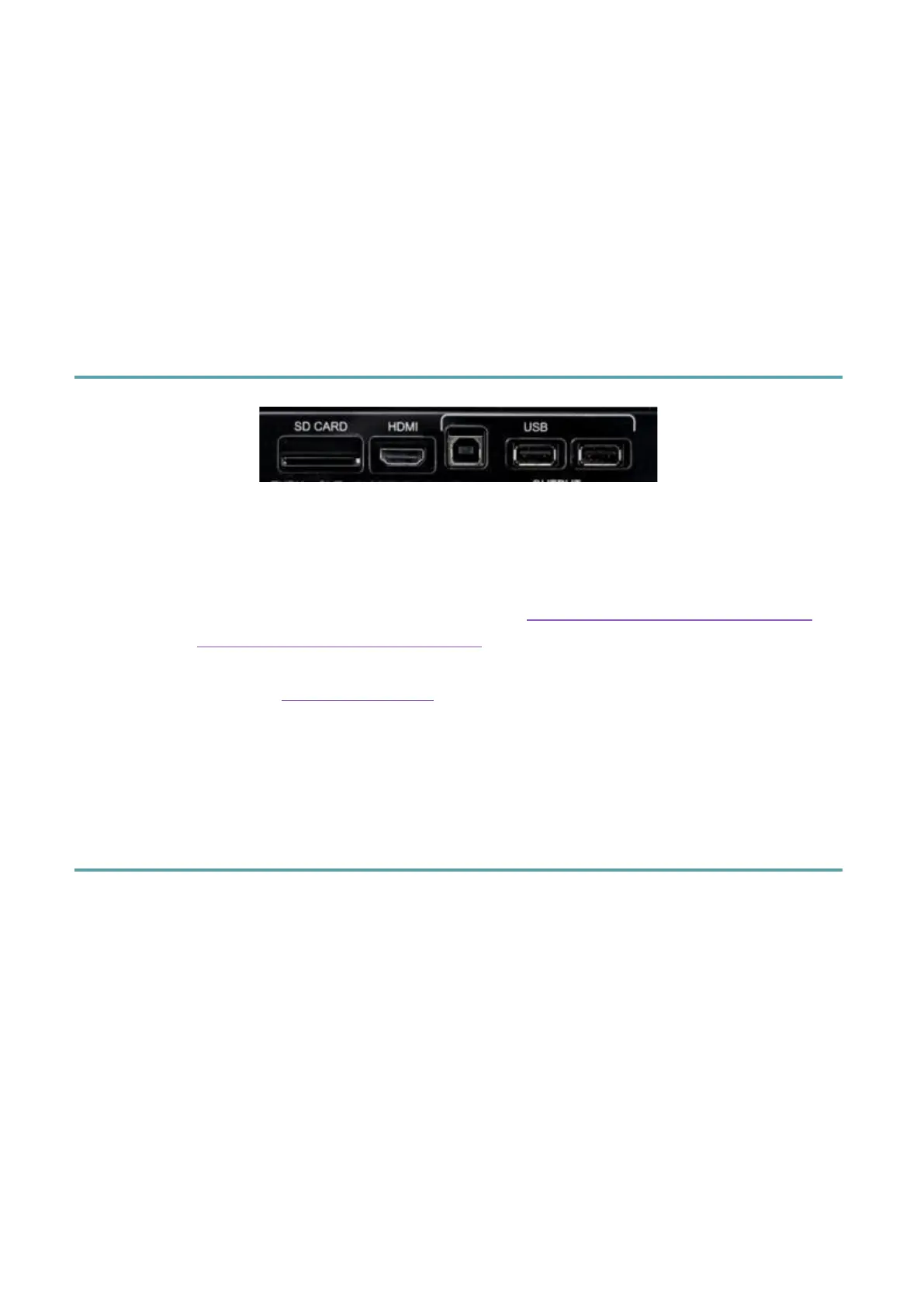
Several inputs are available on the right-side panel of EVM:
• SD CARD: The instrument supports external SD memory cards (Secure Digital) for a
maximum capacity of 512GB.
• HDMI: This is a Type A HDMI connector, see Connection Mode for EVM Control
and Connect an external video monitor for details.
• USB Type B: Connect a USB 2.0 (Hi Speed) cable to an external device (PC/MaC) to
this input. See Connect a PC/Mac for details.
• Two USB Type-A ports: You can insert USB flash drives. Attention! The first two
USB ports are self-excluding: the USB Type B port and the first USB Type A port
cannot work at the same time.
Accessing devices
Press the MEDIA button on the panel. The button LED lights up and the screen displays the
MEDIA page. All memory devices connected or installed on the instrument appear listed on
the screen.
If you do not see the MEDIA page directly, press the EXIT button on the panel to return to
the HOME page of EVM, then press the MEDIA button again.



 To Next Page