11 Recording | 129
Recording in MIDI format
To record a MIDI file:
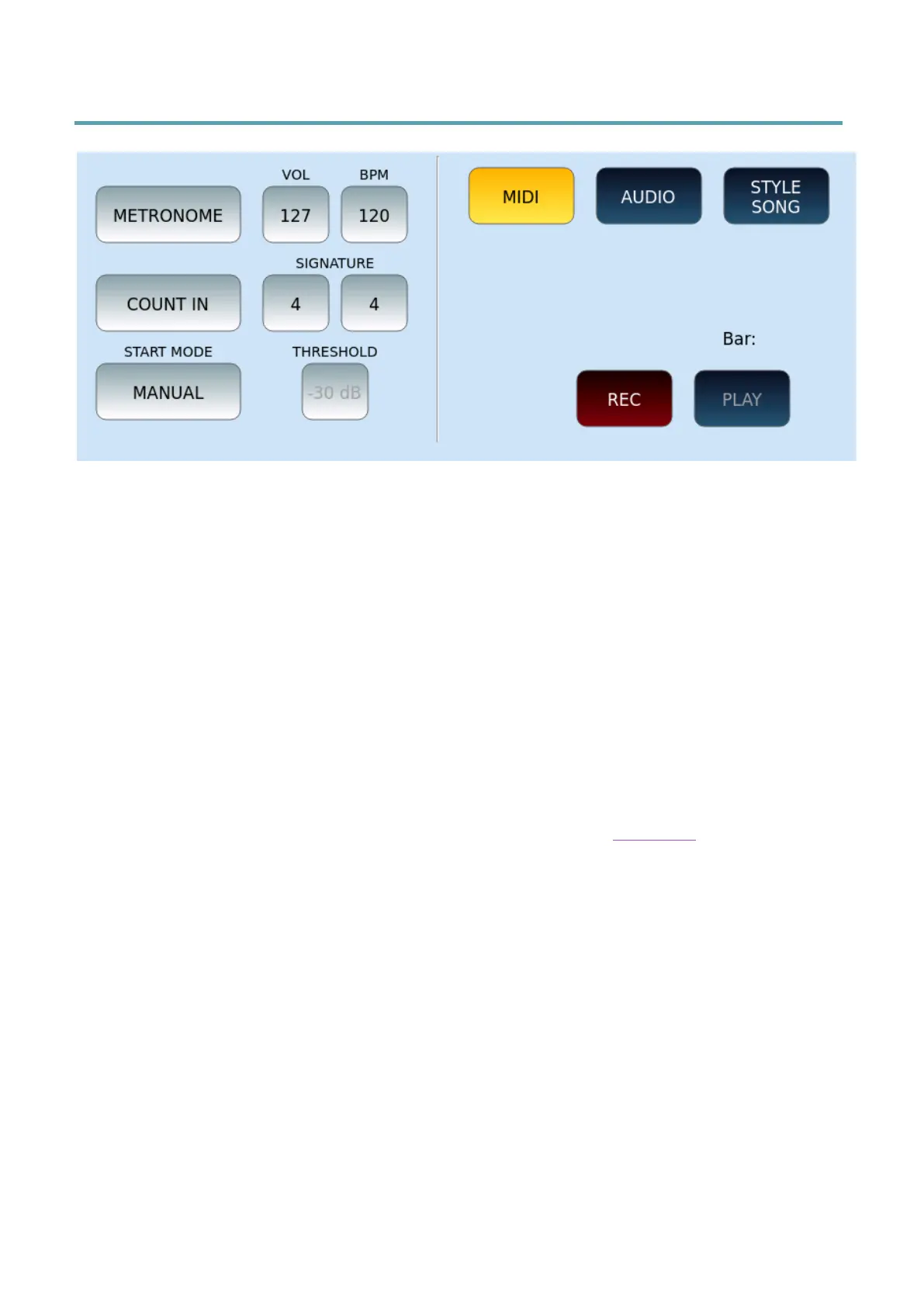
• Press the REC button on the panel to open the on-screen recording page.
• Enable MIDI mode by tapping the MIDI button on the screen.
• Enable or not the METRONOME, adjust its volume (VOL) and Tempo (BPM). All via
the three buttons on the screen.
• COUNT IN: Enable the initial count measure.
• SIGNATURE: Define the time signature in key (4/4, 3/4, 12/8, and so on).
• Set the VOICE1: voice, volume, controller.
• START MODE: Choose how to start recording from the options:
• MANUAL: simply press the REC button on the screen to start recording. If you start
the style after the first measurements, the style will also be recorded.
• STYLE SYNC: start the style and the part recording at the same time as the style
(the style start modes are the same as described in the Style Start paragraph.
• AUTO: MIDI recording begins as soon as the instrument receives a MIDI event.
• During recording, all notes, voice changes, volume changes, controllers, and
everything else is stored in MIDI format.
• When you are done, press REC again to stop recording.
• Make sure the PAUSE button on the panel is not active and touch the PLAY icon
on the screen to listen to your recording.
• If you want to re-record, you must start over. To erase the previous recording and
redo it, touch REC button on the screen again.
Once done, press the SAVE button on the panel and confirm the request to save the MIDI
file. On the screen appears the request to give a name to the MIDI file.
The saved MIDI file can be used in the PLAYER and reworked (mixed, further edited) in GM
mode.



 To Next Page