28 | 03 Playing with the styles
Leading the virtual band in real time
The arranger section is a virtual band at your disposal, always ready to play with you. When
you activate the accompaniment style, the band will start playing along with you, according
to your rhythm and harmony.
How to start the style
Once you have selected a style, there are several possibilities to start the accompaniment:
• Starting the style as soon as you play a chord:
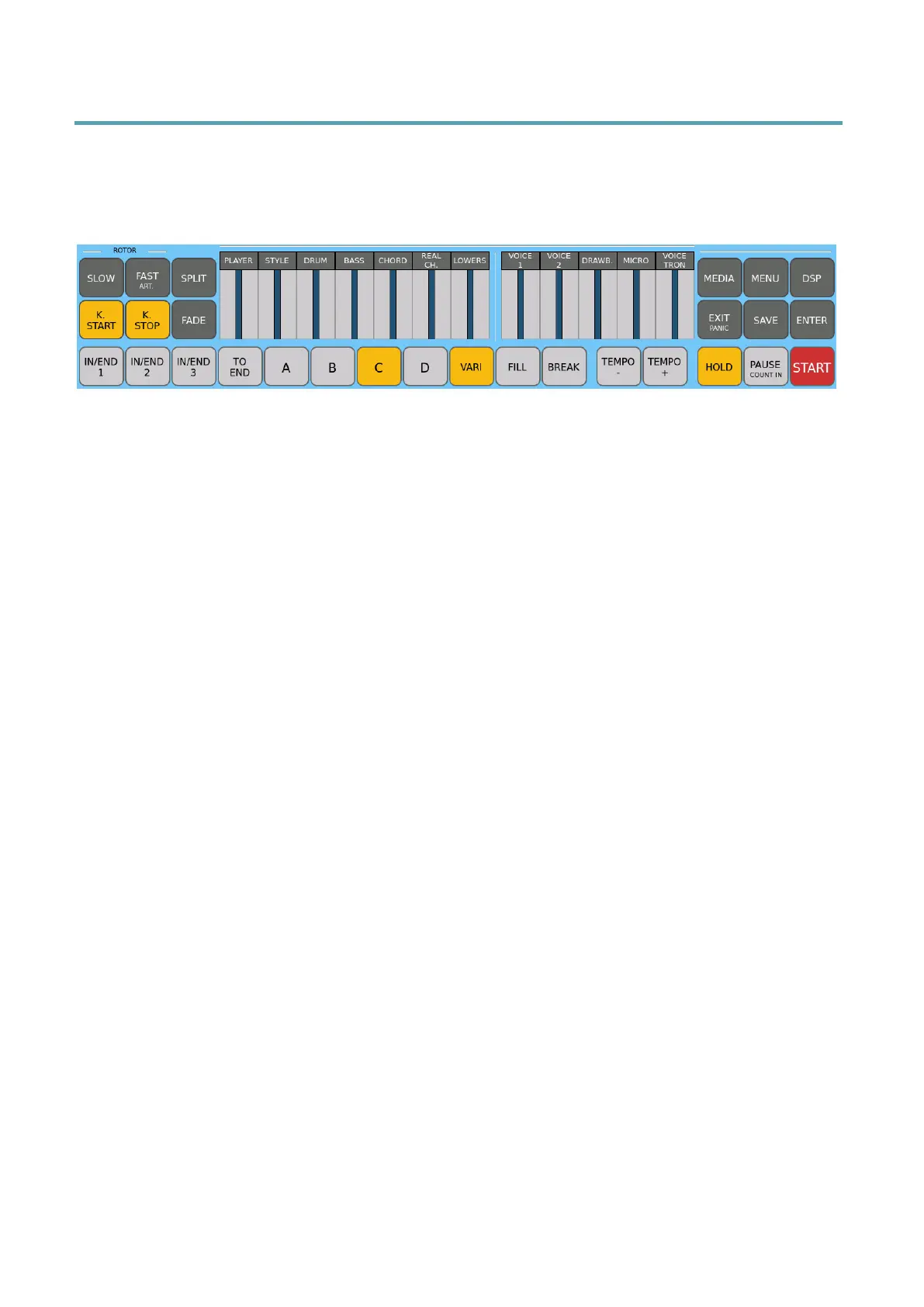
o Press and turn on K. START (keyboard start); next, press any of these
buttons (INTRO/END, ABCD, FILL or BREAK) and then, when you are
ready, start playing with your hands on the keyboard in the chord
recognition area (left of split point if PIANIST is off, or the entire keyboard if
PIANIST is on). The style starts automatically with the part you selected.
• Starting the style as soon as you press the Intro/Ending with drums only:
o With the K. START button disabled, press the relative INTRO or END
button of the pattern you want to start with. In this mode, you can also
interupt with FILL and BREAK.
• Starting the style with any variation immediately:
o With K. START disabled, select one of the four ABCD patterns and then
press the red START button to start playing the style immediately (Drums
only unless a chord is played).
• Press PAUSE, the arranger performs a COUNT IN measure and then starts with
the selected ABCD variation.
Each style consists of three introductory patterns:
• INTRO 1: one starting counting measure.
• INTRO 2: a short musical sequence with different chords
• INTRO 3: a series of measures, usually wider, with a discrete harmonic
progression. In some styles, a solo instrument guides the opening of the piece.
How to change variations (A, B, C, and D)
The main arranger section supports four variations useful for managing the arrangement
dynamically between verse, chorus, instrumental interlude, and special song sections:



 To Next Page