13 Global menus and settings | 175
pitch, this value can be adjusted by acting with the UP/DOWN buttons. Play the
key of the same note again to remove the change.
• GLOBAL: When selected, the scale is no longer depending on how it is set in the
Edit Voice pages. Such setting is stored in the CUSTOM STARTUP.
• VOICE 2: Questo pulsante consente di attivare le scale arabe alternative sulla
VOICE 2, altrimenti configurabili solo su VOICE 1.
• RESET: Restore the original mdi of the Arabic stairs.
• SCALE MEM1-MEM6: To set an Arabic scale:
o Select the note you want to edit on the screen.
o Change the tuning value with the UP/DOWN buttons.
o Press the RESET button on the screen to restore the original condition.
o After managing all the changes, press the SAVE button on the panel and, in
the dialog frame that appears, choose Save to confirm the save, Cancel to
cancel the operation and Restore to restore the original data.
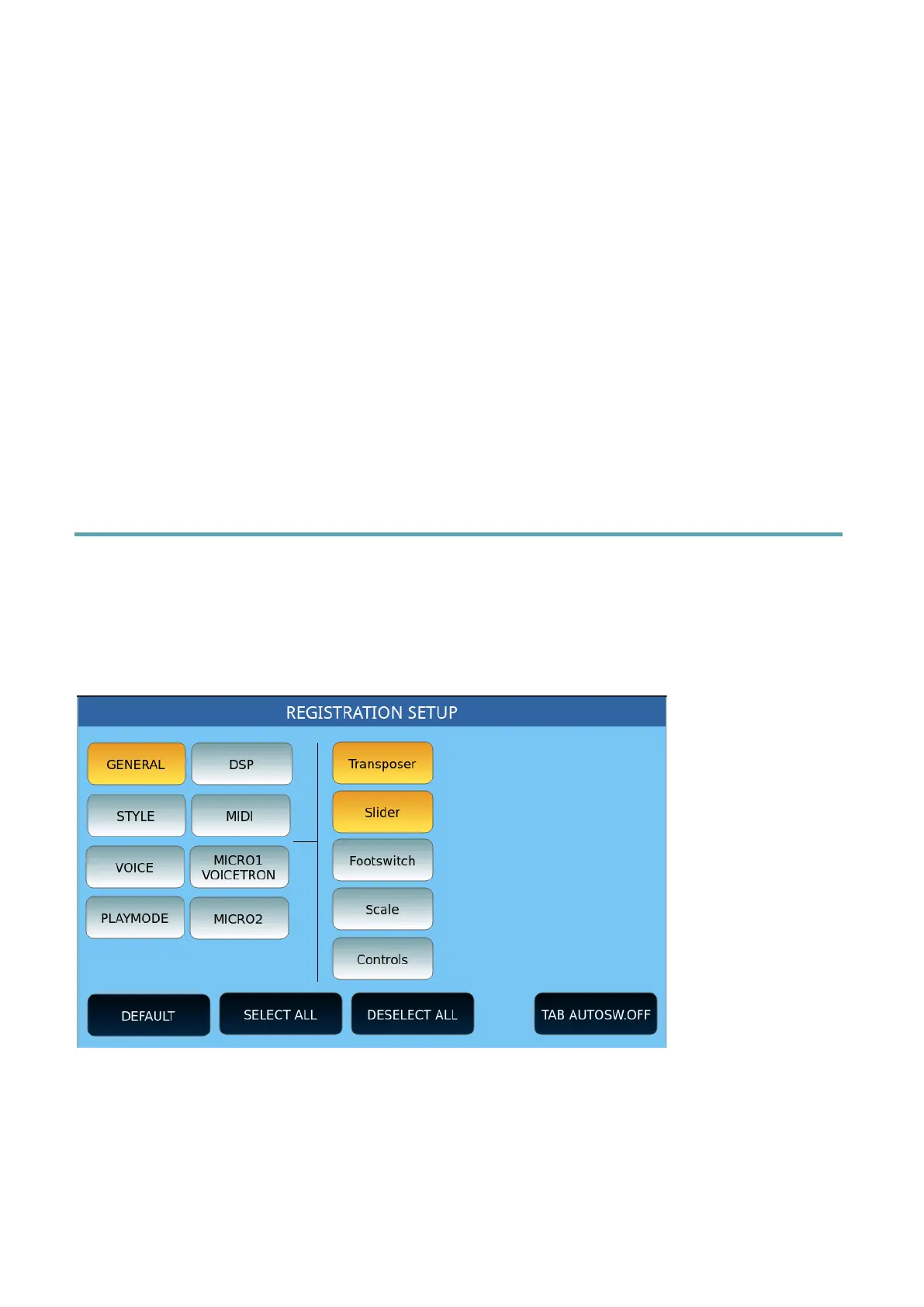
Registration Setup
Press the MENU button on the panel and the REGS SETUP to access the Registration
configuration page.
Registrations save all the instrument settings but, when they are called, they can keep some
instrument parameters unchanged, at your choice.
The first page presents the left buttons showing the categories of configurable parameters. A
list of parameters belonging to the selected category appears on the right.
The GENERAL category selected when you enter this environment belongs to Transpose's
functions, the Sliders' parameters, the Footswitch pedals, the Arabic scales, and the controls
(Controls). The example page shows that only the Transpose function is active (in yellow).
When a Registration is loaded will be opened only the value of the tonal Transpose



 To Next Page