158 | 13 Global menus and settings
freezethe chord played through the Sustain pedal and freely phrase over the entire
range of the 88 notes.
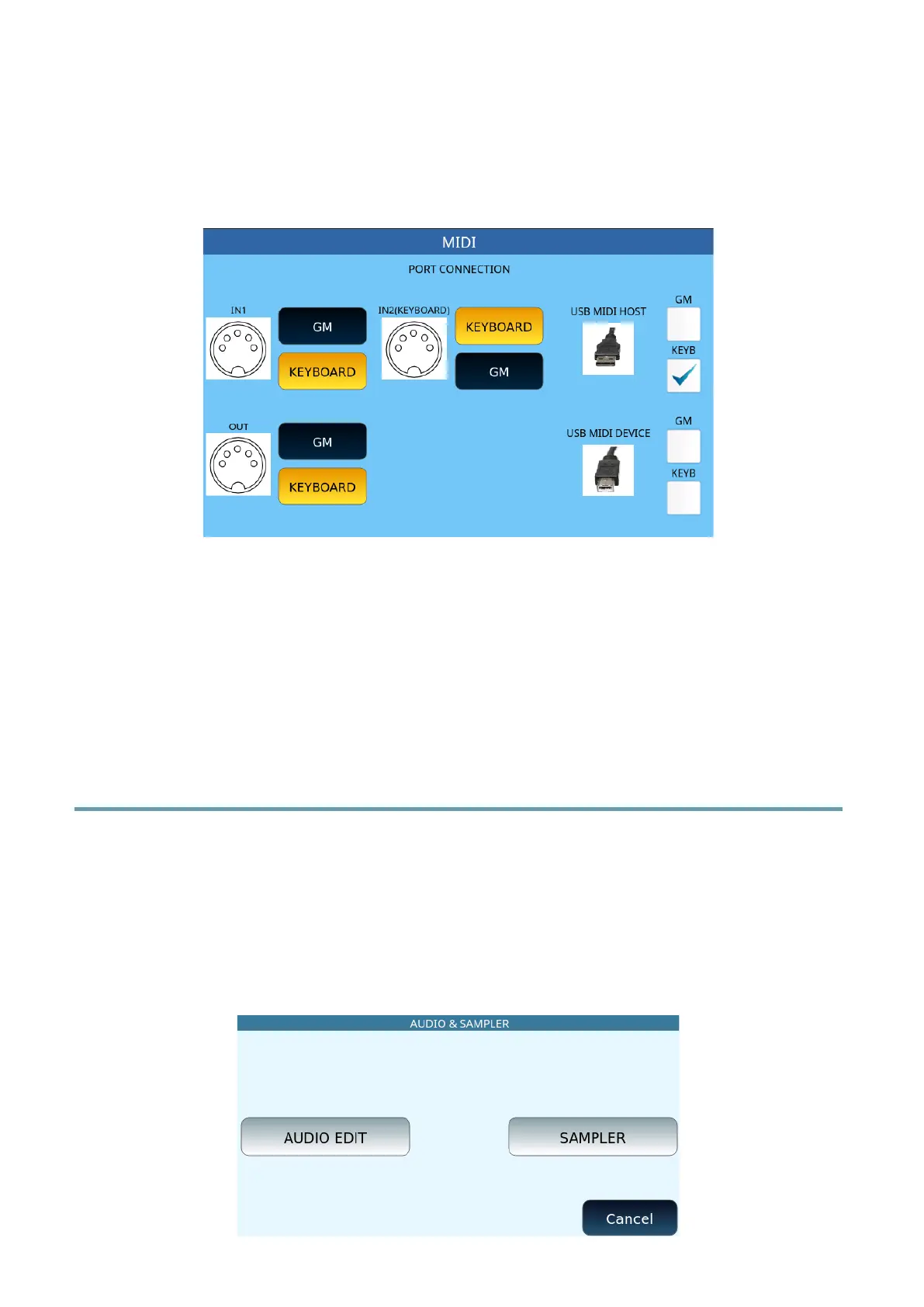
MIDI Port Connection
This page allows you to customize MIDI port routing of the instrument.
On the left side of the screen, you can change the standard behaviour of EVM and assign
the two MIDI ports either the GM or KEYBOARD sound generator separately. The port IN2
(KEYBOARD) is more efficient in the case of a high MIDI data stream.
In the right part of the screen, you can direct MIDI traffic from the USB MIDI HOST port (to
which to connect a USB flash memory) and the USB MIDI DEVICE port (to which you can
connect a USB cable to connect a PC) to one of the two sound generators alternately.
Audio Sampler
EVM provides two powerful audio processing tools:
• AUDIO EDITOR functionality with which to process the stereo tracks of an audio
file (WAV or MP3).
• A SAMPLER with which to import audio samples assignable to an INSTRUMENT
bank which, if saved, can become a GM entry (new):



 To Next Page