192 | 14 Inputs and Outputs
Connect a Bluetooth device
The Bluetooth connection allows you to manage an external song player in place of PLAYER
2. Once the Bluetooth connection has been activated on the AUDIO/VIDEO page in the
SETTINGS of the PLAYER, proceed with the pairing between the two devices.
Options:
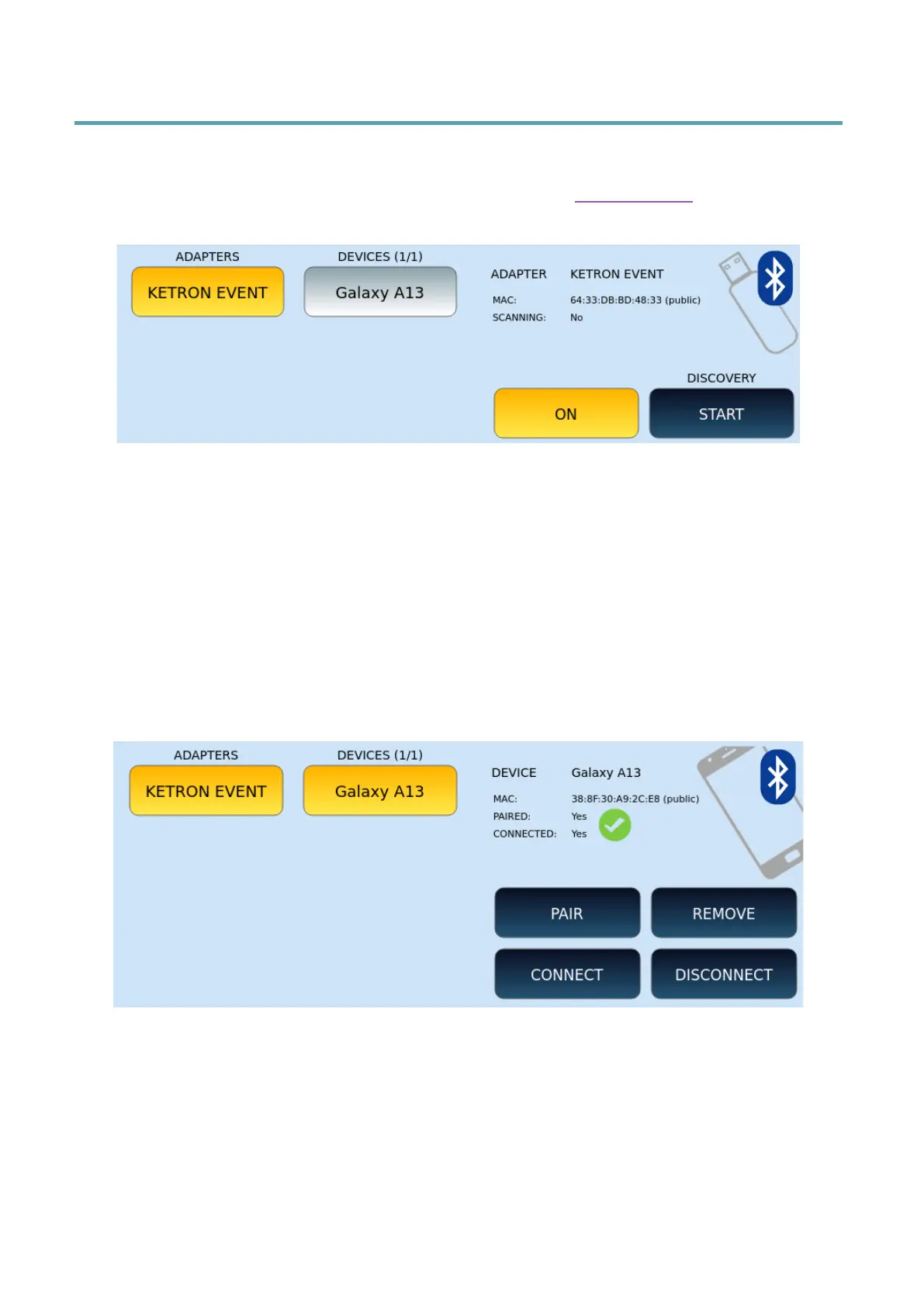
• ADAPTERS: representsthe list of Bluetooth receivers (KETRON EVM is the receiver
inside the instrument but Bluetooth receivers in the form of USB devices are also
supported).
• DEVICES: Represents the list of Bluetooth devices found.
• ON/OFF: Turn the Bluetooth receiver on or off.
• DISCOVERY: Press START/STOP to start or stop searching for compatible
Bluetooth devices. Note: Always stop DISCOVERY when you want to stream audio.
• MAC: The MAC number of the bluetooth receiver.
Options:
• PAIR: Once the two devices are visible on the screen you can proceed with the
pairing by assigning the same PIN configured on the SETTINGS page of the
PLAYER on the remote device. The pairing procedure can take several seconds to
complete.
• REMOVE: useful to deletefrom EVM the configuration of a remote device no
longer used.



 To Next Page