82 | 07 Registration, Playbox, Performance
2. Select one of the 4 PLAYBOX folders on screen by touching either buttons 1, 2, 3
or 4.
3. The screen displays the list of music tracks that you have previously copied to the
specific folder. If necessary, press the UP/DOWN or ENTER buttons to scroll
through the list across multiple pages.
4. Touch a file once and then the START button on the panel to start playback, or – if
you want to start immediately – double-touch the file.
Performance
Performance is a feature of EVM that allows you to organize your favourite resources,
including accompaniment styles and Registration. It is a helpful feature for many EVM users,
especially for musicians who are used to playing live and need quick access to
accompaniments during live shows. Performances become a quick-access list of preferred
accompaniment styles and Registrations, which may have stored a piece of music, video, or
text, pdf ... etc.
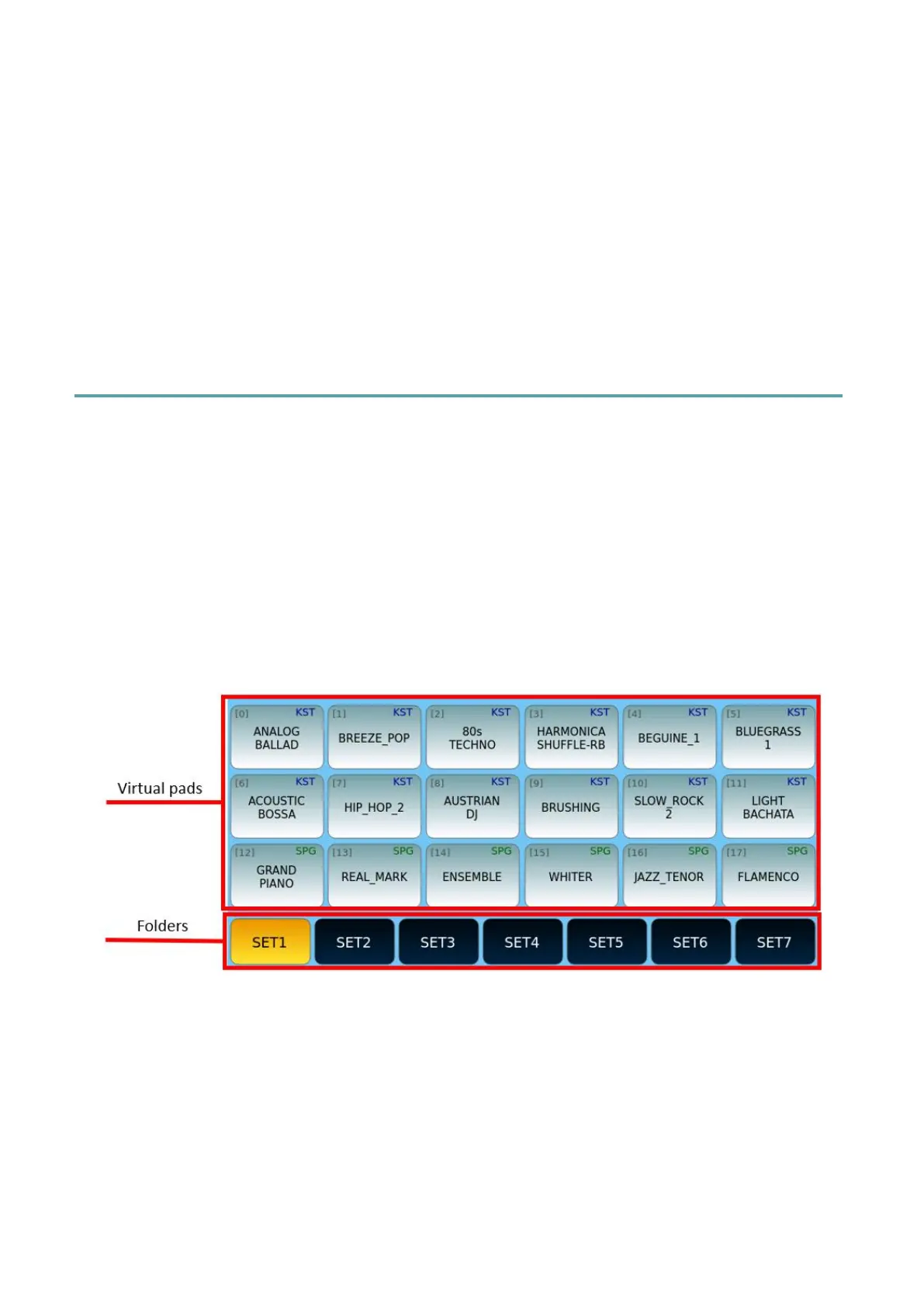
Press the PERFORM button on the panel to open the PERFORMANCE page, as in the
example below.
On each page, you can set up to 18 accompanying and registration styles to have at your
fingertips. Use the UP/DOWN buttons to dial through the pages.
In this context, a collection of styles is called Set. Each Set is linked to a specific folder path,
and when selected, all songs in that folder are uploaded to Virtual Pads.
Options:
• The virtual Pads show the names of the files included in a Set collection. They are
listed in the order defined when each style or Registration was saved within the
Performance container (to change the sorting of the Pads in alphabetical order,



 To Next Page