50 | 05 Player
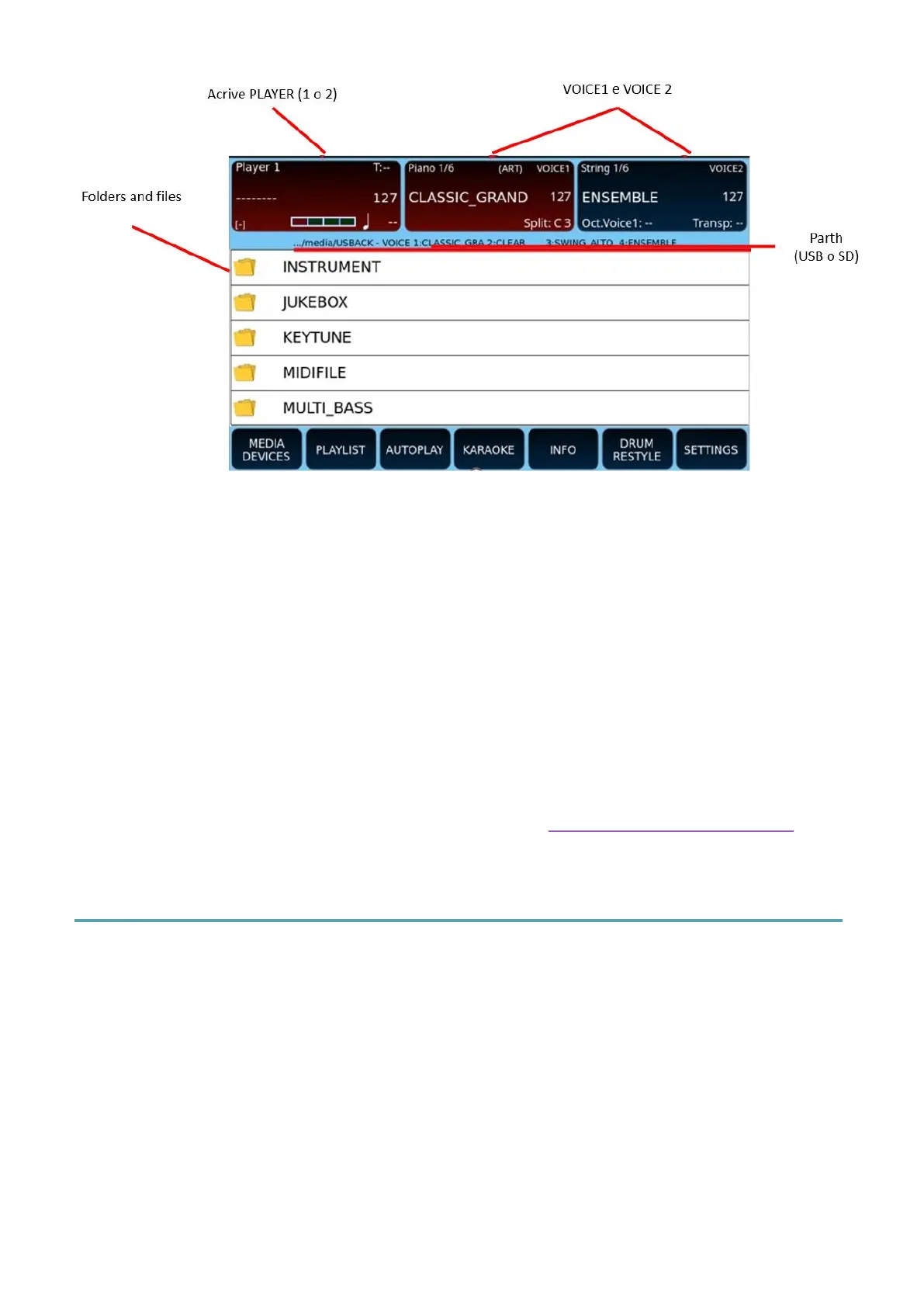
In the PLAYER screen, at the top left, all the information of the currently selected file is
displayed as follows:
• The name of the current song.
• The volume levels.
• The current measure and progression of beats, in the case of MIDI files (.mid or
.kar).
• Tempo, in the case of MIDI files (.mid or .kar).
As in the styles page, the split point information is visible in the VOICE 1 frame, while the
octave and pitch transposition are visible in the VOICE 2 frame. The SPLIT point cannot be
changed in PLAYER mode unless it is LOCKED.
The main settings of the PLAYER are customizable in the Settings pages of the PLAYER.
Searching for songs within the PLAYERS
Once you have pressed the panel button PLAYER 1 or PLAYER 2, you can press the SEARCH
button on the panel, to search for media files within the folder already selected, using a
search string, or select the USB or SD memory drive and navigate through the folders.
There are three search modes: the first two searches for files only within the current folder,
while the third is a global search and acts on all folders.
The first time you press the SEARCH button, the string search is enabled.



 To Next Page