05 Player | 65
Step by step:
1. Open the first song on PLAYER 1 and start playback as we saw above in the
chapter Play multimedia files..
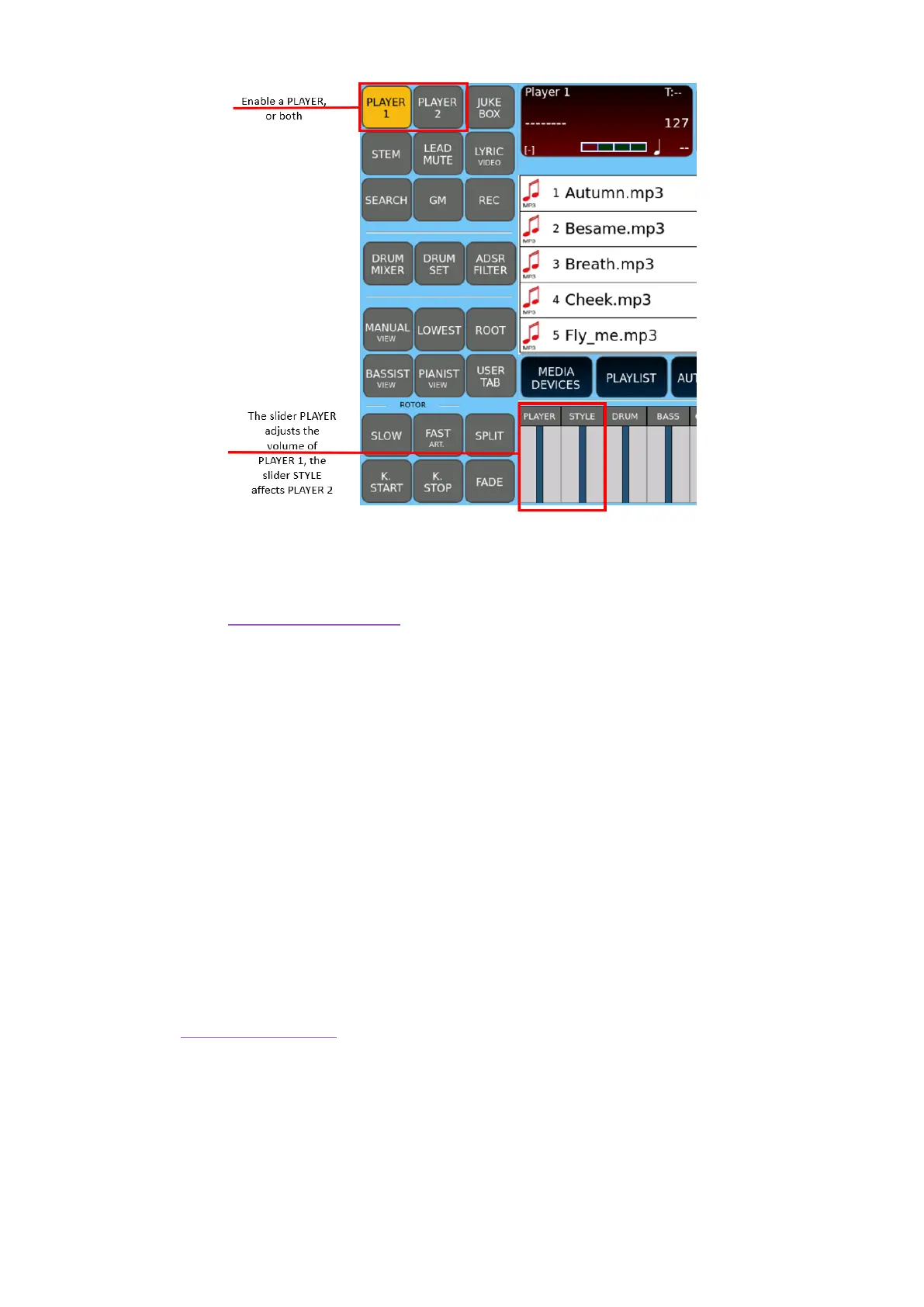
2. Control the volume level via the PLAYER slider on the panel.
3. Make sure the STYLE slider on the panel is down to the bottom/zero.
4. While the first song is playing, press PLAYER 2 and select a second song. The two
songs can be of the same or different format.
5. Start playing the second song as well: having the STYLE slider at zero, you hear
only the first song.
6. Now play with the two sliders PLAYER and STYLE (which also correspond to sliders
for PLAYER 1 and PLAYER 2) on the panel. By lowering the first and raising the
second, you will obtain the desired fade effect and with the times you set on the
spot.
See also the Cross Fade (XFade) procedure configurable on the SETTINGS page of the
PLAYER.



 To Next Page