01 Getting started | 5
The accurate description of the inputs (front and rear) is in the chapter related to physical
connections.
Panel Description
The user interface is external to the device. One way to access the video interface is to use an
external screen via HDMI cable. The choice of screen depends on your preferences and
usage modes: the available options and how to easily implement them are illustrated in the
paragraph Connection Modes for Device Control you may check it out for all the details.
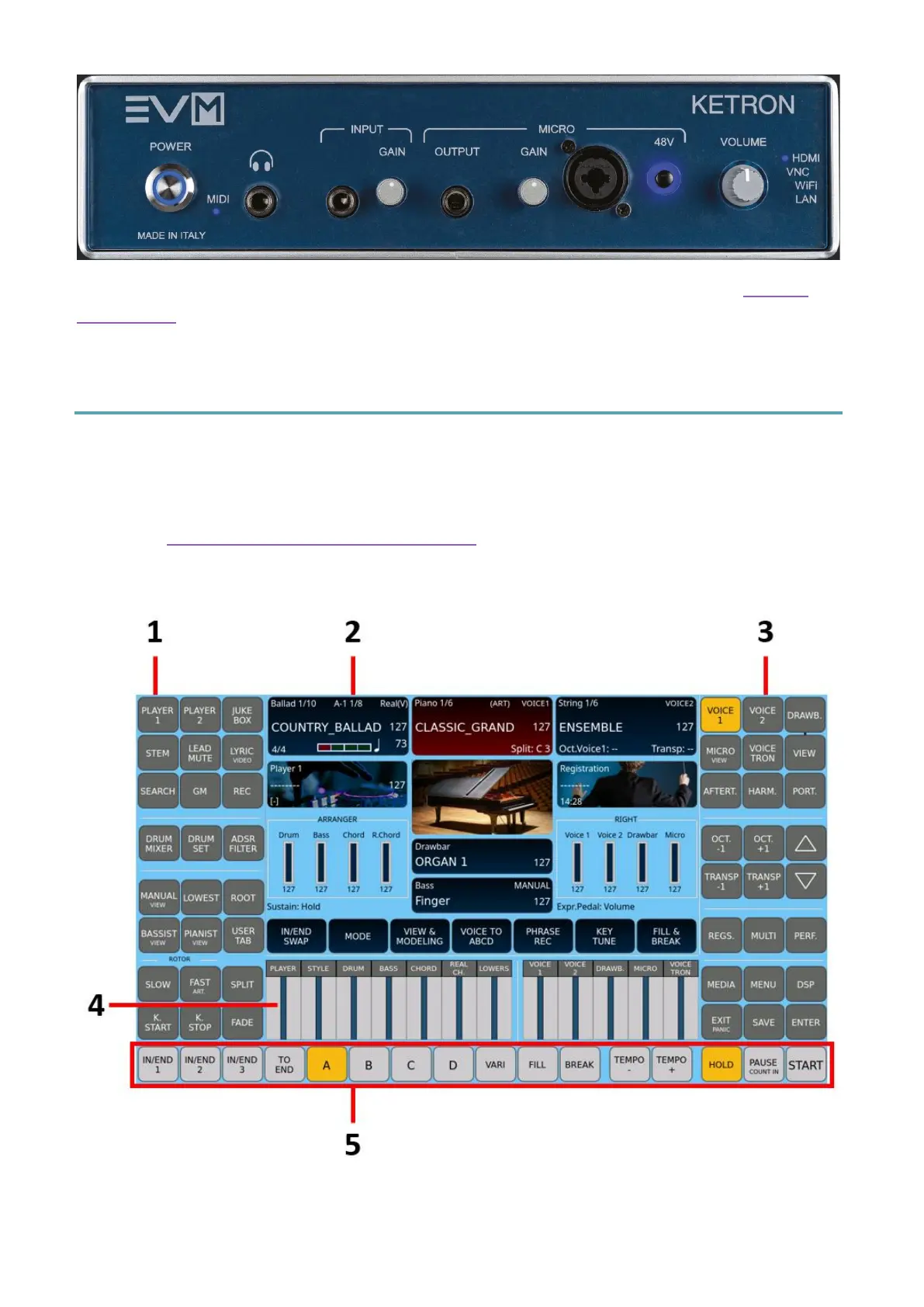
In this chapter, we illustrate the panel that appears on the screen when you power on the
device: it is a fundamental page for using EVM, as it facilitates access to all primary functions.
The EVM panel is composed of:



 To Next Page