05 Player | 53
At the bottom of the screen, there are buttons that give you access to these related features:
• MEDIA DEVICES: On the right side of the screen a window allows you to choose
other storage devices, in addition to the internal one, to select other multimedia
files. All the details are in the MEDIA chapter.
• PLAYLIST: You can manage your playlists with the PLAYLIST feature.
• AUTOPLAY: Automatically plays all songs in the current folder. Touch AUTOPLAY
button to enable or disable this option.
• KARAOKE: See below how to customize the Karaoke page.
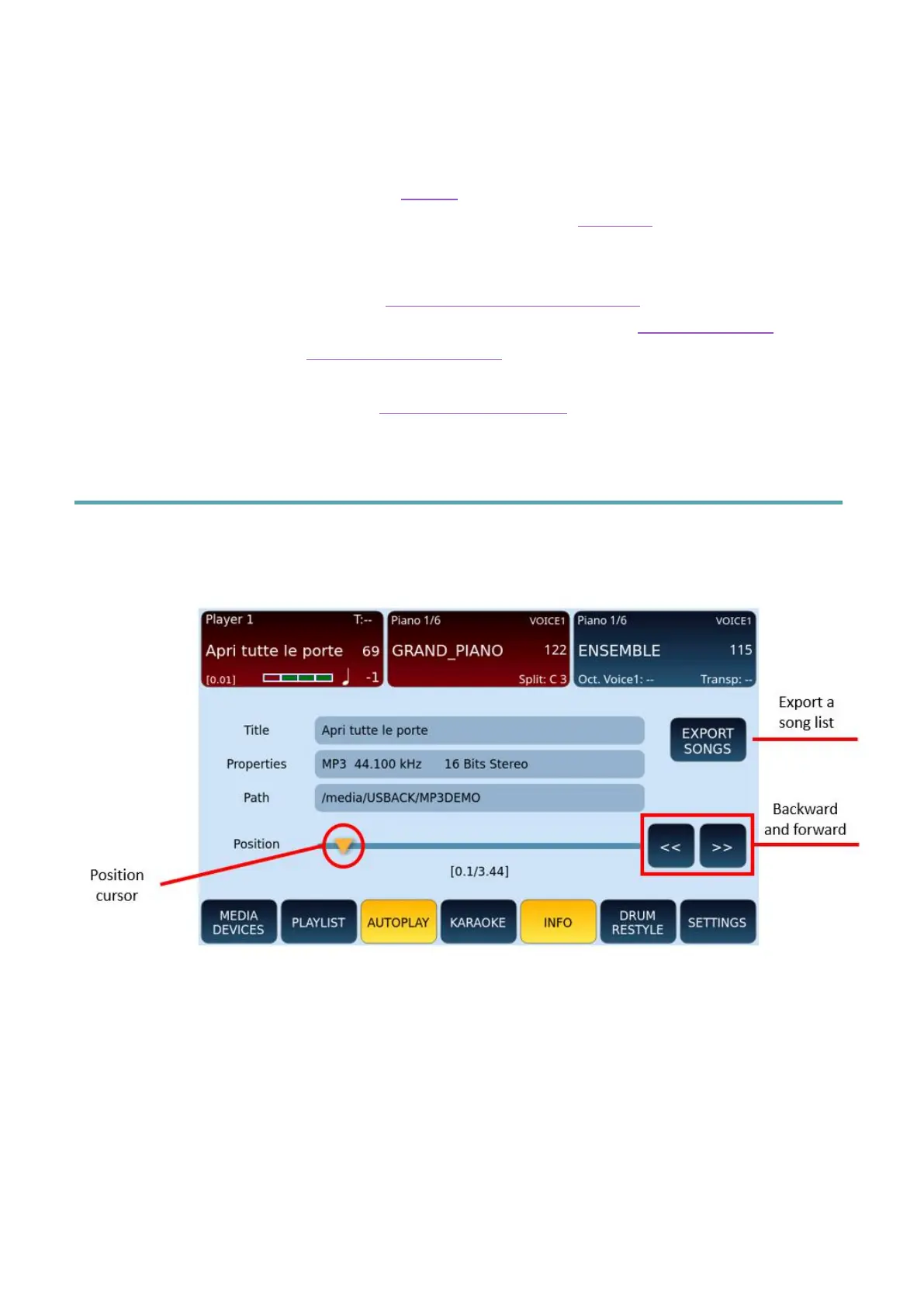
• INFO: View the information of the song being played and control playback.
• DRUM RESTYLE: Renew the rhythm track (replace boring midi drums of MIDI files
with Live Audio Drums of EVM).
• SETTINGS: Customize the basic playback settings of the songs being played.
Playback control parameters
This page is opened by pressing the INFO button on the main page of the PLAYER and is
useful when a song is playing.
In the middle of the screen, you can see the name of the file, its properties (MIDI, WAV, MP3,
and its attributes) and the path in the storage memory.
Thanks to the bar and the playback slider, you can move back and forth in the execution of
the song:
• Move the position cursor along the bar with your finger.
• Press one of the two << or >> buttons to skip about three seconds forward or
backwards of your song currently being played.



 To Next Page