13 Global menus and settings | 151
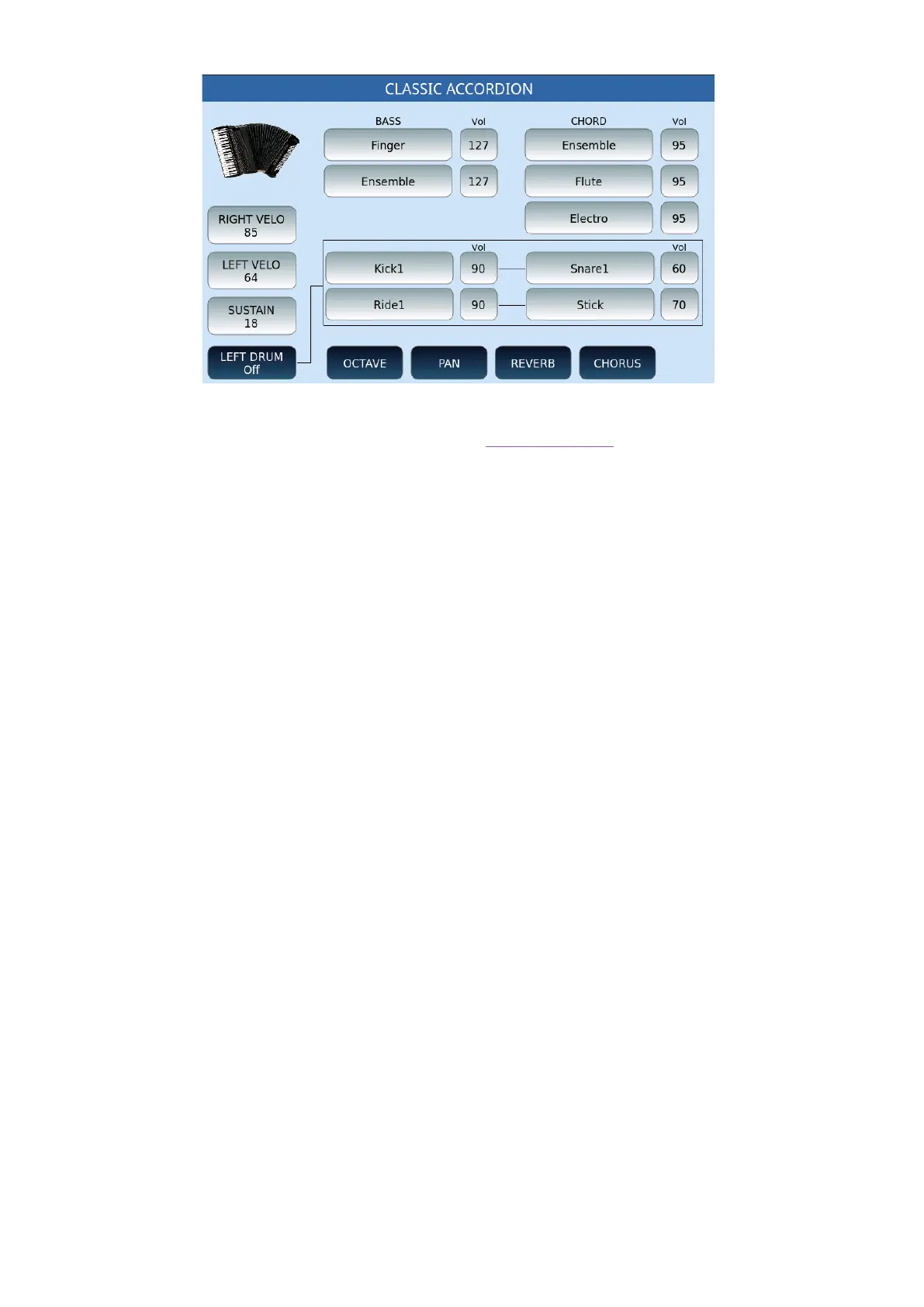
The functions RIGHT VELOCITY, LEFT VELOCITY, LEFT DRUM and SUSTAIN are identical to
the functions described above in reference to the Accordion Style mode.
1. BASS/VOL and CHORD/VOL: These pairs of buttons allow you to assign bass and
Chord sounds (parts 3-4-5) of the accompaniment style and its volume. Tapping on
each button brings up a pop-up window for selecting entries.
• OCTAVE, PAN, REVERB, CHORUS:These buttons are active only for bass tracks
and chords, but not for percussion parts.When each of these is selected, the
frame- which by default shows the volume value - shows the values of the selected
function, i.e., the octave transposition of the Reverb Pan and the Chorus of the
sounds assigned to the Bass and the Chord tracks. These values are adjusted in a
similar way to the volume, that is, by touching the specific frame and using the
data knob.
To save the changes applied to this page, press the SAVE button on the panel of the
instrument and confirm the save.
ORGAN
The mode sets the instrument to be connected to an organ with two manuals and the bass
pedal board via MIDI connections.



 To Next Page