148 | 13 Global menus and settings
MASTER mode is the standard mode of using EVM.
You can connect any type of MIDI controller.
ACCORDION STYLE
You can control the Arranger section with the automatic bass of the accordion via MIDI
connections. EVM can read the standard channels of MIDI accordions. You can customize
the assignment of these channels on the MIDI Arranger Keyboard page.
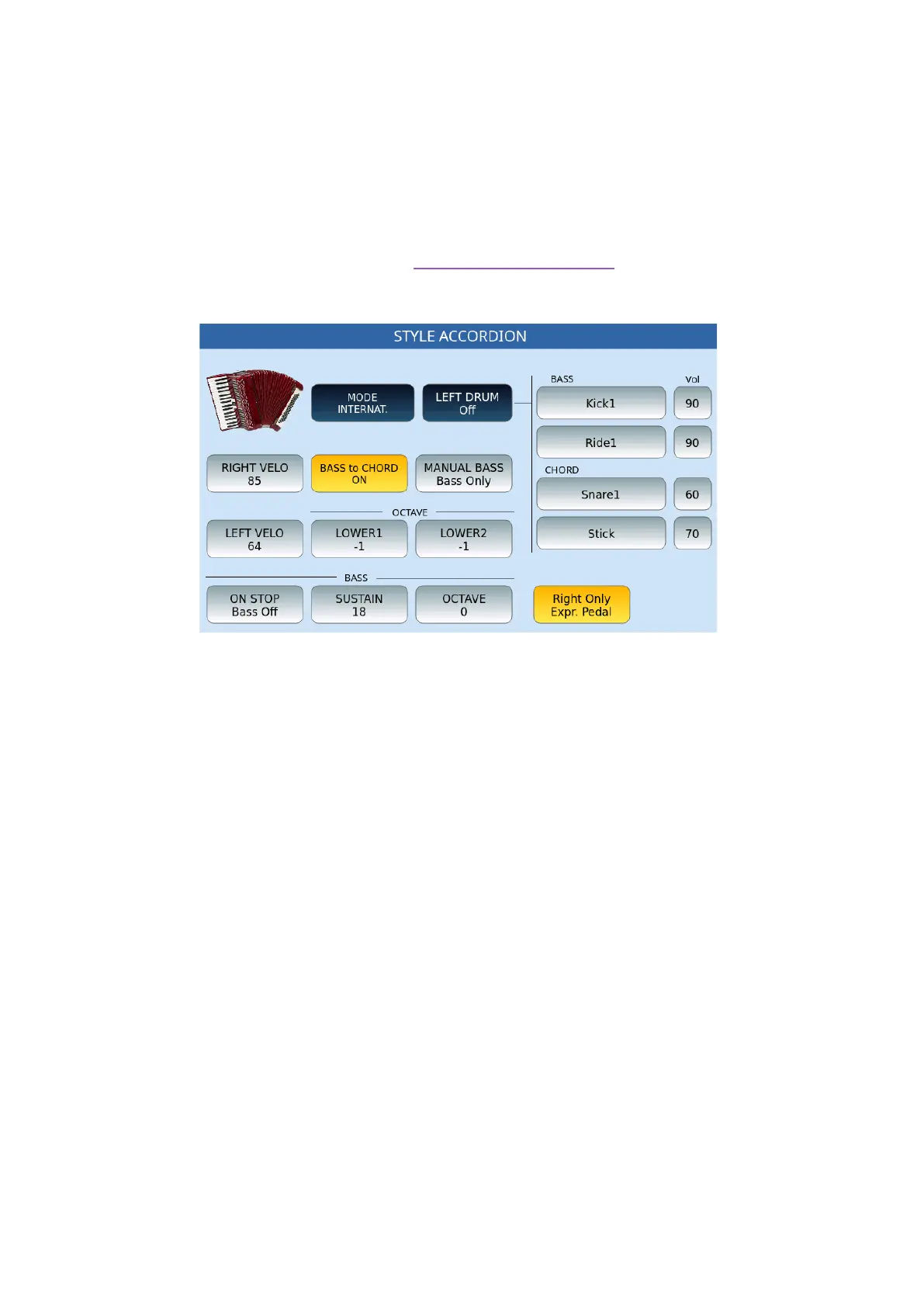
Touching the ACCORD. STYLE icon opens a dedicated page as follows.
Options:
• MODE: It regulates the general setting of the accordion which can be according to
the international or French/Belgian system.
• LEFT DRUM: When thisbutton is ON allows you to play the drums manually using
the bass buttons. You can find a link on the right side of the screen witha series of
fields to which you can assign sounds in layers dedicated to the two bass buttons
(BASS) and the two chord buttons (CHORD). To choose the sound, touch the
specific frame, thus opening a pop-up window from which you can select the
desired sound. Next to the sound frame, you can set the volume of the percussive
sound by pressing the data knob.
• RIGHT VELOCITY: Function dedicated to accordions equipped with dynamic
keys,where you may setthe velocity curve: Soft, Medium, Hard and Fixed. The
adjustment is made directly from the Touch Screen by selecting each of the four
curves from a pop-up window. When it is set to FIXED, you have to declare the
velocity number.
• LEFT VELOCITY:This function is identical to the one described above only in
reference to the bass and chord keys.
• BASS TO CHORD: If this function is set to ON, it causes the Bass note to be a part
of the chord. For example, if you play a bass B and a C major chord, the
accompaniment reads a C7+ with the root C in the bass. If it is set to OFF , the



 To Next Page