13 Global menus and settings | 183
Step by step:
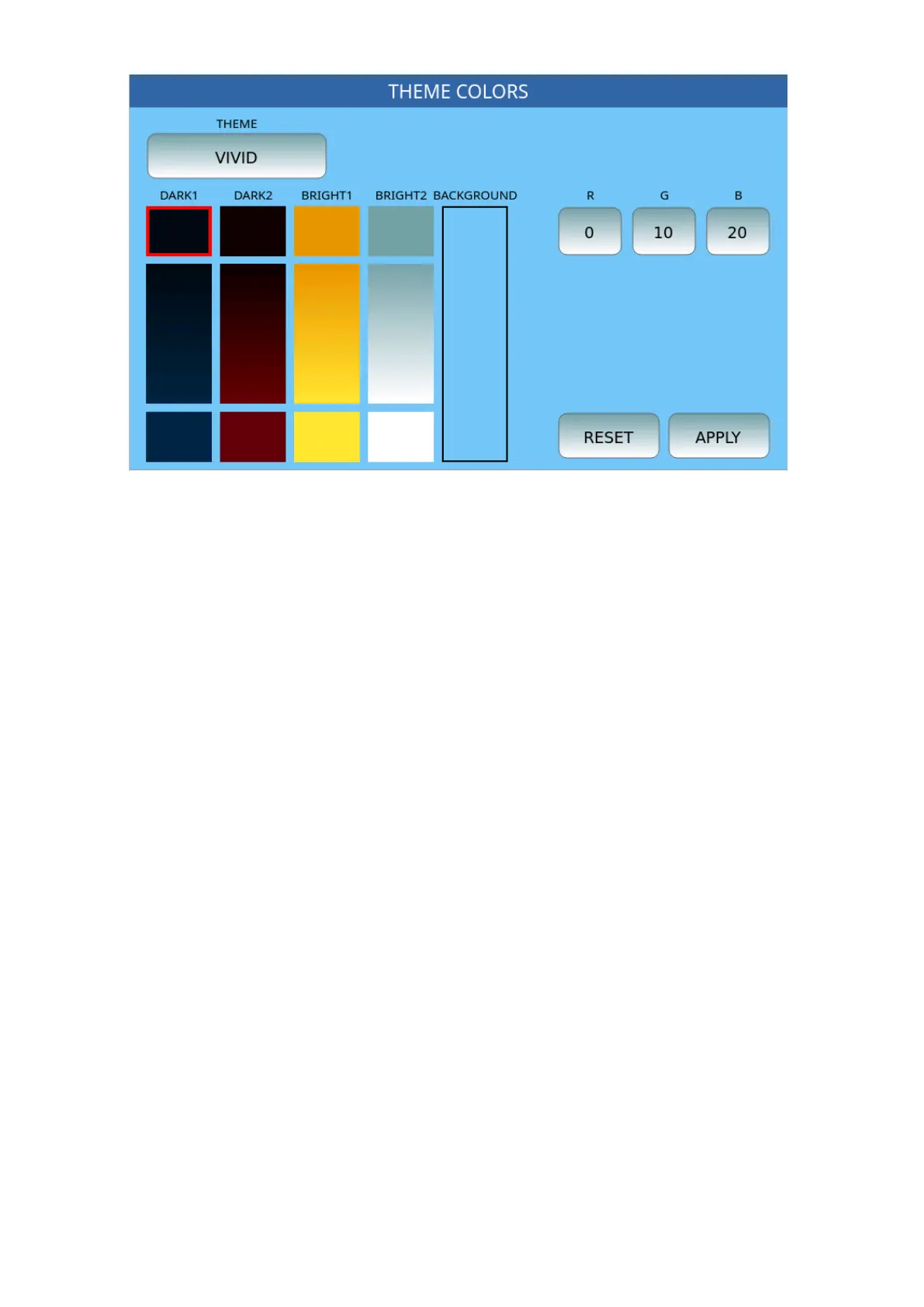
1. Select the theme you want to edit (between VIVID, CLASSIC, SMOOTH,
AQUAMARINE, and FLAT), by pressing the THEME button.
2. Select the type of button you want to customize: DARK1, DARK2, BRIGHT1,
BRIGHT2, and BACKGROUND, as seen above.
3. Modify the three R, G, and B buttons to adjust the RGB components of the
selected color.
4. Press APPLY to keep the changes. You need to restart the EVM. Please note: all
changes can be saved by pressing SAVE on the panel and selecting CUSTOM
STARTUP.
If you are not convinced of the result, you can always press RESET and restore all themes to
their original appearance.



 To Next Page