14 Inputs and Outputs | 185
instrument (Keyboard or Expander), guitar or second dynamic
microphone.
• INPUT GAIN: Potentiometer for adjusting the gain of the input signal
INPUT.
• MICRO OUTPUT: Standard mono jack input that replicates the same
output signal as the input to the MICRO input.
• MICRO GAIN Potentiometer for adjusting the gain of the MICRO input
signal.
• MICRO IN: Standard mono combo (TRS/XLR) input for connecting a
microphone.
• 48V: Switch for 48V Phantom power of the MICRO socket.
• VOLUME Controls the overall volume of the instrument.
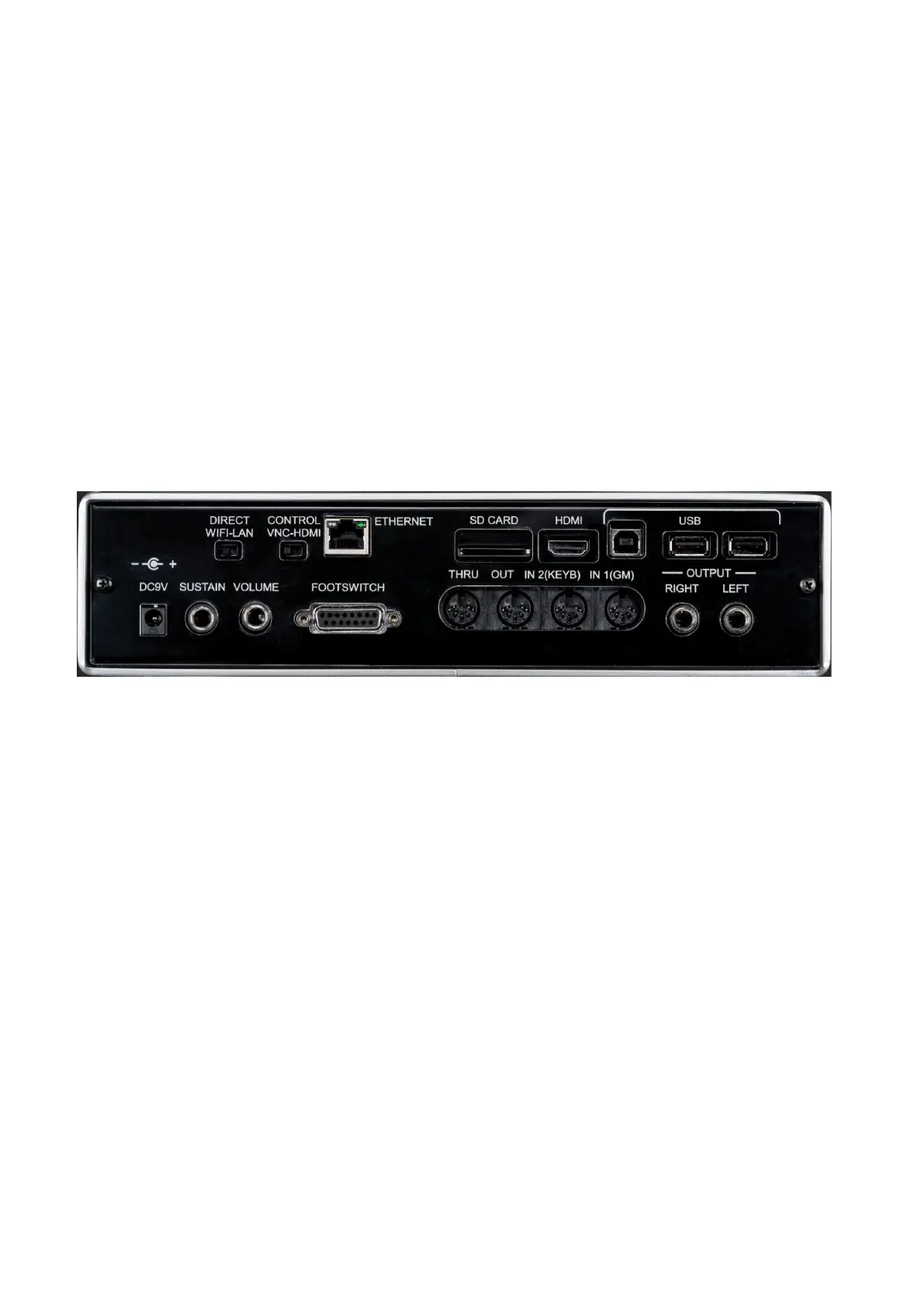
Back panel
Brief description, details follow in the lower paragraphs of this manual.
From left to right:
• DIRECT WIFI-LAN: Use this switch to select the connection type for the VNC
protocol: Wi-Fi or cable.
• VNC-HDMI CONTROL: Use this switch to select the type of remote control to be
used (VNC or HDMI).
• ETHERNET: Ethernet input for remote control via network cable (RJ-45 connector).
• SD CARD: Slot for inserting an external SD card (SDXC).
• HDMI: Standard HDMI video input for transmitting video data to a compatible
monitor, projector or TV monitor. Or, if you've chosen HDMI as the mode of use,
this is the socket to connect the touch-screen monitor for remote control.
• USB HOST: Standard USB-B port for connecting the instrument to the PC (USB-
MIDI and memory device).
• 2x USB DEVICE: Two standard USB-A ports for connecting external storage
devices, such as USB sticks (flash memory), self-powered HD, etc.
• DC 9V 3.5: Power supply input. It is recommended that you only use the power
supply supplied with the instrument. Power Supply Output: 9V, 3.5A.
• SUSTAIN: Jack input (TS) for connecting the Sustain pedal (optional).
• VOLUME: Stereo jack input (TRS) for connecting the volume control pedal
(optional).



 To Next Page