| 43
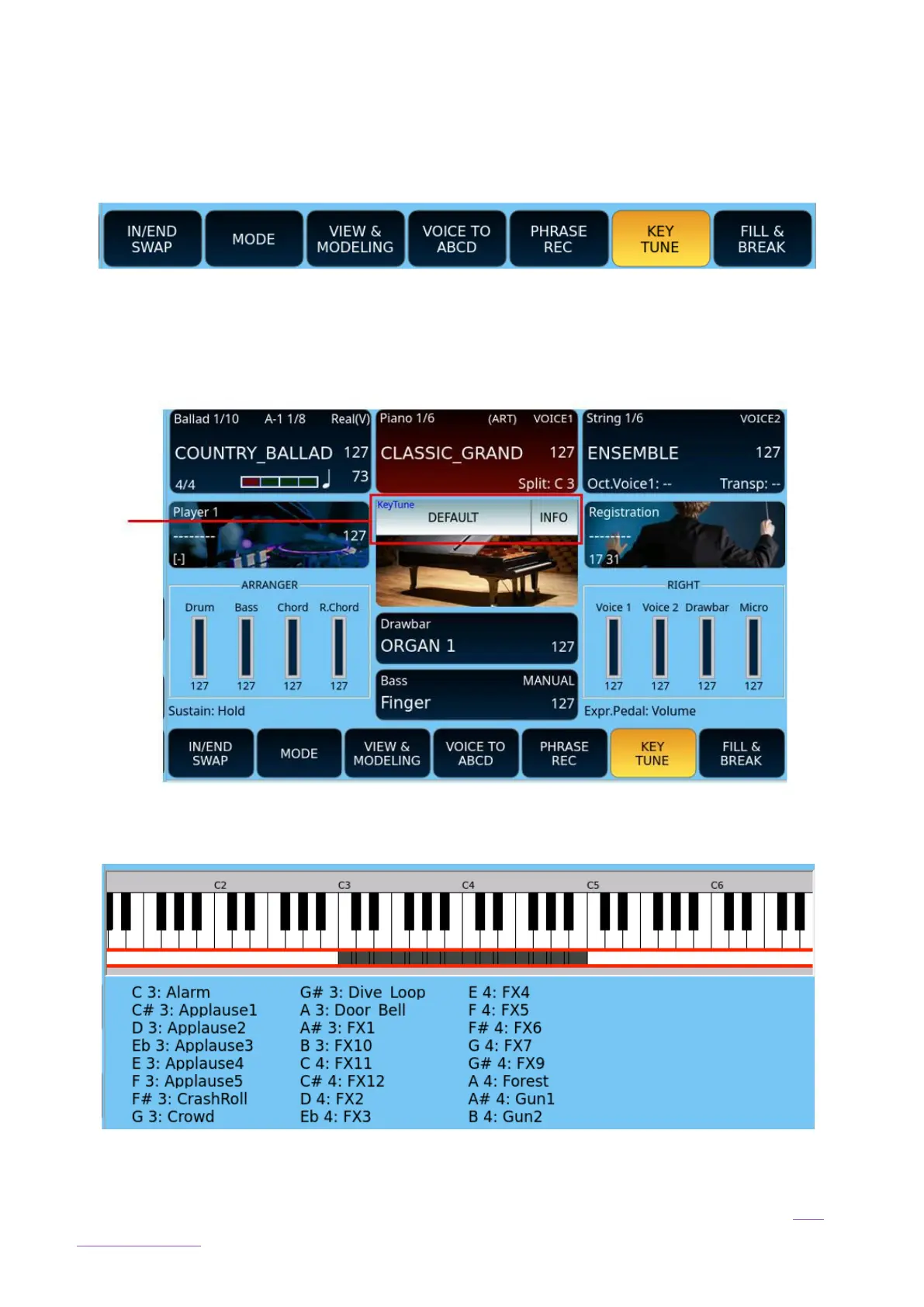
From the main page Press the KEY TUNE button in the bottom bar of the main page to
activate/deactivate the Key Tune player.
The Player will load the Global Key Tune or Style Key Tune (if this is saved in the style file).
Press the white button in the middle of the screen to load a different melody than the ones
saved in the KEYTUNE folder.
Press INFO to open the page that displays the locations of the audio files associated with
individual keys on your keyboard.
Whether the style is running or not, with the KEY TUNE button active, you can start audio
tracks in real time by pressing the key on the keyboard associated with the individual audio
files. Read the detailed description on how to manage Key Tunes in the chapter Menus and
Global Settings.



 To Next Page