01 Getting started | 11
• The general MASTER VOLUME is not here: it is a physical knob on the EVM sound
module, as described above.
• Also note that the 9 digital drawbars are available on the touch screen in the
DRAWBAR VIEW page (press DRAWB. and then VIEW in sequence).
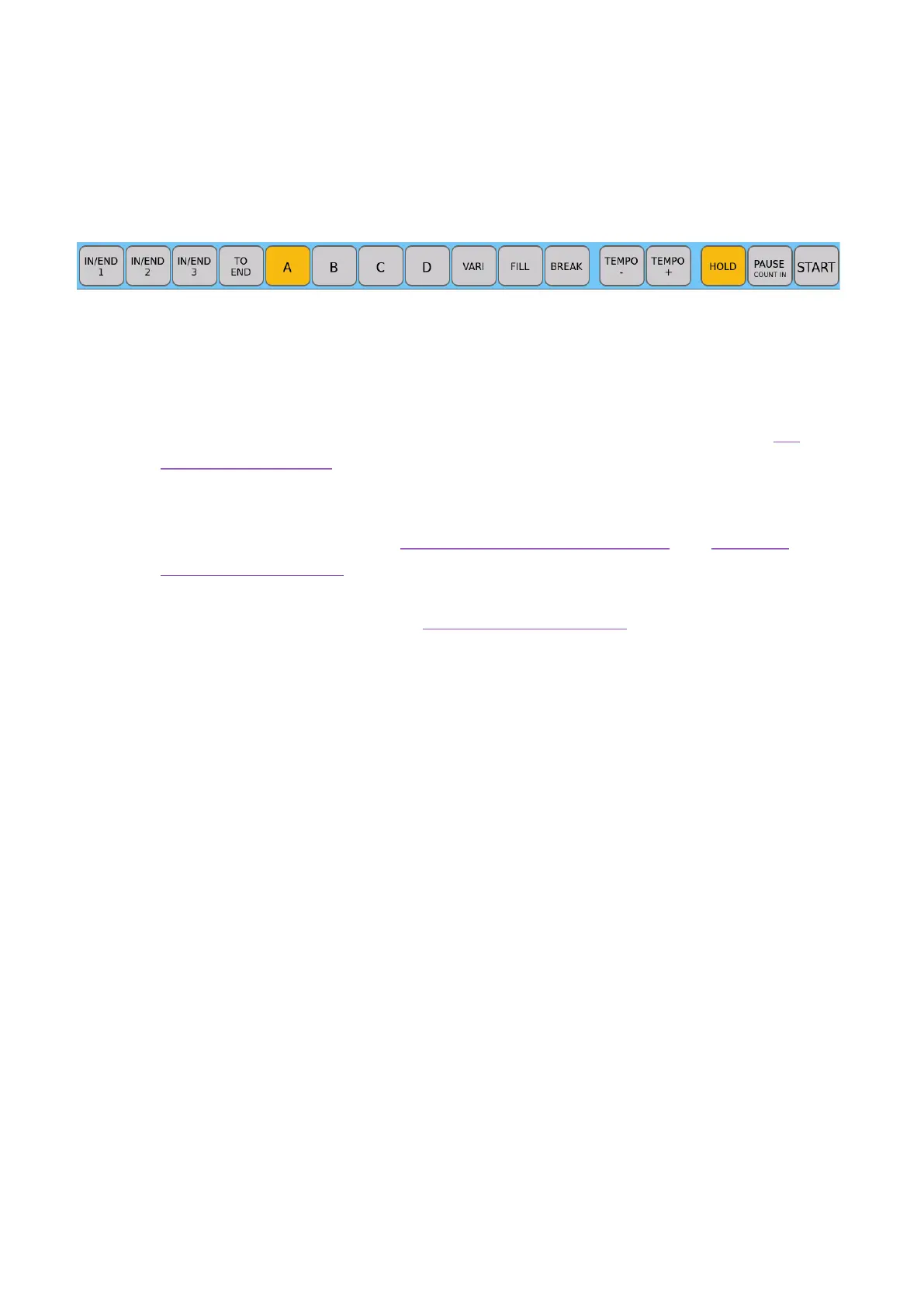
5. Cross-buttons at the bottom of the panel
• IN(TRO)/END 1, 2, 3: Start and stop songs played with accompaniment.
• TO END: This is to end immediately the playing style.
• ABCD: Open the four main variations of the ABCD arrangement
• VARI: Activates an alternate rhythm track with more ‘color’.
• FILL, BREAK: These buttons control the Fill-In and Breaks in the styles; see the
dedicated paragraph for specific instructions.
• TEMPO -, TEMPO +: Press these buttons to increase and decrease the tempo
(BPM), adjusting the accompaniment style and the backing tracks being played by
the PLAYER. All the details in Tempo in accompaniment styles and Tempo in
songs (MIDI and MP3).
• HOLD, PAUSE (COUNT-IN), START: These buttons also control the execution of
the styles (all instructions are in the dedicated paragraph).
Warning!
There are a vast number of EVM functions, and, to maximize stability of the instrument,
some keys on the panel are disabled during certain operations to facilitate ease of use.
Should this extremely rare occasion occur, do not panic. Simply press the EXIT button
(sometimes even twice to go back up steps) to return to the HOME page. Then try again.



 To Next Page